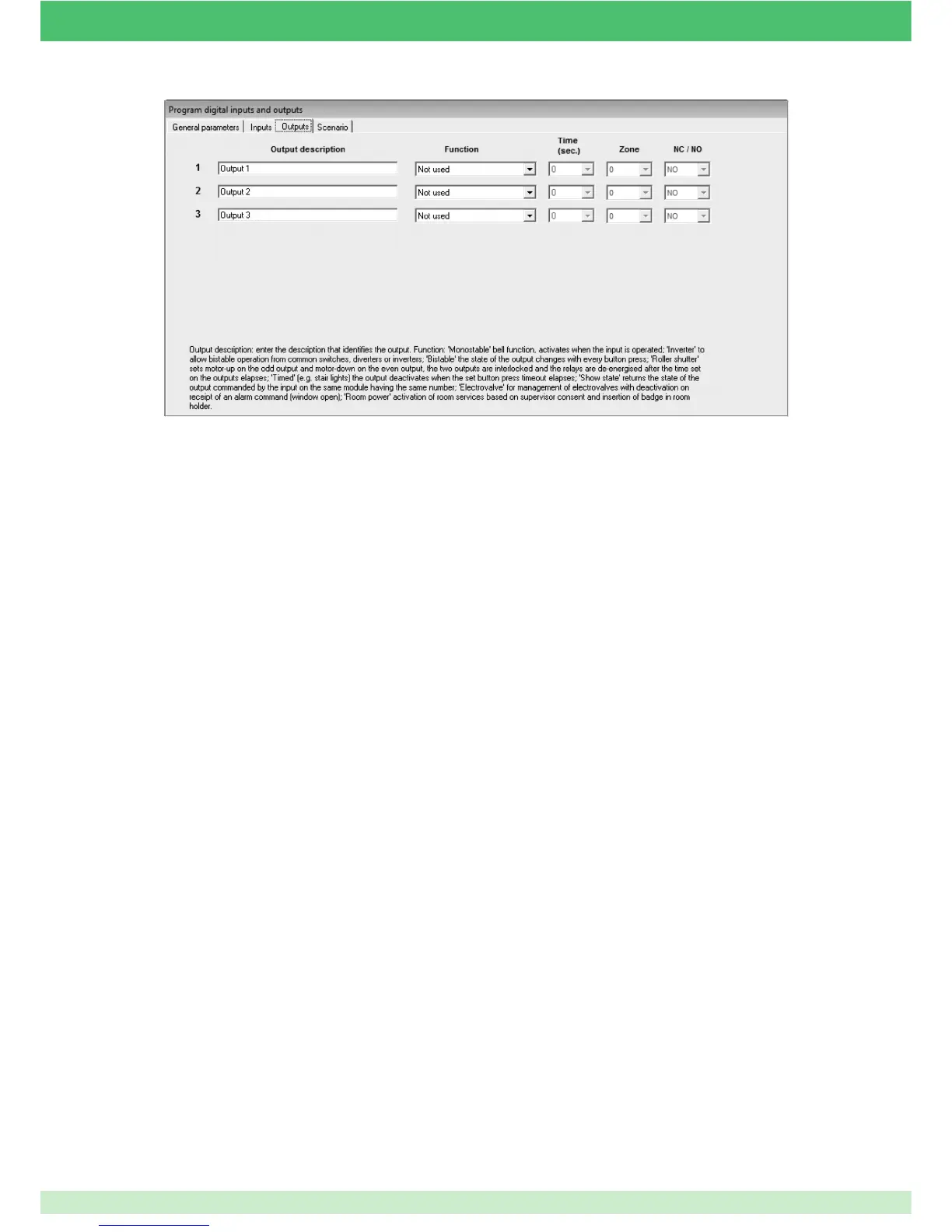
DIGITAL OUTPUTS
MONOSTABLE: set this option if the output needs to be activated when the input closes, and deactivated when the input opens. Every
time the input opens or closes, a SET or RESET command is sent. This function can be used for the outputs to which a ringtone is
connected, such as a bathroom pull-cord or doorbell. If 2 or more inputs are set to control the same output when any of the inputs are
closed, the output is activated; if any of the inputs are opened, the output is deactivated. This means that if both inputs are closed and
the output is open, when an input is opened the output is deactivated, even if the second input is closed. The last command sent is
taken into consideration without analysing the status of the remaining inputs. Every time the input is opened, a SET command is sent
to the set output, while every deactivation causes a RESET command to be sent.
INVERTER: set this function to make the output switch every time there is a change to one of the inputs programmed for the control of this
output. This option can be used to carry out commands, for example, from switches, diverters or inverters. If two switches are connected
to 2 different inputs, every time one of them switches the output will also be switched. For example, starting from a condition where the 2
switches are open and the output inactive, when the the fi rst switch connected to input 1 is closed the output will be activated. When the
second switch is closed the output will be deactivated and so on for every change in any of the inputs. Every time the input is switched
a NORMAL command is sent to the confi gured output.
BISTABLE: set this function to switch the output with a pulse at the confi gured input. This function allows control of the output using
traditional buttons connected to the digital input. Every time the button is pressed and released the output inverts its status. The
command is activated when the button is pressed, yet no command is carried out when it is released. If, for example, 2 buttons are
used to control the same output set as bistable, the following applies: when the fi rst button is pressed the output is activated, when the
second button is pressed the output is deactivated. If you press and hold the fi rst button the output is activated; if you continue to press
and hold the fi rst button and press the second button, the output is deactivated.
ROLLING SHUTTER: this option can be used to control a shutter or an automated device with a dual output (opening and closing). If
output 1 is selected as rolling shutter, the second output will also be set as rolling shutter as there must be 2 outputs used to control a
shutter and since this function creates a lock between the 2 outputs to prevent simultaneous activation of the up and down outputs. If
the outputs are set as ROLLING SHUTTER, a time (in seconds) must be entered. This time corresponds to the approximate up and
down movement time of the shutter. We recommend entering a time slightly longer than the period taken for the shutter to open or close,
as mechanical shutter locking must be guaranteed by the mechanical stop limit of the motor and not by the activation of the output on
the module. If you leave a time of 0 the outputs will be activated for 0.5 seconds. The shutter can only be controlled with 2 buttons, one
for upward movement and the other for downward movement. Starting with the shutter raised, if you press the down button the shutter
will begin to lower for the programmed amount of time. If you want to stop the shutter at any time, press the button for the opposite
movement, i.e. if the shutter is closing simply press the button for opening. At this point, while the shutter is not moving, you can press
either the opening or closing button to set it in motion again. Every time the shutter is activated, in any position, the timer resumes its
countdown. The commands carried out for outputs confi gured as ROLLING SHUTTER must be NORMAL, if sent to one of the two
outputs used to control opening or closing, or RESET, if you want to stop the shutter. SET commands are not recognised by the module
for outputs confi gured as ROLLING SHUTTER.
67



 To Next Page