Chapter 7:Protecting & monitoring your Wi-Fi network
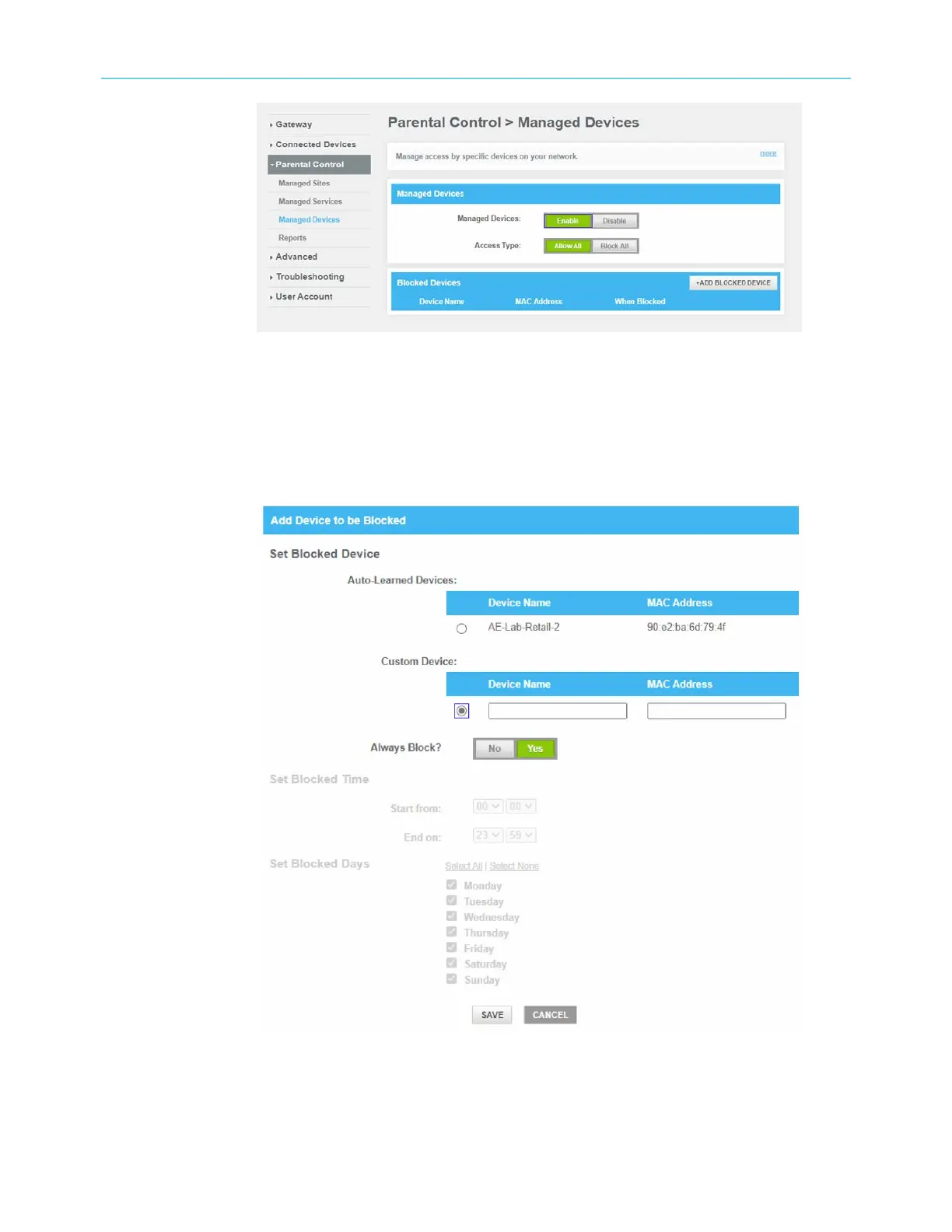
Figure 43: Manage Devices screen
21. To manage devices, click Enable.
22. If you do not want to restrict your devices, click Allow All and then click +ADD BLOCKED
DEVICE to add only the device you want to restrict.
23. If you want to restrict your devices, click Block All and then click +ADD ALLOWED
DEVICE to add only the device you do not want to restrict.
Figure 44: Add Blocked device screen
24. To manually block a device, type the Device name and the MAC address fields.
25. To fully block a device, click Yes, in the Always Block? field.
SURFboard
®
G34/G36 DOCSIS
®
3.1 Wi-Fi
®
Cable Modem User Guide STANDARD Revision x.3 53













 To Next Page