M0201AJB Era
™
Medium Power Carrier Access Point Installation Guide
© October 2018 CommScope, Inc. Page 45
Installing CAP Ms
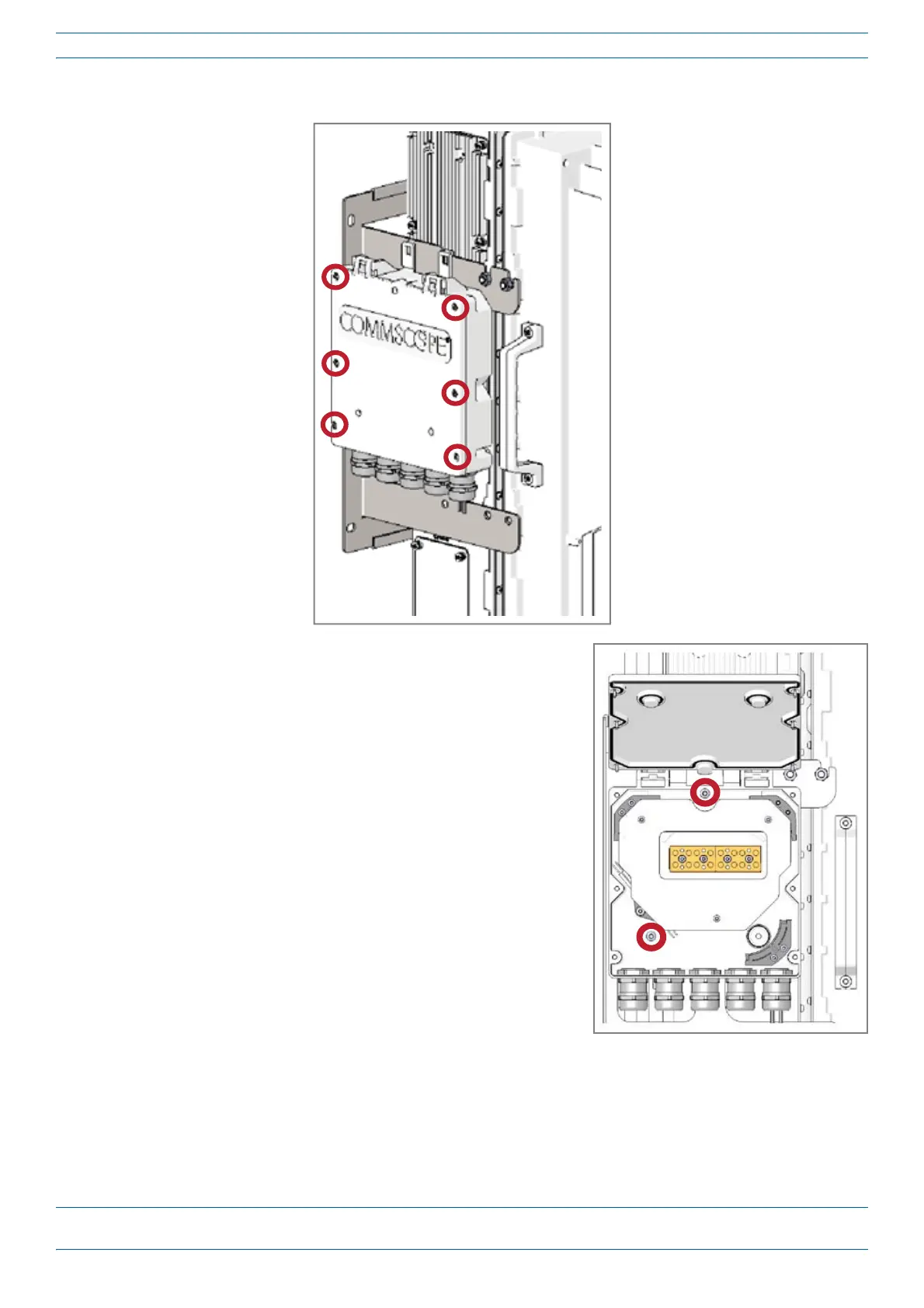
3 Removethesixneckscrews(shownbelow)fromthefrontcoveroftheSpliceBox.
4 OpentheSpliceBox.
5 AttachanM4x25pan-headscrewtotheupperhole,anda
secondM4x25pan-headtotheholeonthelower,left-handside
(shownatright)oftheSpliceBox.
6 ClosetheSpliceBox.
7 Replacethesixneckscrewsthatyouremovedfromthefront
coveroftheSpliceBoxin
Step3onpage45.
8 Goto"GroundingtheCAPM”onpage46.










 To Next Page