29
DEEP LEARNING PLUS USER MANUAL
INTRUSION DETECTION
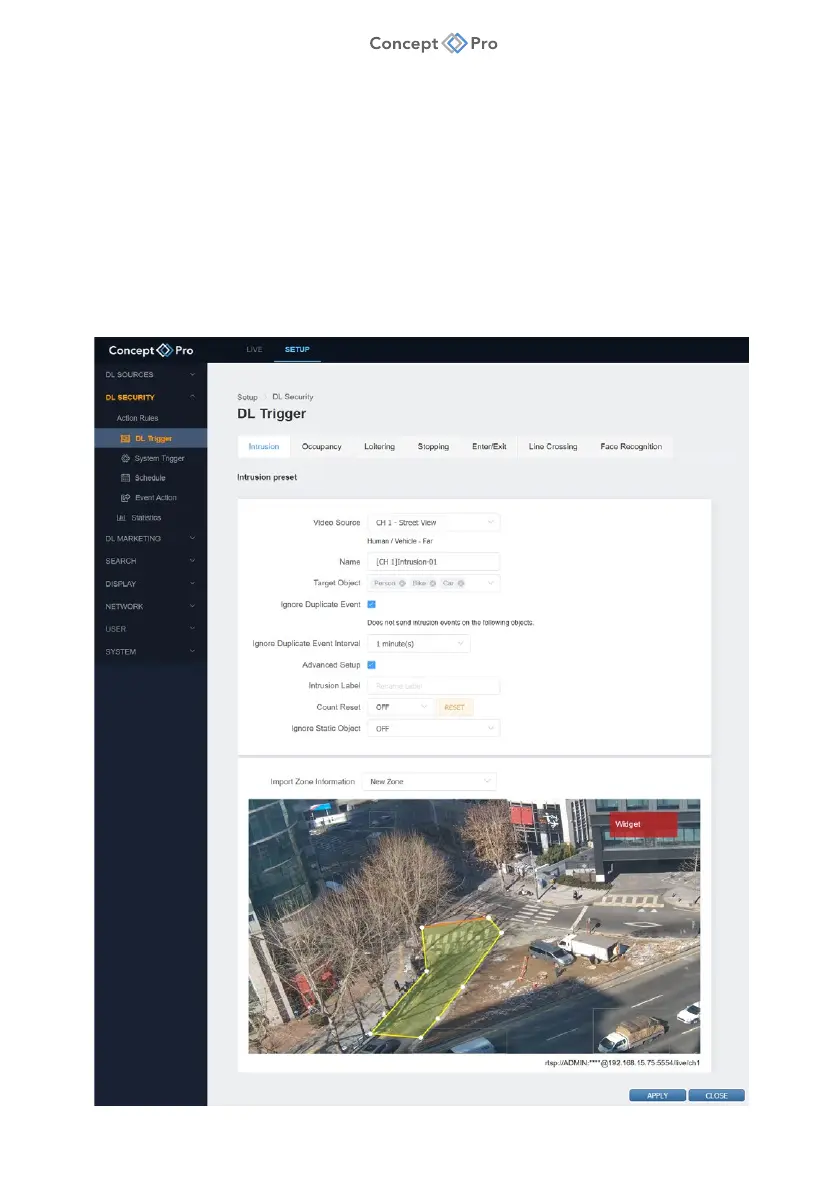
Intrusion Detection is a function that is triggered whenever a new target appears inside a
configured area within the video source field of view. Detection is based upon the centre point
of a target object. Detected objects will continue to trigger Intrusion Detection events at a
configured interval until they exit the configured detection area.
To configure an Intrusion Detection DL Trigger, please follow the steps below:
1. From the <SETUP> tab, navigate to <DL SECURITY> - <DL TRIGGER> menu.
2. Select the <INTRUSION> tab.
3. Click the <ADD> button to create a new Intrusion Detection DL Trigger.



 To Next Page