31
DEEP LEARNING PLUS USER MANUAL
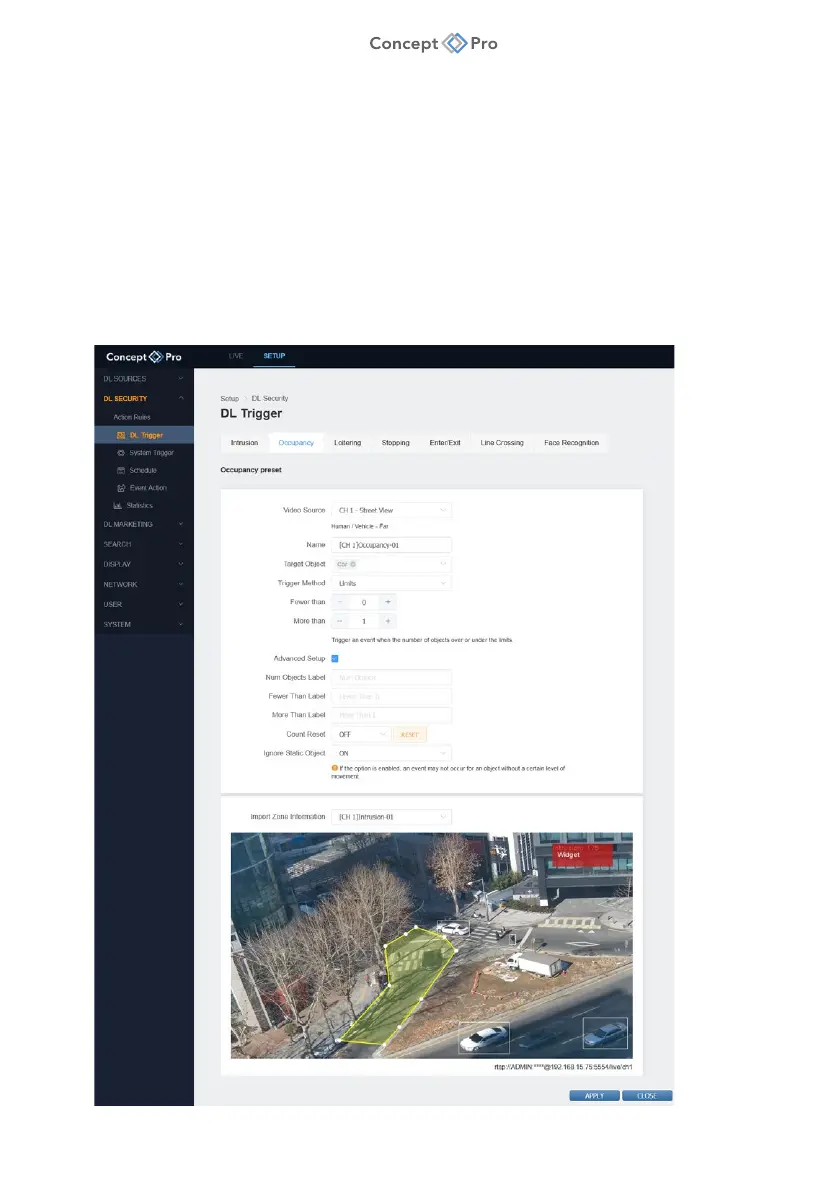
OCCUPANCY DETECTION
Occupancy Detection is a function that is triggered whenever the current count of objects inside
a configured area within the video source field of view is outside of a specified ‘normal’ count.
For example, an Occupancy Detection trigger can be configured to trigger if more than three
people are inside of a specific area (e.g., queue management/detection). Alternatively, the rule
can be configured to trigger ever ‘N’ objects counted. For example, detect every ten vehicles
that are detected entering an area. Detection is based upon the centre point of a target object.
1. From the <SETUP> tab, navigate to <DL SECURITY> - <DL TRIGGER> menu.
2. Select the <OCCUPANCY> tab.
3. Click the <ADD> button to create a new Occupancy Detection DL Trigger.



 To Next Page