53
DEEP LEARNING PLUS USER MANUAL
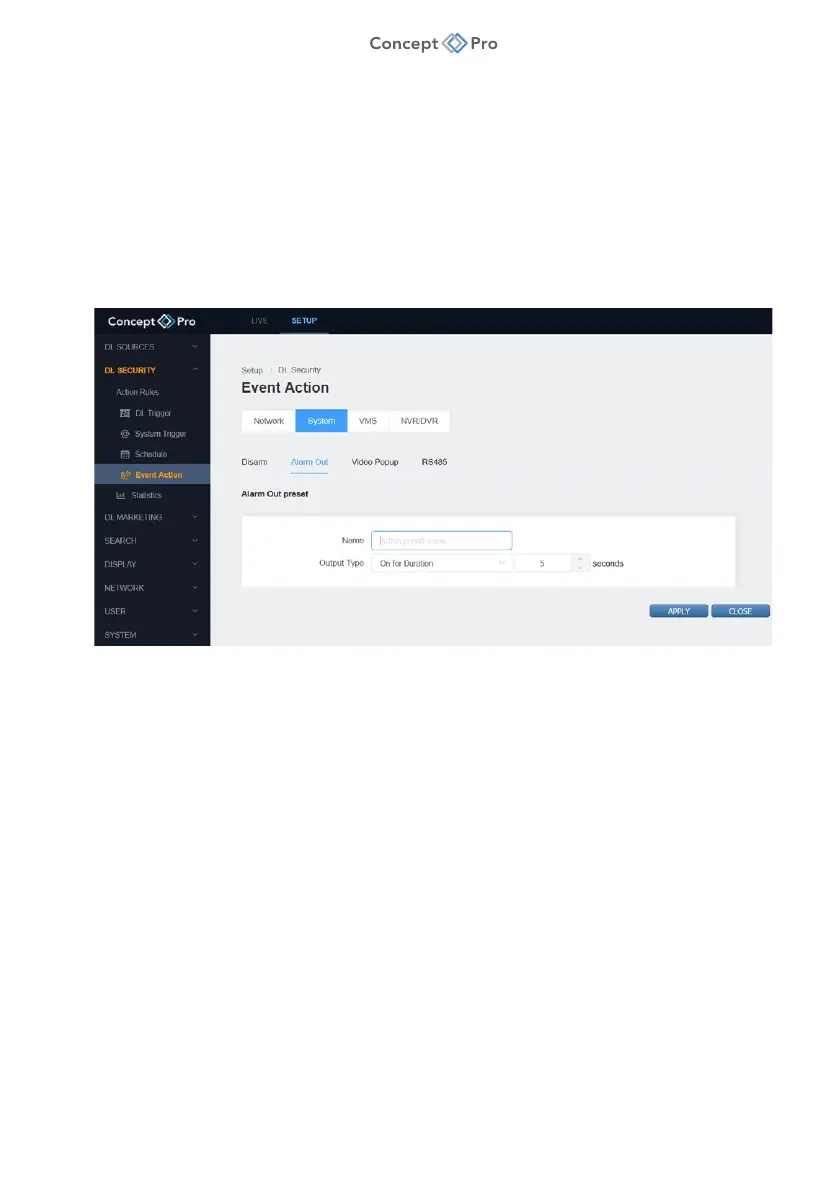
ALARM OUT
The DL PLUS alarm relay output can be configured to trigger when a DL Trigger or System
Trigger is detected. This alarm relay output can be connected to external equipment, such as a
siren, to alert people of an event.
To configure an Alarm Out Event Action, please follow the steps below:
1. From the <SETUP> tab, navigate to <DL SECURITY> - <EVENT ACTION> menu.
2. Select the <SYSTEM> - <ALARM OUT> tab.
3. Click the <ADD> button to create a new Alarm Out Event Action.
4. Review and configure the Alarm Out preset parameters shown:
a. Name: Enter a custom name for the Alarm Out preset.
b. Output Type: Select the operation method for the DL PLUS alarm relay output.
i. On for Duration: Turn the alarm relay output on for a set period, then it
automatically turns off.
ii. ON: Turn the alarm relay output continuously on.
iii. OFF: Turn the alarm relay output continuously off.
5. When all parameters are configured, click <APPLY> to save the settings.



 To Next Page