DEEP LEARNING PLUS USER MANUAL
60
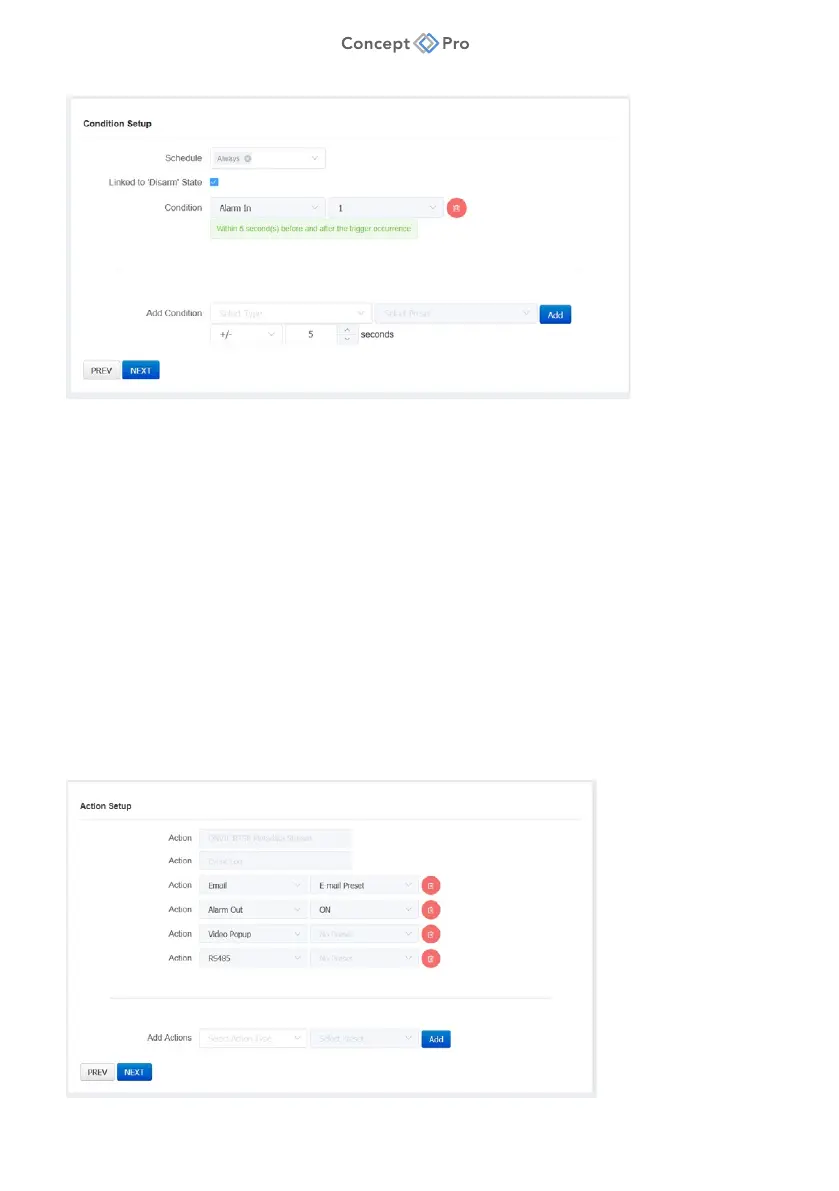
7. In Step 3 – Condition Setup, review and configure the Action Rule Condition parameters
shown:
a. Schedule: Select ‘Always’ or another created Schedule preset that the Action Rule
should follow.
b. Linked to ‘Disarm’ State: Select to link the Action Rule to the system arm/disarm
state. If linked, the Action Rule will trigger if the system is armed and all other Action
Rule conditions are met and will not trigger if the system is disarmed.
c. Add Condition: Click the + button to add another condition that must be met to
trigger the Action Rule. This ‘Double Knock’ condition can help reduce false alarms.
Select another DL Trigger or Alarm Input System Trigger and corresponding (+/-
/+or-) time interval. For example, an Action Rule can be configured to only trigger
if an Intrusion Detection DL Trigger is detected within 5 seconds of an Alarm Input
detection.
8. When finished, click <NEXT> to proceed to Step 4, or press <PREV> to move back to
Step 2.



 To Next Page