61
DEEP LEARNING PLUS USER MANUAL
9. In Step 4 – Action Setup, review and configure the Action Rule Event Action parameters
shown:
a. Default Actions: ONVIF RTSP Metadata Stream and DL PLUS Event Log are default
actions.
b. Add Actions: Select any Network, System, VMS, and/or NVR/DVR Event Action
preset that has been created.
c. Multiple Event Actions can be created, and actions can be deleted by clicking the
Delete icon.
10. When finished, click <NEXT> to proceed to Step 5, or press <PREV> to move back to
Step 3.
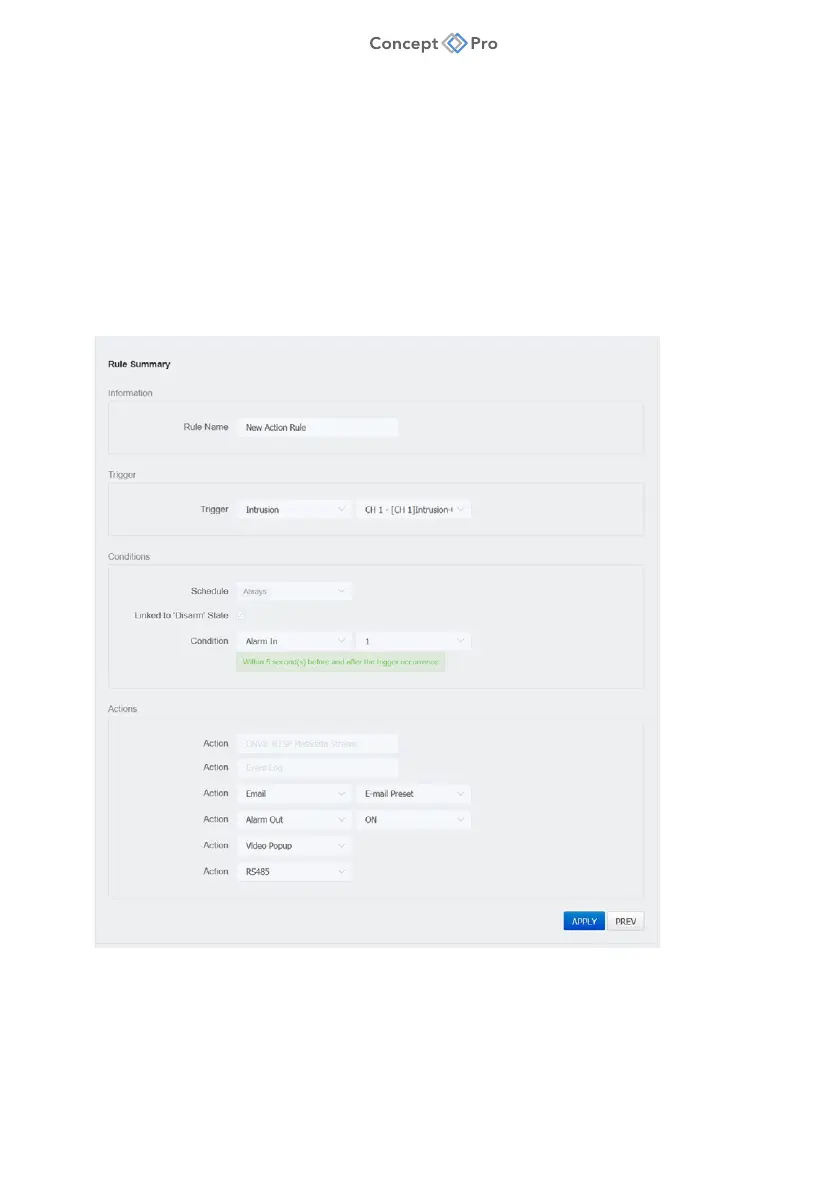
11. In Step 5 – Rule Summary, review the Acton Rule parameters. Click <PREV> to go back
and edit any parameters, or press <APPLY> to save the Action Rule.



 To Next Page