74 Condair RCC and RCC-NA
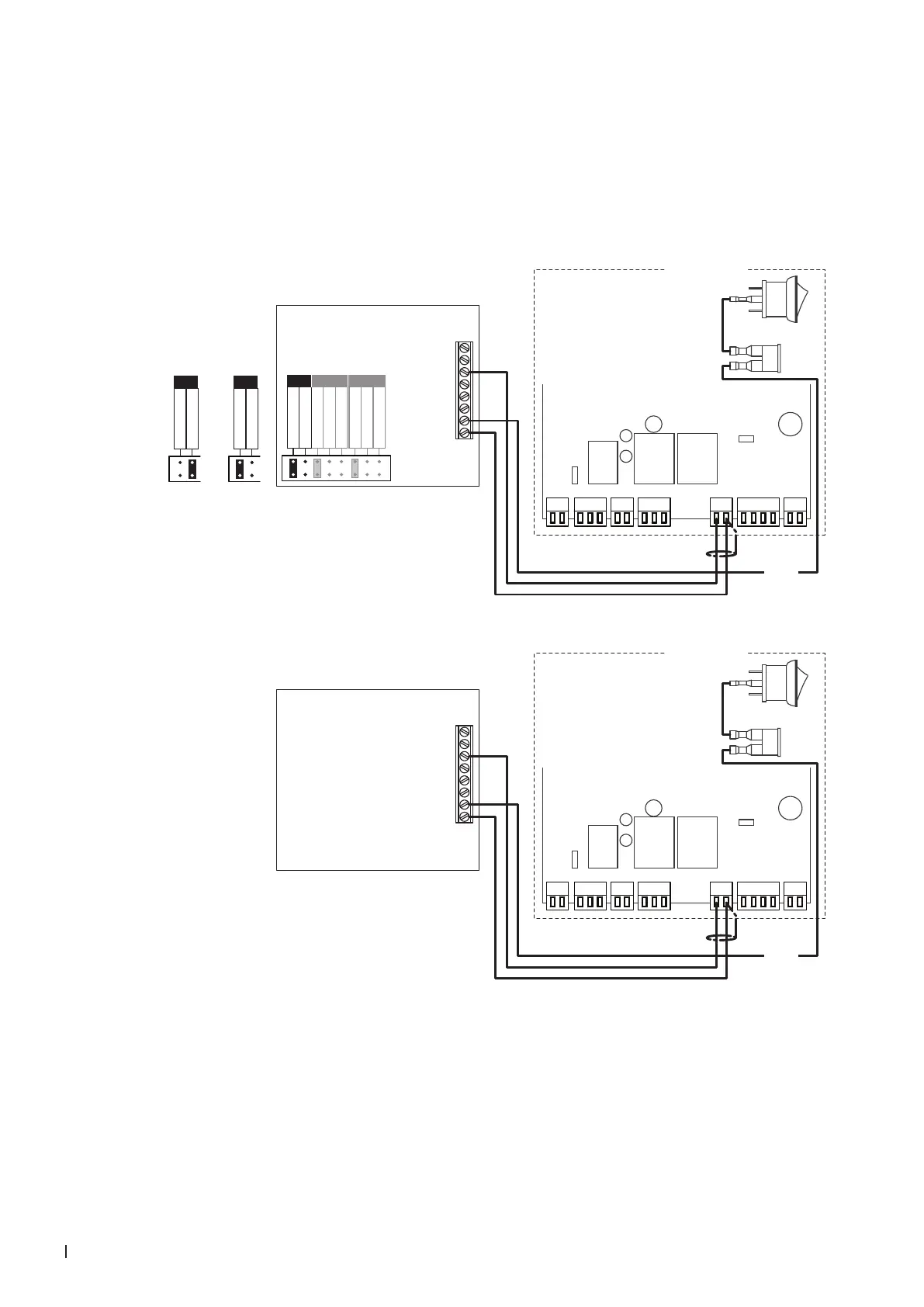
5.8.2 Connecting the RCC or RCC-NA to the Condair MES2
1. Connect the Condair RCC or RCC-NA to the corresponding terminals on the driver board of the
Condair MES2 according to the wiring diagram below.
2. Connect the 24 V power supply from the fuse connector of the Condair MES2 to the corresponding
terminals in the RCC or RCC-NA controller.
3. Only for RCC: Set the output signal of the RCC to "0-10V" using the jumpers "AO".
P1 P2 P3 P4 P5 P6 P7
Condair MES2
8
7
UI2
6
5
4
3
2
1
UI1
AO1
24 V
0V/GND
RCC
**
0...10 V
0...20mA
RT or Dry-Contact
RT or Dry-Contact
UI1 UI2
0...10 V
0...20mA
0...10 V
0...20mA
AO
0...10V
**
0...10 V
0...20mA
AO
0...20mA
0...10 V
0...20mA
AO
P1 P2 P3 P4 P5 P6 P7
Condair MES2
8
7
UI2
6
5
4
3
2
1
UI1
AO1
24 V
0V/GND
RCC-NA
24 VAC
24 VAC
Driver board
Condair MES2
Driver board
Condair MES2
Sicherung



 To Next Page