5. Each Component Function
84 User’s Manual
Board Installation Procedure
1. IPC-BX/M600(PCW)CP
(1) Be sure the power is turned off.
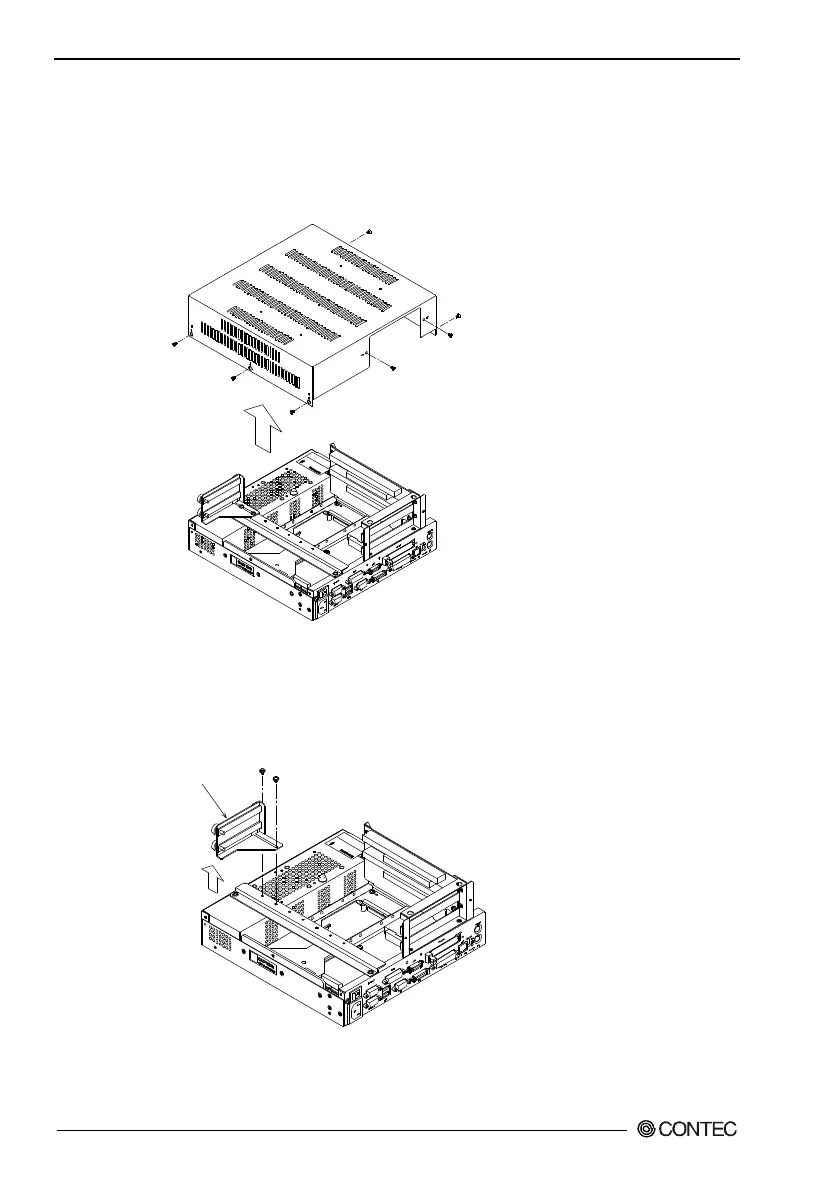
(2) Remove the top cover.
Figure 5.25. Removing the Top Cover
(3) Remove the brace that holds the printed circuit board (PCB)
down.
Remove the screws on the brace. The brace will separate
toward you.
PCB brace
Figure 5.26. Removing the PCB Brace 2
(4) Insert the board into the slot and fasten it with screws.



 To Next Page