5. Each Component Function
User’s Manual
85
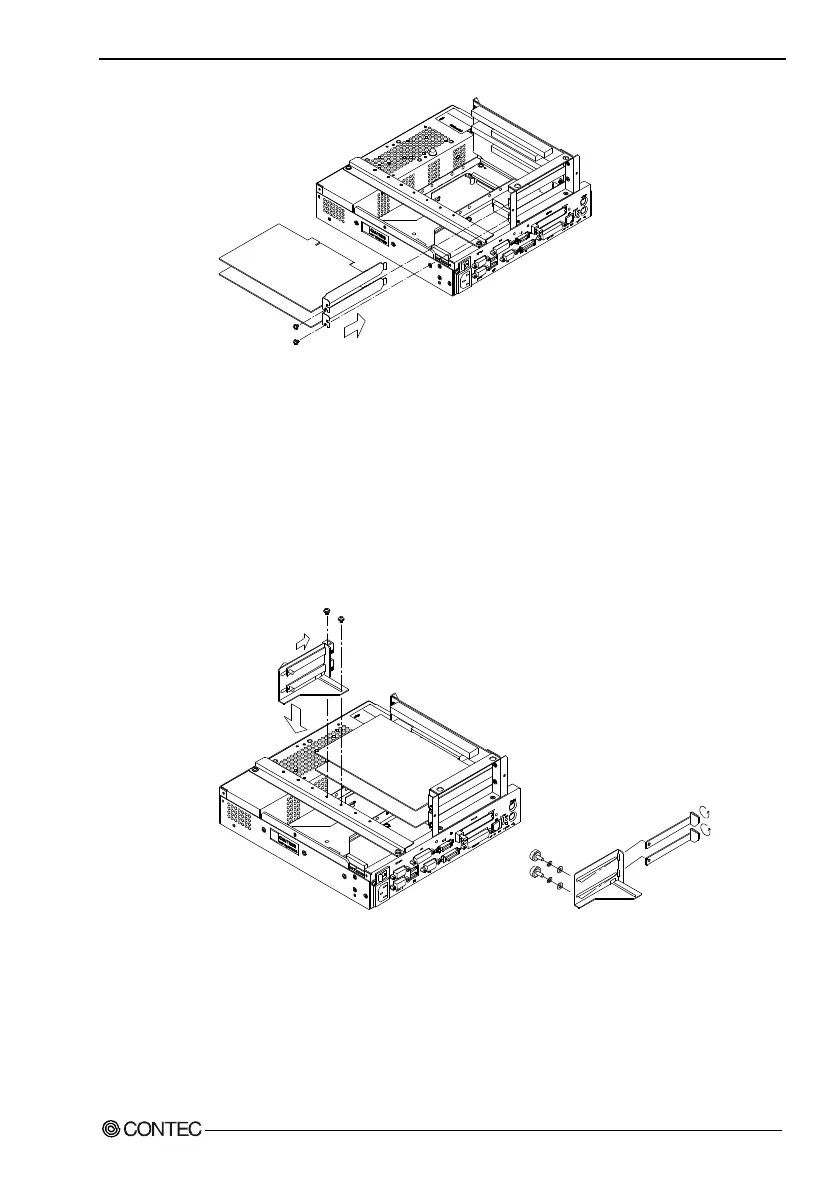
Figure 5.27. Installation of an Expansion Board
Note!
Each slot allows either the PCI or ISA board to be installed.
Insert the board into the PCI connector when installing a PCI
board or into the ISA connector when installing an ISA board.
(5) Install the PCB brace. It can hold down a board if its height
is at least 68mm. This brace is assembled to fit the PCI card.
To use it with the ISA card, rotate the claws and reinstall them.
Figure 5.28. Attaching the Figure 5.29. Adjusting to
PCB Brace Use the ISA
Card
(6) Replace the expansion slot cover.



 To Next Page