EasyManua.ls Logo

Control Module Genus G2 - Terminal Connections; Ethernet Port Configuration; Power Port Details

Control Module Genus G2
48 pages
Print Icon
To Next Page IconTo Next Page
To Previous Page IconTo Previous Page
Loading...
Genus G2 User Manual
UM3000-1
Revision E November 2017 10
Terminal Connections
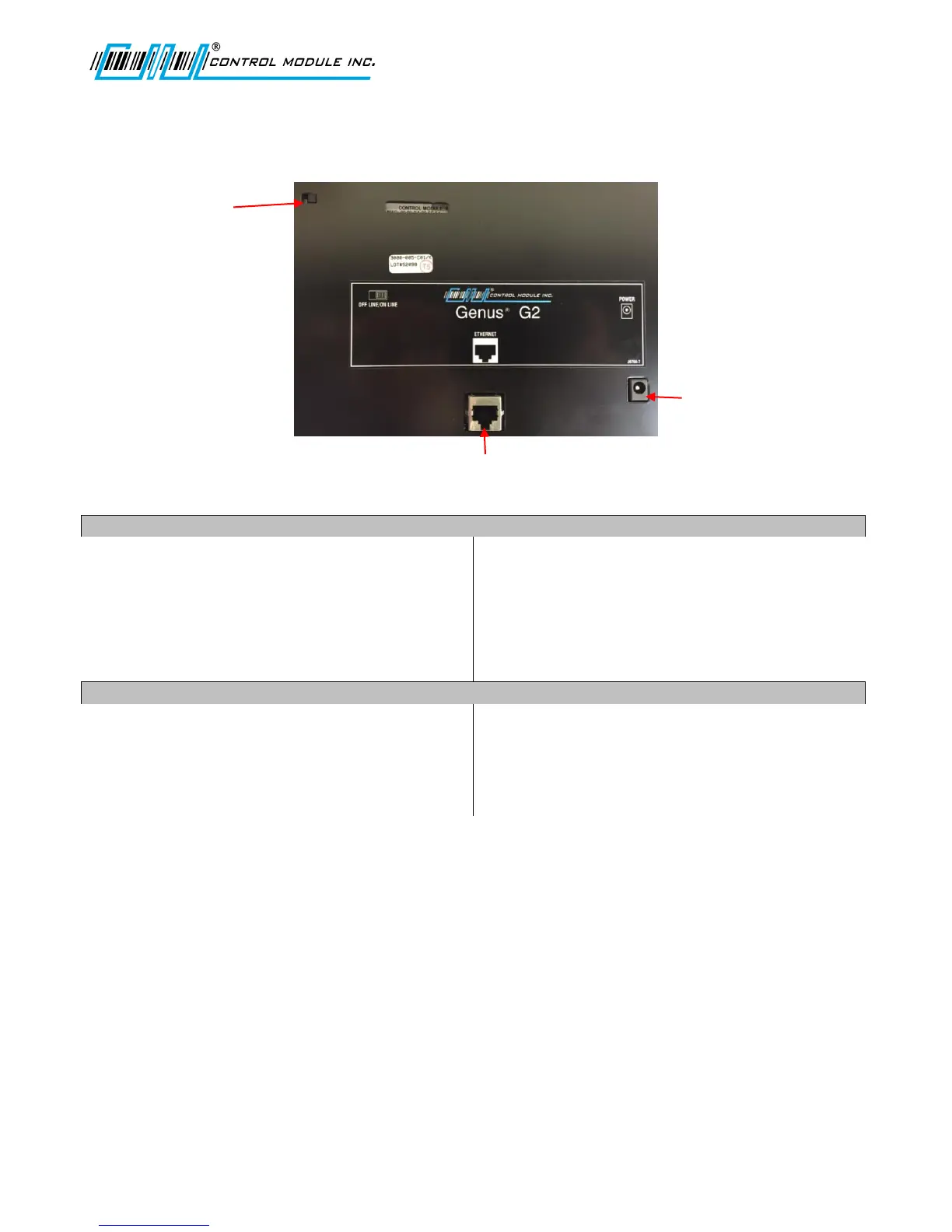
Ethernet Port
The Ethernet port supports the 10/100BASE-T
network connections. It is located on the
backplate of the terminal and connects directly to
CAT-5 cable.
Connector: 8 position RJ45.
Pinouts:
1 = Receive + 5 = Input Power
2 = Receive 6 Transmit
3 = Transmit + 7 = GND
4 = Input Power 8 = GND
Power Port
Power is supplied to the terminal via a standard
5.5 mm (2.5 mm ID) Barrel Jack on the backplate
of the terminal.
Connector 5.5 mm (2.5 mm ID) Barrel Jack
Pinouts:
1 = +20V to 30VDC
2 = Power Ground
Ethernet
Power
Off Line/On Line

Table of Contents

Related product manuals