Genus G2 User Manual
UM3000-1
Revision E November 2017 47
Calculating Number of Transactions That Can Be Stored
The number of transactions that can be stored is determined by the size of the transaction. Each
transaction minimally has 45 bytes as header data and up to 4KB of transaction data.
A transaction looks as follows:
[45 Bytes – Header] [Up to 4KB Data]
To calculate the number of transactions that can be stored, you can use the following calculation:
1,048,576 / (45 + <data length>)
For example, if you were using 10-digit badges, the calculation would appear as follows:
1,048,576 / (45 + 10) = 19065
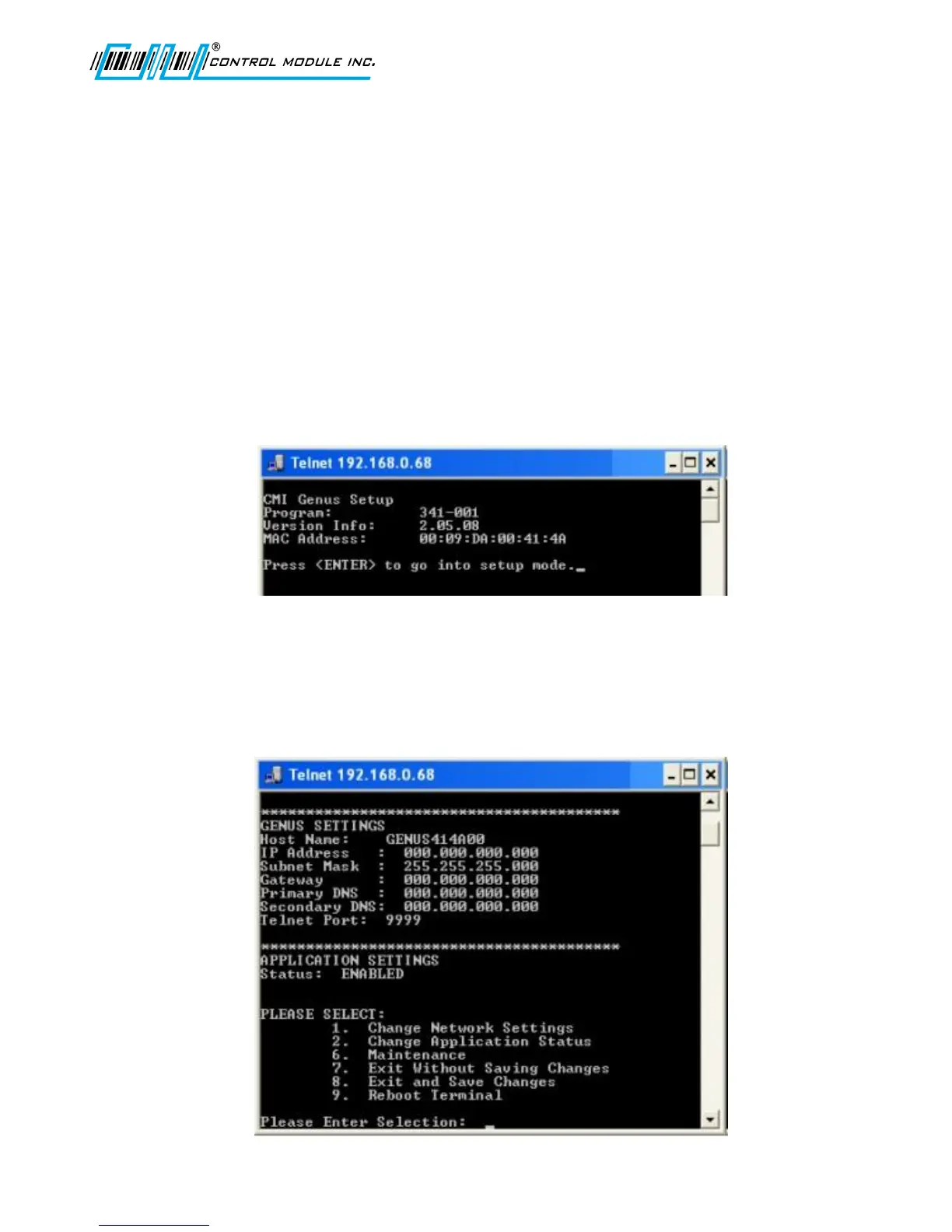
Telnet Session
A Telnet session can be established with the Genus Terminals. Once established, the general
network parameters are available to update.
Selection 2 below: The Change Application Status, applies to the user-generated application program
running on the Genus Terminal.
Selection 6 below: The Maintenance option requires a password and the user should contact the CMI
Technical Support department before choosing this option.
Options 7-9 are straight forward as listed in the Telnet menu selections.



 To Next Page