Genus G2 User Manual
UM3000-1
Revision E November 2017 19
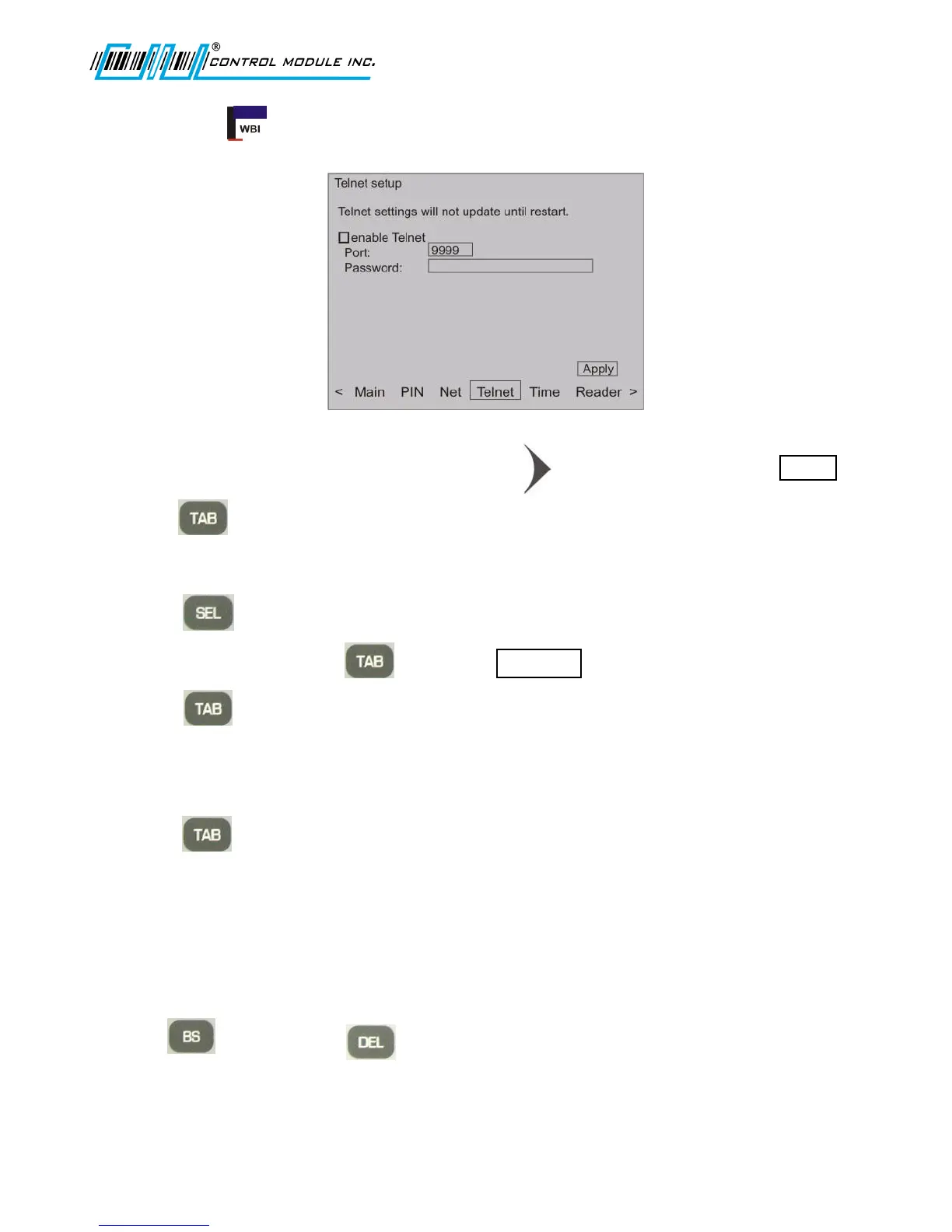
Telnet Setup
Establishes the settings for the Telnet interface to the Terminal.
1. From the options at the bottom of the display press to advance to and highlight Telnet .
2. Press to advance to and highlight enable Telnet.
Enable Telnet enables the Telnet interface to the terminal.
3. Press to check for enable or uncheck for disable Telnet.
Note: If Telnet is disabled, skips to the button
4. Press to highlight Port field.
5. Use the numeric keypad to enter port number.
Telnet Port is used to select a port to listen on for Telnet configuration.
6. Press to highlight Password field.
7. Use the numeric keypad to enter password.
Telnet Password sets up a password for the telnet configuration.
Note: This PIN password differs from the Offline mode PIN.
The Password field accepts <= (less than or equal to) 20 characters and is masked.
8. Use (backspace) or keys as needed to delete part of field or to
erase the entire field.
Note: Step 9 must be used to accept the erased Password field.



 To Next Page