Genus G2 User Manual
UM3000-1
Revision E November 2017 32
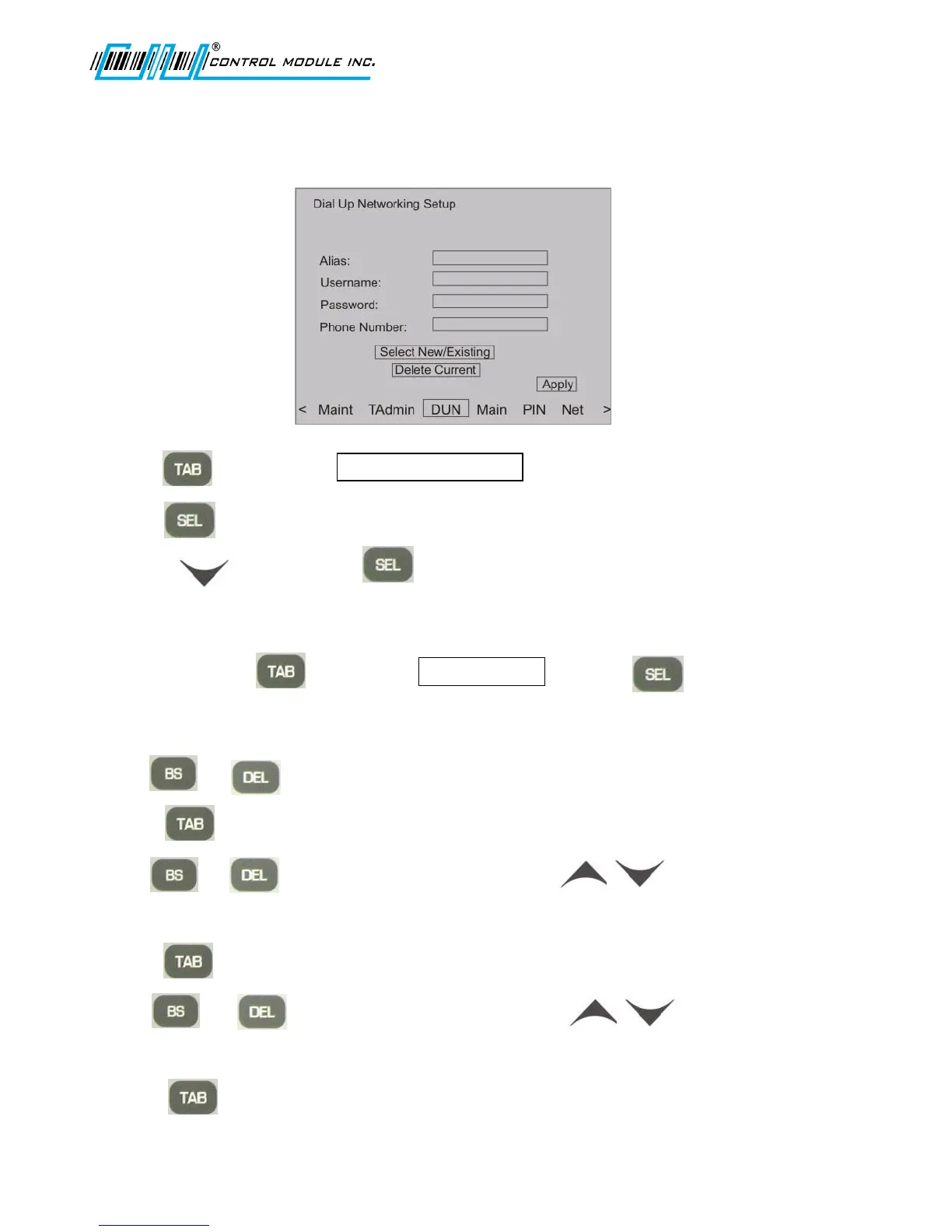
Dial Up Networking Setup
Creates a DUN parameter set under an Alias name to be used with TAdmin.
1. Press to advance to .
2. Press to access DUN aliases.
3. Use the arrow key and to edit an existing DUN Alias or to create a NEW DUN.
Note: Step 3 will return to the Dial Up Networking Setup screen pictured above.
4. To delete, use the to advance to Delete Current and press to delete the current
DUN Alias displayed.
5. Otherwise, the Alias field is highlighted and ready to edit.
6. Use or to edit the field as needed and the numeric keypad to enter a new value.
7. Press to highlight the Username field.
8. Use or to edit the field as needed and the arrow keys to insert
alpha and special characters.
9. Press to highlight the Password field.
10. Use or to edit the field as needed and the arrow keys to insert
alpha and special characters.
11. Press to highlight Phone Number field.



 To Next Page