Genus G2 User Manual
UM3000-1
Revision E November 2017 36
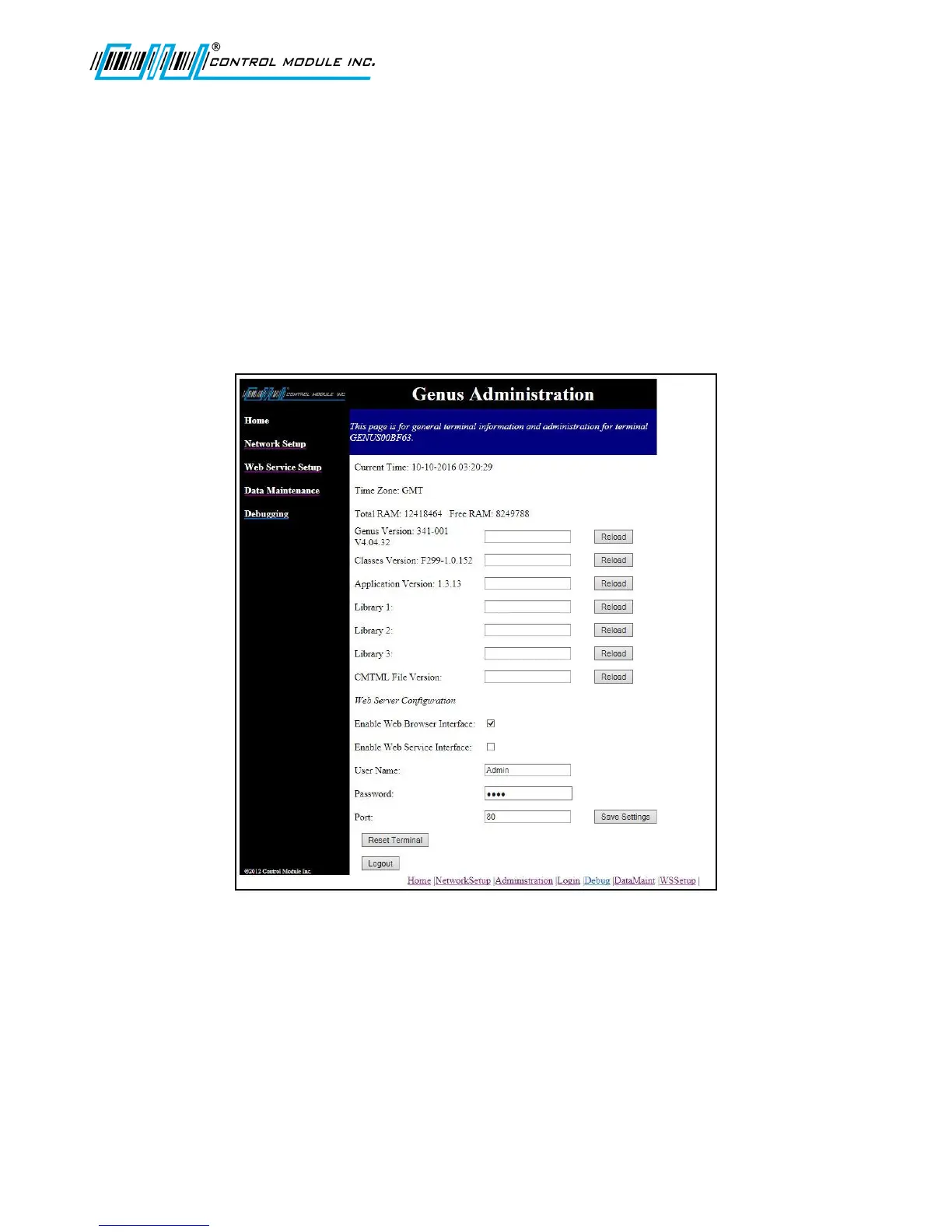
Home Page – Genus Administration
Once logged in to the terminal, the Genus Administration home page is displayed. The Genus
Administration page displays the following information as retrieved from the current Terminal session
or as used during a previous session and retained in the browser.
Application Version (App.jar)
Library Filenames (Lib1.jar, Lib2.jar, Lib3.jar)
Enable Web Browser & Service Interfaces
Classes Version (Classes.jar)
User name and ‘*’ encoded password
Current Time
The Current Time and date displayed is normally set by the host and cannot be changed in the Web
Browser Interface.
Time Zone
The Time Zone is normally set during Terminal setup and cannot be changed in the Web Browser
Interface.



 To Next Page