Genus G2 User Manual
UM3000-1
Revision E November 2017 17
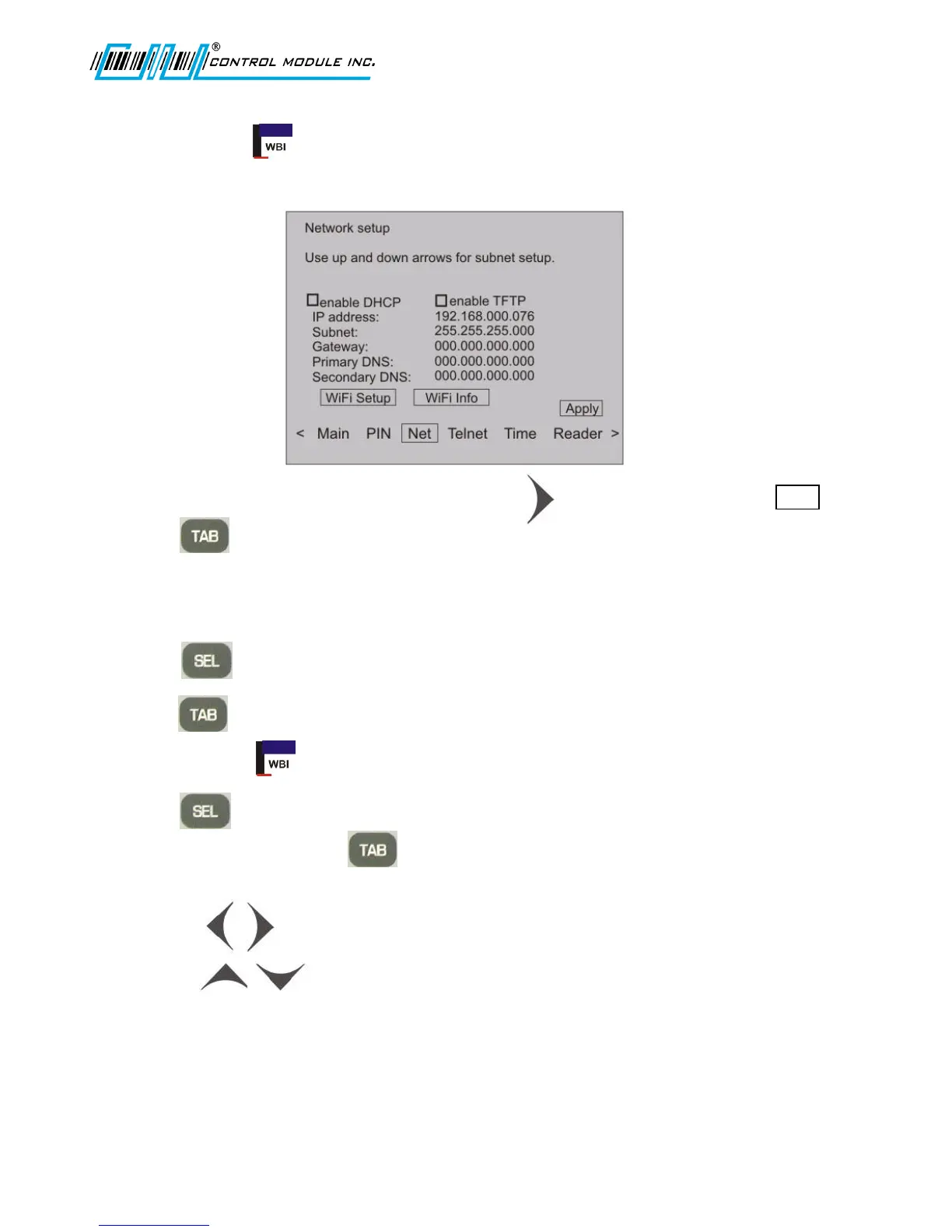
Network Setup
Use Network Setup to configure the terminal’s network parameters, including DHCP, IP address,
gateway, subnet mask, DNS servers, and telnet menu.
1. From the options at the bottom of the display press to advance to and highlight Net .
2. Press to advance to and highlight the enable DHCP field.
Enable DHCP Turns on the terminal’s ability to obtain an IP address automatically
from a DHCP server on the local network.
3. Press to check for enable or uncheck for disable DHCP.
4. Press to advance to and highlight the enable TFTP field.
Enable TFTP enables a TFTP interface to the Terminal.
5. Press to check for enable or uncheck for disable TFTP.
6. If DHCP is not enabled, use to advance through the remainder of the Network setup
parameters. If DHCP is enabled, go to Step 10.
7. Use the arrow keys for cursor position in the network parameter octets.
8. Use the arrow keys and numeric keypad to change settings for IP, Gateway,
Primary DNS and Secondary DNS.
Terminal IP Used to specify a static IP address.
Subnet Mask Used to specify a subnet mask for the terminal.



 To Next Page