Genus G2 User Manual
UM3000-1
Revision E November 2017 16
User Operational Displays
This section provides descriptions, additional information, and key activity for each menu option.
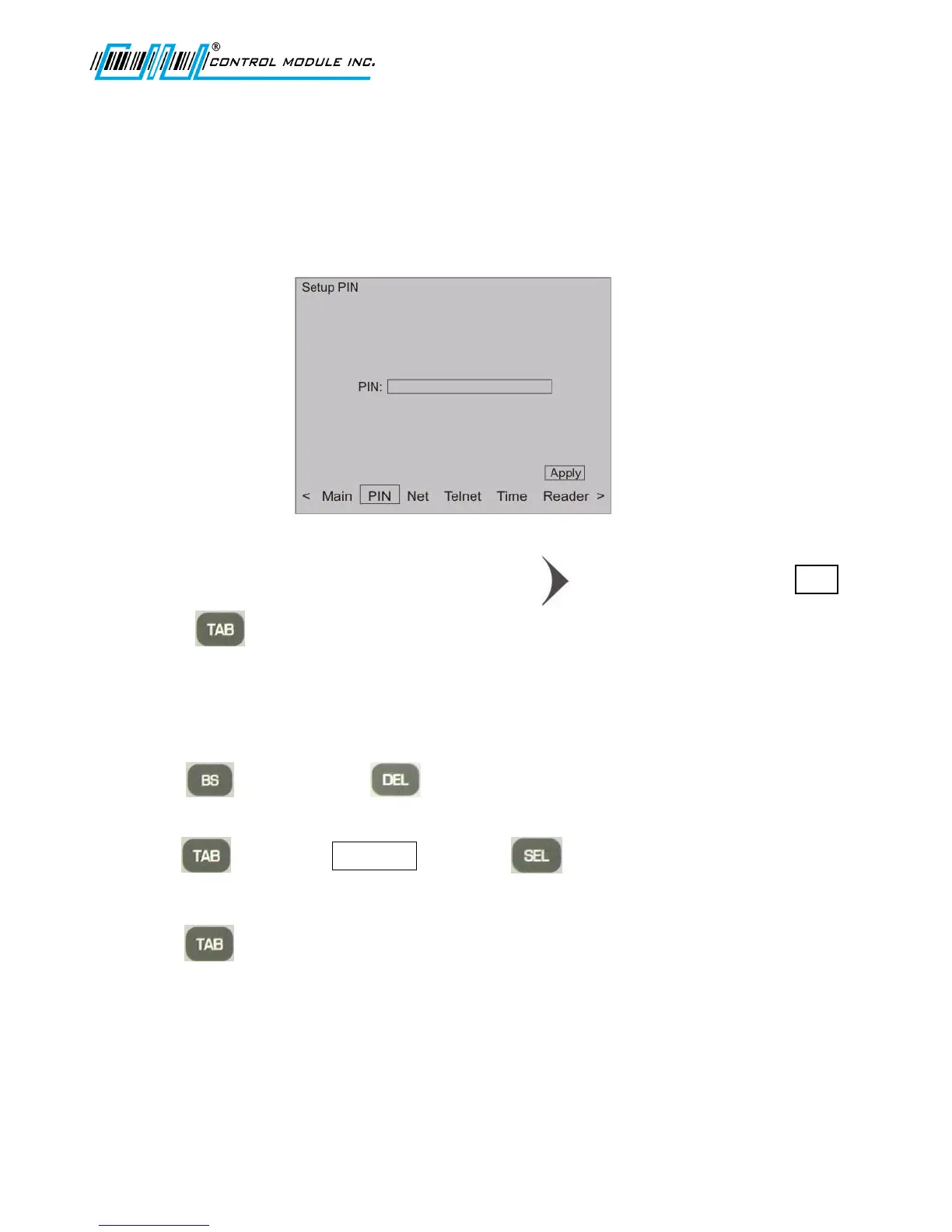
Setup PIN
Personal Identification Number (PIN) is used for security to prevent unauthorized entry into Setup
Mode.
1. From the options at the bottom of the display press to advance to and highlight PIN .
2. Press to highlight PIN field.
3. Use the numeric keypad to enter PIN.
The PIN field accepts <= (less than or equal to) 20 characters and is masked.
4. Use (backspace) or keys as needed to delete part of the field or to
erase the entire field.
5. Use to highlight and press to save settings.
Note: Step 5 must be used to accept the erased PIN field.
6. Use to return to the Main Menu at the bottom of the screen.



 To Next Page