Genus G2 User Manual
UM3000-1
Revision E November 2017 13
Online Mode
Following power-up, the terminal has completed the boot process and transitions to a Java application
that begins its functionality and data collection as defined by the user. Online Mode is the terminal’s
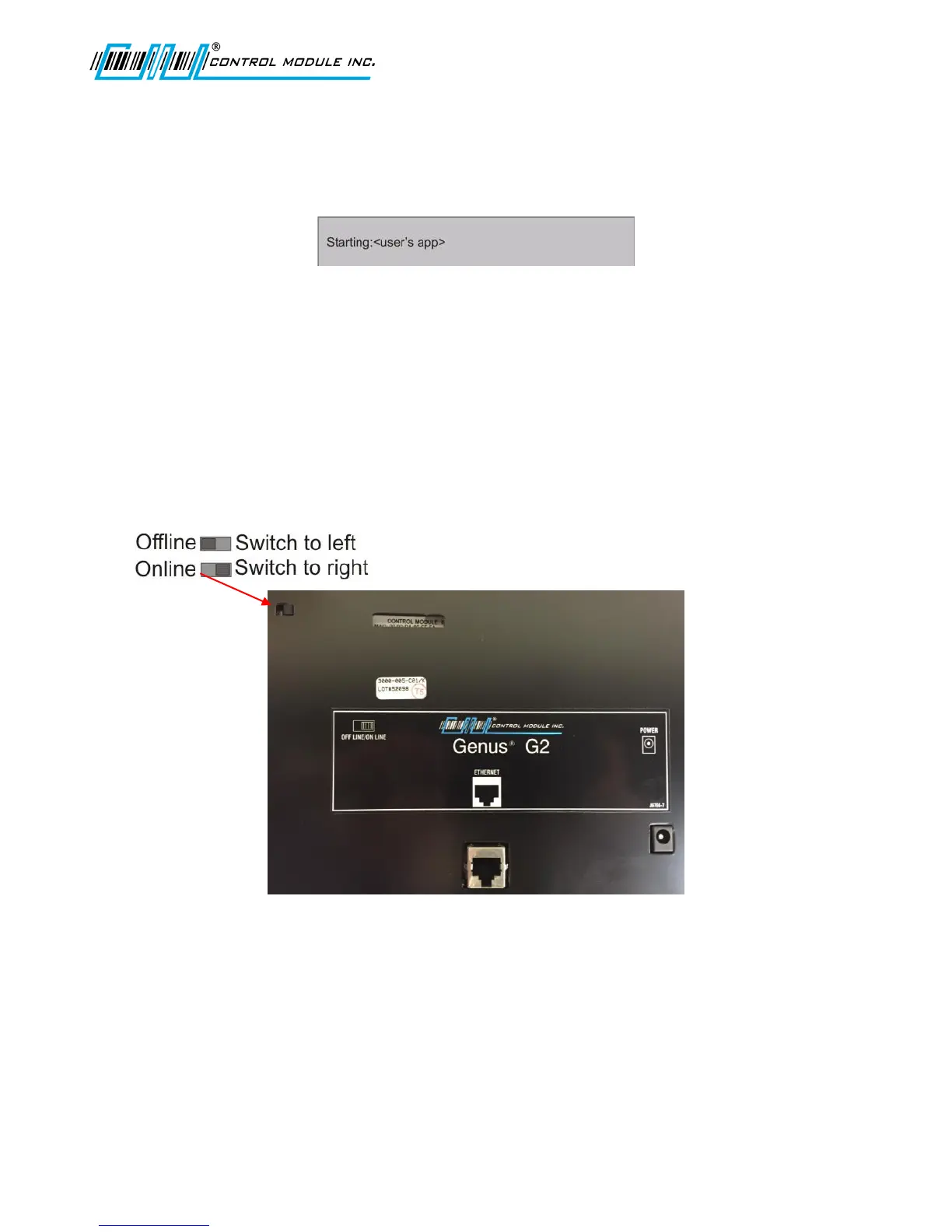
operational, default setting with the switch on the terminal’s backplate set in the right position.
If no user-defined program has been loaded, the terminal will display the CMI reader setup
application. Refer to Loading a Customer Defined Java Application in the Reference section of this
document.
Offline Mode
The Genus G2 terminal offline mode is utilized for initial setup and when any of the following options
require a change: communications, readers, security, time/date, terminal maintenance and terminal
administration. To enter Offline Mode, move the switch located on the backplate of the terminal to the
left position prior to power-up. This will reset the terminal and enter Offline Mode.
Note: If a transaction build is in process when the terminal is switched between
modes, this data will be lost.
The normal power-up displays will occur until the Starting:Setup displays message appears, followed
by the Terminal Information screen. This provides basic terminal hardware information. At this point
the terminal stops and waits for keypad entry, as shown below, unless a PIN number has been setup,
then the terminal will request a PIN.



 To Next Page