Genus G2 User Manual
UM3000-1
Revision E November 2017 24
Barcode Setup
1. Use to select type of reader (Barcode, Proximity/Wiegand, Magnetic, or None).
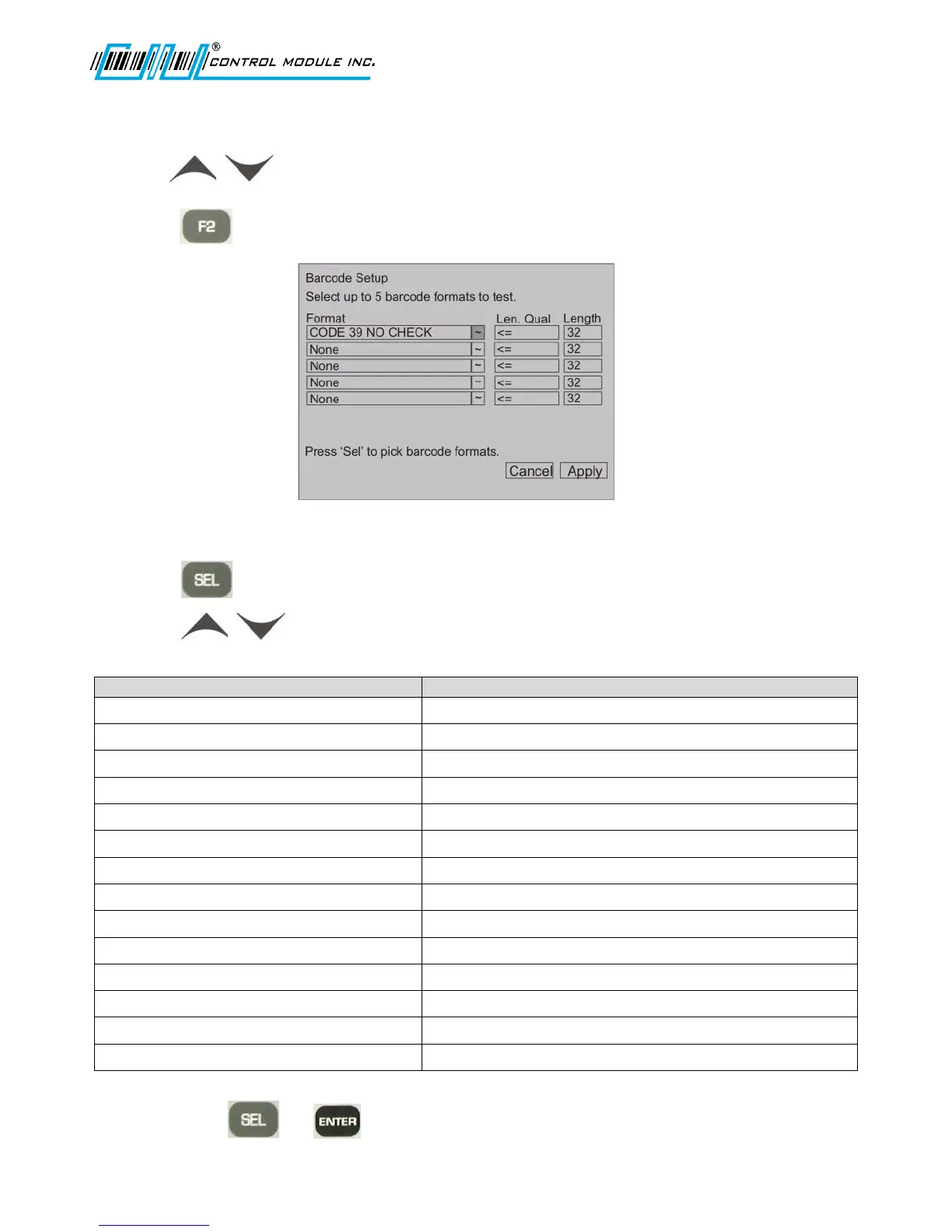
2. Press to configure Barcode reader. The following screen displays.
The box to the right of the first format will be highlighted.
3. Press to go to a list of barcode formats.
4. Press to highlight a barcode format.
Barcode Format options include
Standard Set, no check digit
Standard set, check digit computed but not transmitted
Standard set, check digit computed and transmitted
Full ASCII, no check digit
CODE 39 ASCII CHECK NOT TRANS
Full ASCII, check digit computed but not transmitted
CODE 39 ASCII CHECK TRANS
Full ASCII, check digit computed and transmitted
Check digit computed but not transmitted
Check digit computed and transmitted
Check digit computed but not transmitted
Check digit computed and transmitted
5. Press either or to save and return to the previous Barcode Setup screen.



 To Next Page