Helix Operator’s Manual
Publication Number: 621058497OPR - 18 - © 2012-2014, Cornelius Inc. All Rights Reserved
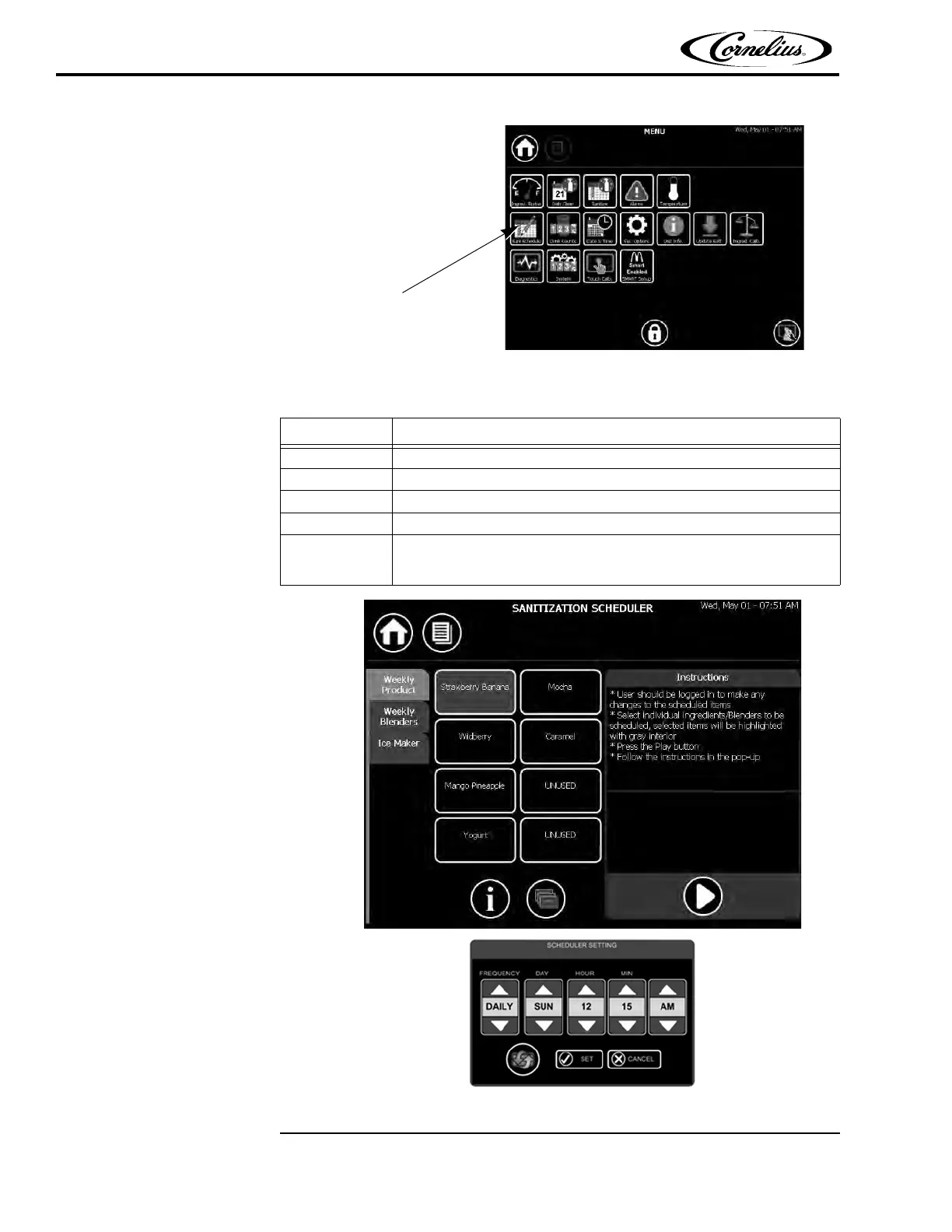
Figure 13.
To set the Sanitization Scheduler, perform the procedure in Ta ble 8 .
Figure 14.
Table 8.
Step Action
1 Select ingredients/blenders to schedule and then press the Play button.
2 Select the frequency of sanitation (Weekly or none.)
3 If applicable, choose the day that sanitation will take place. (See Figure 14.)
4 Choose the time of day for sanitation. (See Figure 14.)
5
Press the “Set” button (check mark) to save the settings. The arrows can
be pressed to restore the defaults and the “X” can be pressed to cancel
the changes.















 To Next Page