⚫ This series NVR products support playback the AI by camera file only. AI by camera means the connected
camera does all the AI analytics, and then gives the results to the NVR.
1.7.1.1 Face Detection
⚫ You can search the detected faces and play back.
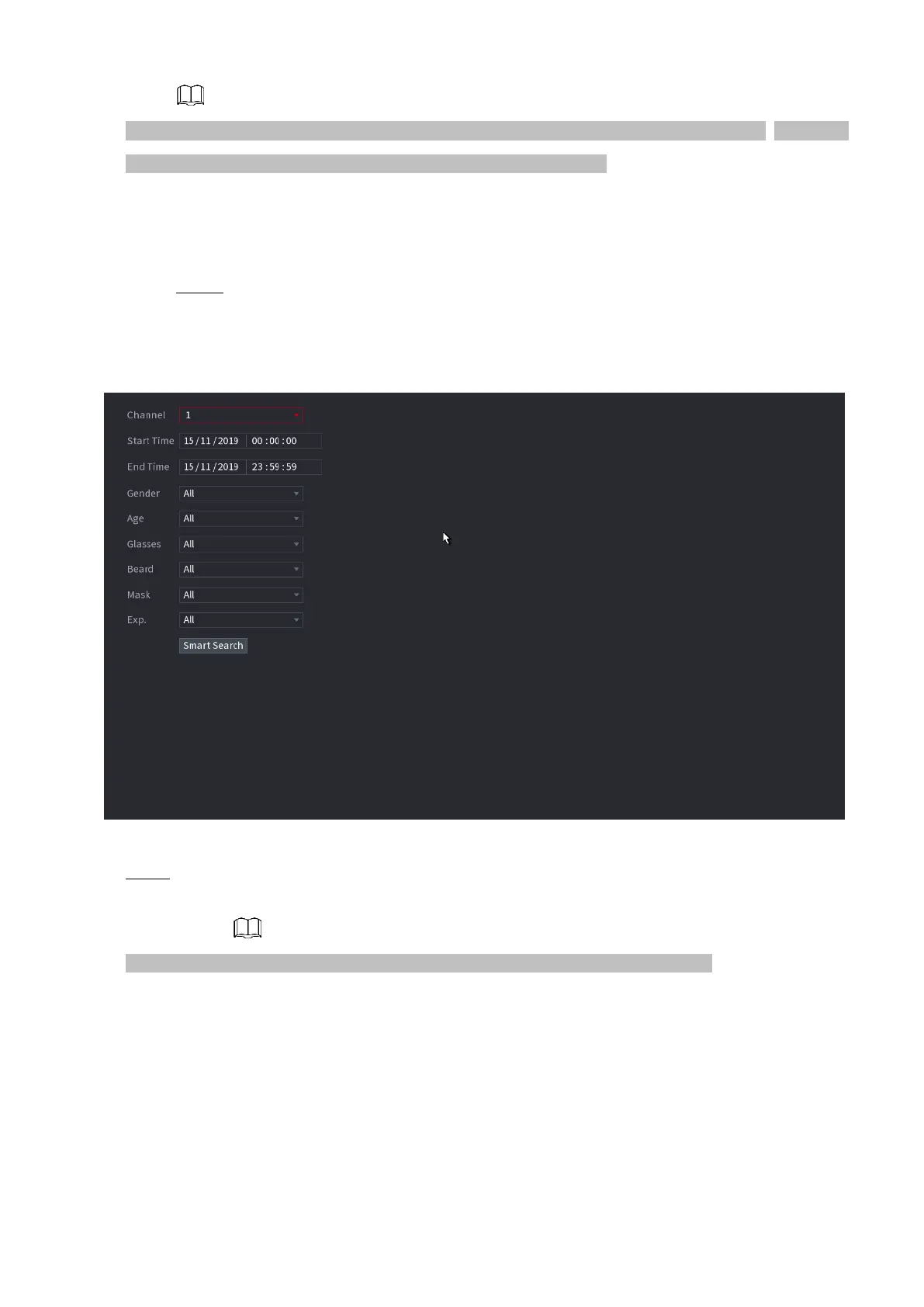
Step 1 Select Main Menu > AI > SMART SEARCH > FACE
DETECTION. The FACE DETECTION interface is displayed. See
Figure 1-104.
⚫ Figure 1-104
⚫ Step 2 Select the channel, enter the start time and end time, and set for the gender, age, glasses, beard,
and mask. Click Smart Search. The results are displayed. See Figure 1-105.
⚫ For privacy reason, the human face in the image is pixelated. The actual image is clear.
⚫ Figure 1-105



 To Next Page