Home
CP Plus
DVR
Orange
Page 108
CP Plus Orange - Page 108
253 pages
Manual
Save Page as PDF
To Next Page
To Next Page
To Previous Page
To Previous Page
Loading...
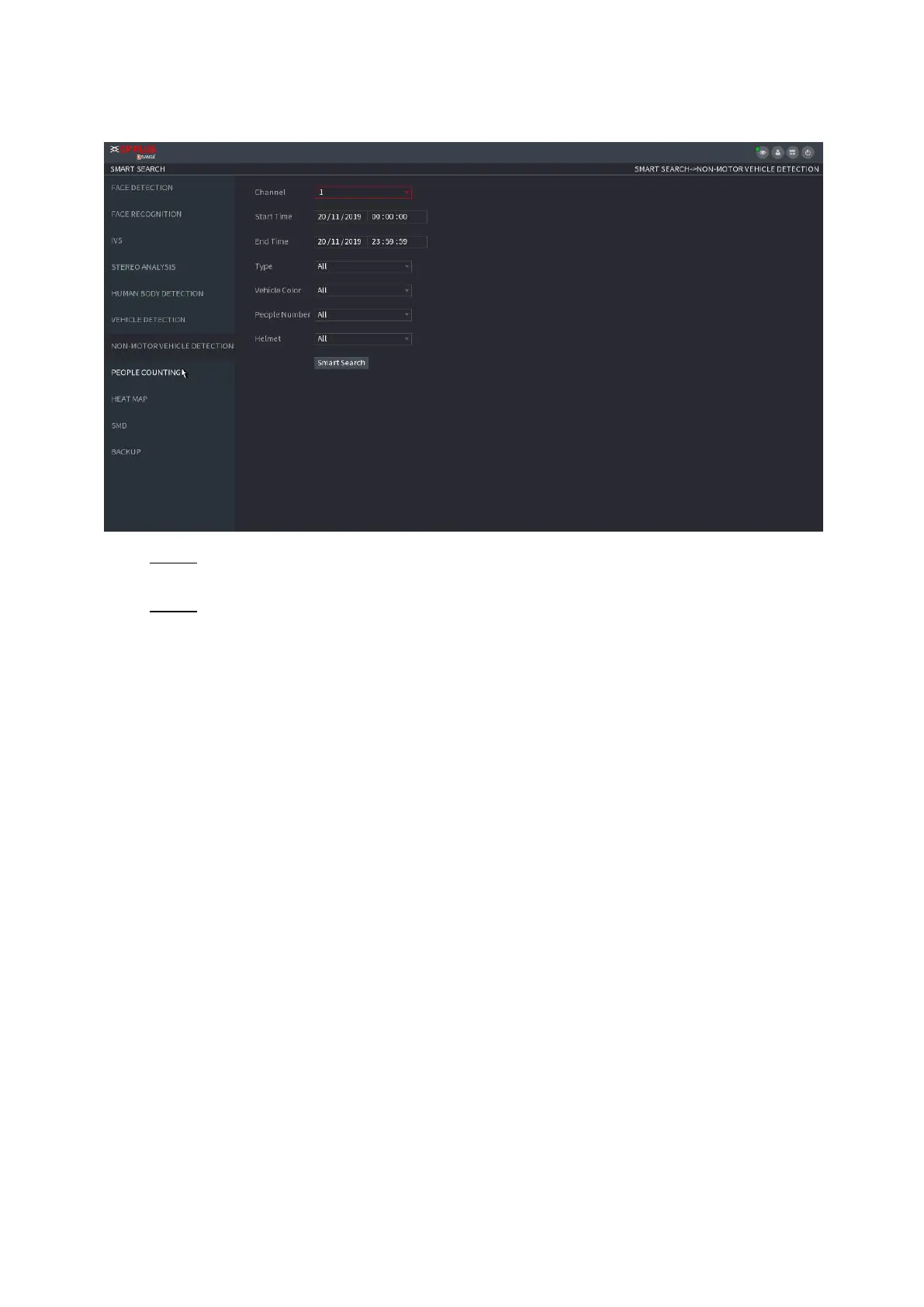
⚫
F
i
g
u
re
1
-
115
Ste
p 2 S
elect
th
e c
hann
el and t
he
tim
e,
and
t
hen s
elec
t o
ne
or
mu
ltip
le
fe
atur
es
from
Ty
pe
,
Vehi
cl
e
Colo
r
,
P
eo
ple
Nu
mber
,
or
Helm
et
.
Ste
p 3 Cl
ick
Smart
Search
.
⚫
T
h
e
searc
h r
esu
lt
is
di
spl
a
y
ed
. S
ee
Figure
1-
116
.
⚫
F
i
g
u
re
1
-
116
107
109
Table of Contents
Main Page
Foreword
2
Important Safeguards and Warnings
4
Table of Contents
6
Local Basic Operation
7
Getting Started
7
Preparation
23
Camera
46
Remote Device Initialization
50
Short-Cut Menu to Register Camera
55
Image
56
Encode
58
Channel Name
62
Remote Upgrade
63
Remote Device Info
64
Live View
65
Preview
66
Navigation Bar
66
Preview Control Interface
70
Sequence
76
Test Temperature
78
Ptz
78
Record File
87
Playback and Search
87
Setting the Motion Detection Region
142
Setting Period
144
Pos
159
Operation and Maintenance
163
File Backup
177
Storage
199
System
208
Account
213
Output and Display
220
Audio
225
USB Device Auto Pop-Up
230
Shutdown
231
2 Web Operation
235
Network Connection
235
Web Login
235
Reset Password
236
Web Main Menu
238
3 Glossary
241
Appendix 1 Cybersecurity Recommendations
243
Appendix 2 Hdd Capacity Calculation
246
Appendix 3 Compatible Network Camera List
248
Other manuals for CP Plus Orange
Faq Manual
14 pages
Related product manuals
CP Plus Cosmic
169 pages
CP Plus Indigo
4 pages
CP Plus 4/8/16 Channel DVR
105 pages
CP Plus Indigo JRC-27F
140 pages



 To Next Page