At the end of the alarm, the recording extends for a period of time. The time
range is from 10 seconds to 300 seconds.
Select the check box and select the channel for tour. When an alarm occurs, the
local interface of the NVR device displays the selected channel screen.
⚫ You need to set the time interval and mode for tour first, see "4.16.2 Tour."
⚫ After the tour is over, the preview interface is restored to the screen split
mode before the tour.
Select the check box, the NVR device records the alarm information in the log
when an alarm occurs.
Check the box and then select the corresponding audio file from the dropdown
list. System plays the audio file when the alarm occurs.
Refer to "4.17.1 File Manage" to add audio file first.
Select the check box to activate the buzzer when an alarm occurs.
⚫ Step 3 Click Apply to complete the setup.
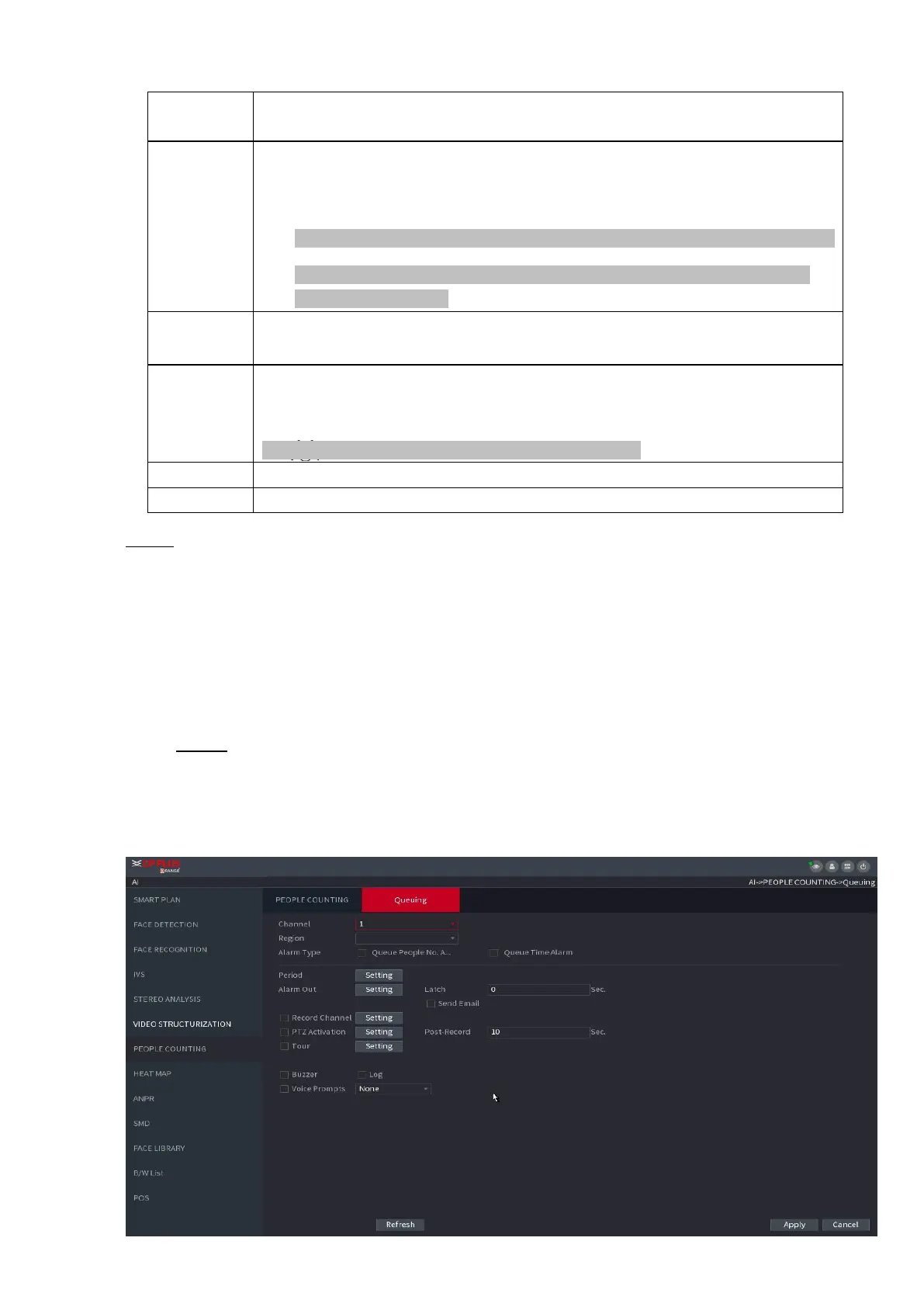
1.7.2.5.2 Queuing
⚫ After connecting to the AI fisheye camera that supports the queuing function, system can realize the
corresponding linkage actions once the people amount in the queue or the waiting time has triggered an
alarm. Select a region first to set the corresponding actions. For the same line, the queue people number
alarm and queue time alarm has the same linkage actions.
Step 1 Select Main Menu > AI > PARAMETERS > PEOPLE COUNTING > Queuing.
⚫ The Queuing interface is displayed. See Figure 1-149.
⚫
⚫ Figure 1-149
⚫



 To Next Page