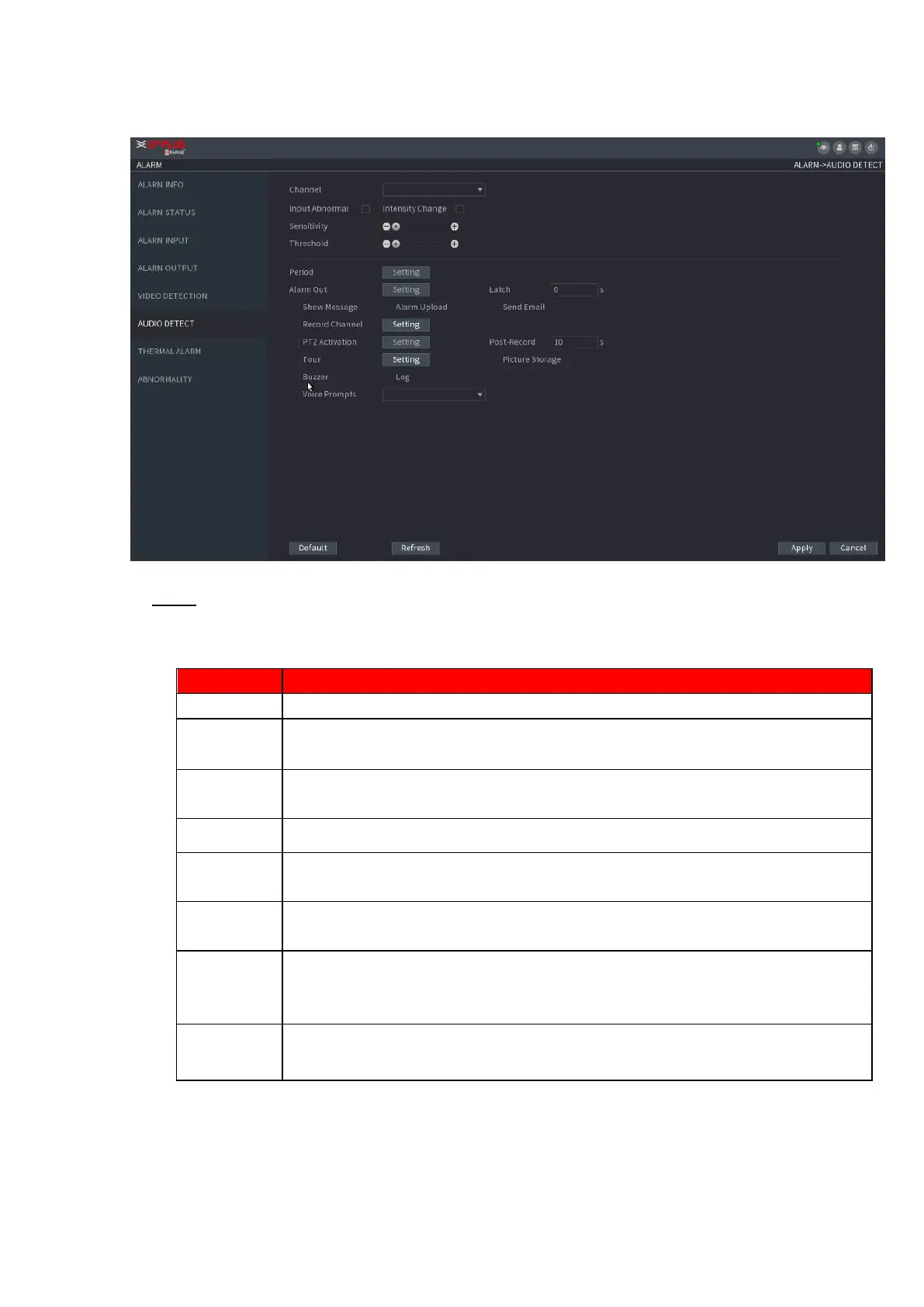
In the Channel list, select a channel to set.
Check the box here, system can generate an alarm once the audio input is
abnormal.
Check the box here, system can generate an alarm once the audio volume
becomes strong.
Define a period during which the function is active.
The higher the value is, the easier it is to trigger an alarm. But at the same time,
the false alarm may occur. The default value is recommended.
You can set intensity change threshold. The smaller the value is, the higher t
sensitivity is.
The alarm device (such as lights, sirens, etc.) is connected to the alarm output
port. When an alarm occurs, the NVR device transmits the alarm information to
the alarm device.
When the alarm ends, the alarm extended for a period of time. The time range is
from 0 seconds to 300 seconds.
⚫ Figure 1-175
⚫ Step 2 Configure parameters. See Table 1-47.
⚫ Table 1-47
⚫ h



 To Next Page