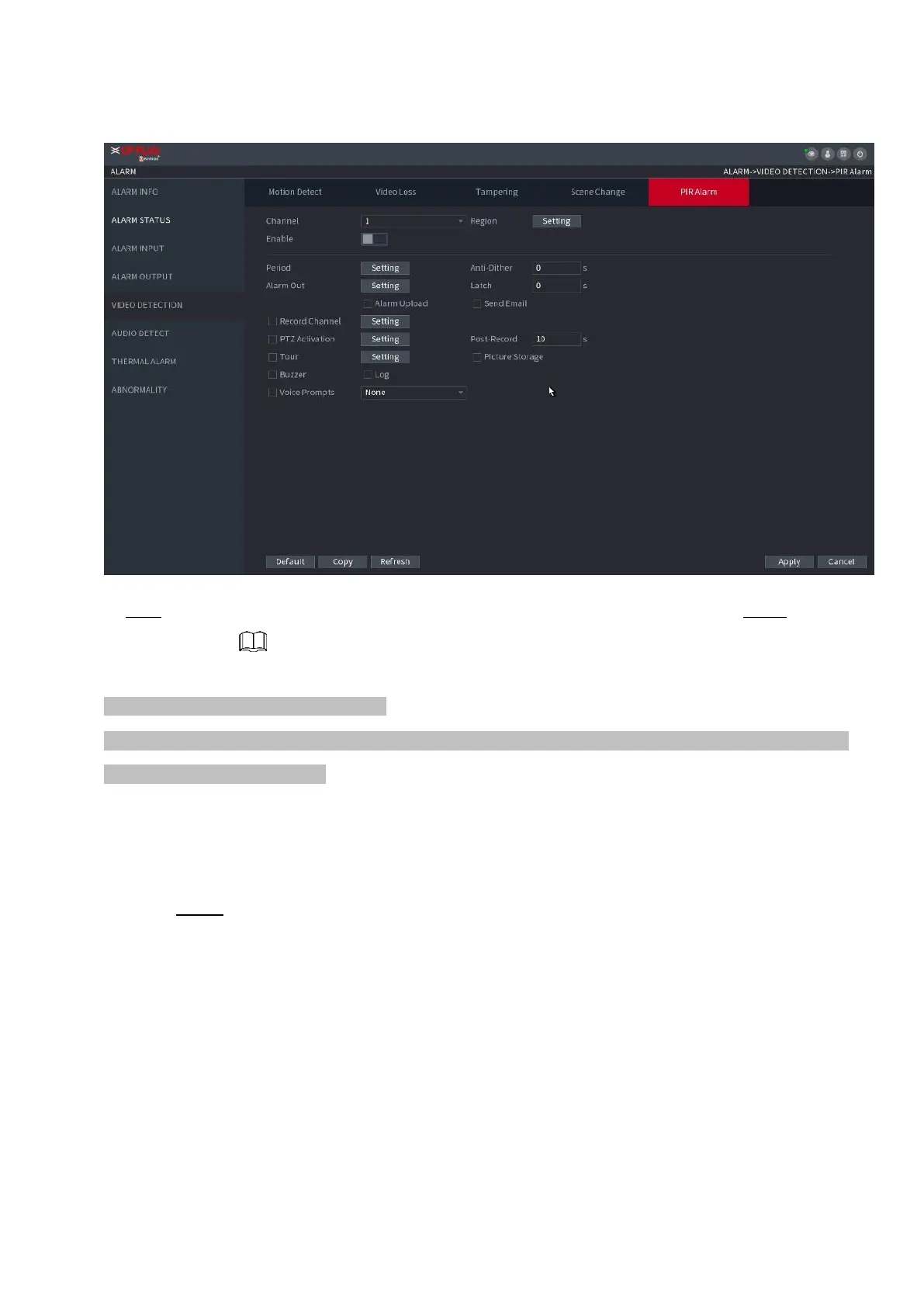
⚫ Figure 1-174
⚫ Step 2 To configure the settings for the PIR alarm parameters, see "1.8.5.1 Motion Detect." Step 3 Click
Apply to complete the settings.
⚫ Click Default to restore the default setting.
⚫ Click Copy, in the Copy dialog box, select the additional channel(s) that you want to copy the motion detection
settings to, and then click Apply.
1.8.6 Audio Detect
⚫ System can generate an alarm once it detects the audio is not clear, the tone color has changed or there
is abnormal or audio volume changes.
Step 1 Select Main Menu > ALARM > AUDIO DETECT.
The AUDIO DETECT interface is displayed. See Figure 1-175.



 To Next Page