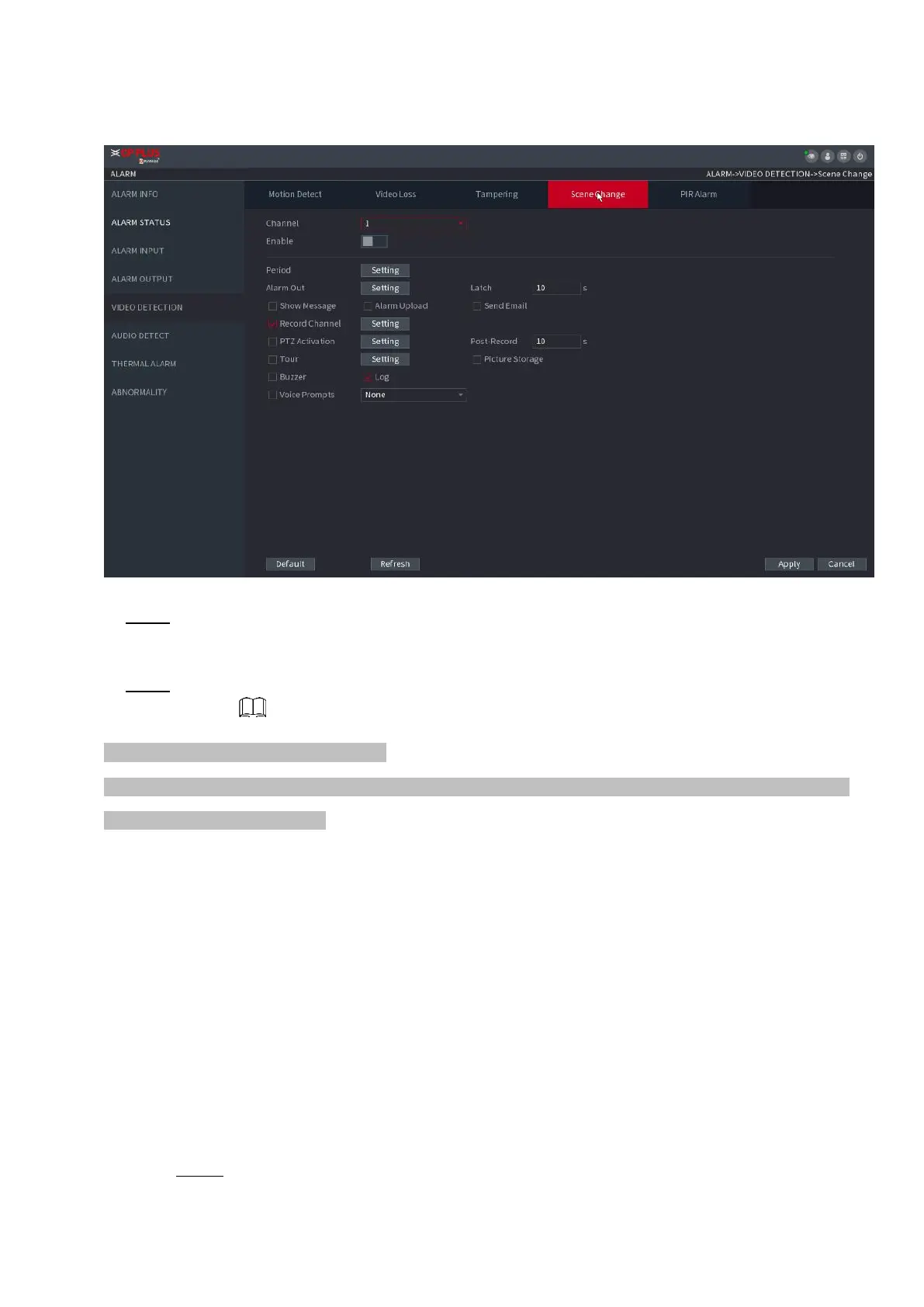
⚫ Figure 1-173
⚫ Step 2 To configure the settings for the scene change parameters, see "1.8.5.1 Motion Detect." The scene
change function does not have region and sensitivity items.
⚫ Step 3 Click Apply to complete the settings.
⚫ Click Default to restore the default setting.
⚫ Click Copy, in the Copy dialog box, select the additional channel(s) that you want to copy the motion detection
settings to, and then click Apply.
1.8.5.5 PIR Alarm
⚫ When the detected scene has changed, system can generate an alarm.
⚫ PIR function helps enhancing the accuracy and validity of motion detect. It can filter the meaningless alarms
that are activated by the objects such as falling leaves, flies. The detection range by PIR is smaller than
the field angle.
⚫ PIR function is enabled by default if it is supported by the cameras. Enabling PIR function will get the motion
detect to be enabled automatically to generate motion detection alarms; if the PIR function is not enabled, the
motion detect just has the general effect.
Step 1 Select Main Menu > ALARM > VIDEO DETECT > PIR ALARM.
The PIR Alarm interface is displayed. See Figure 1-174.



 To Next Page