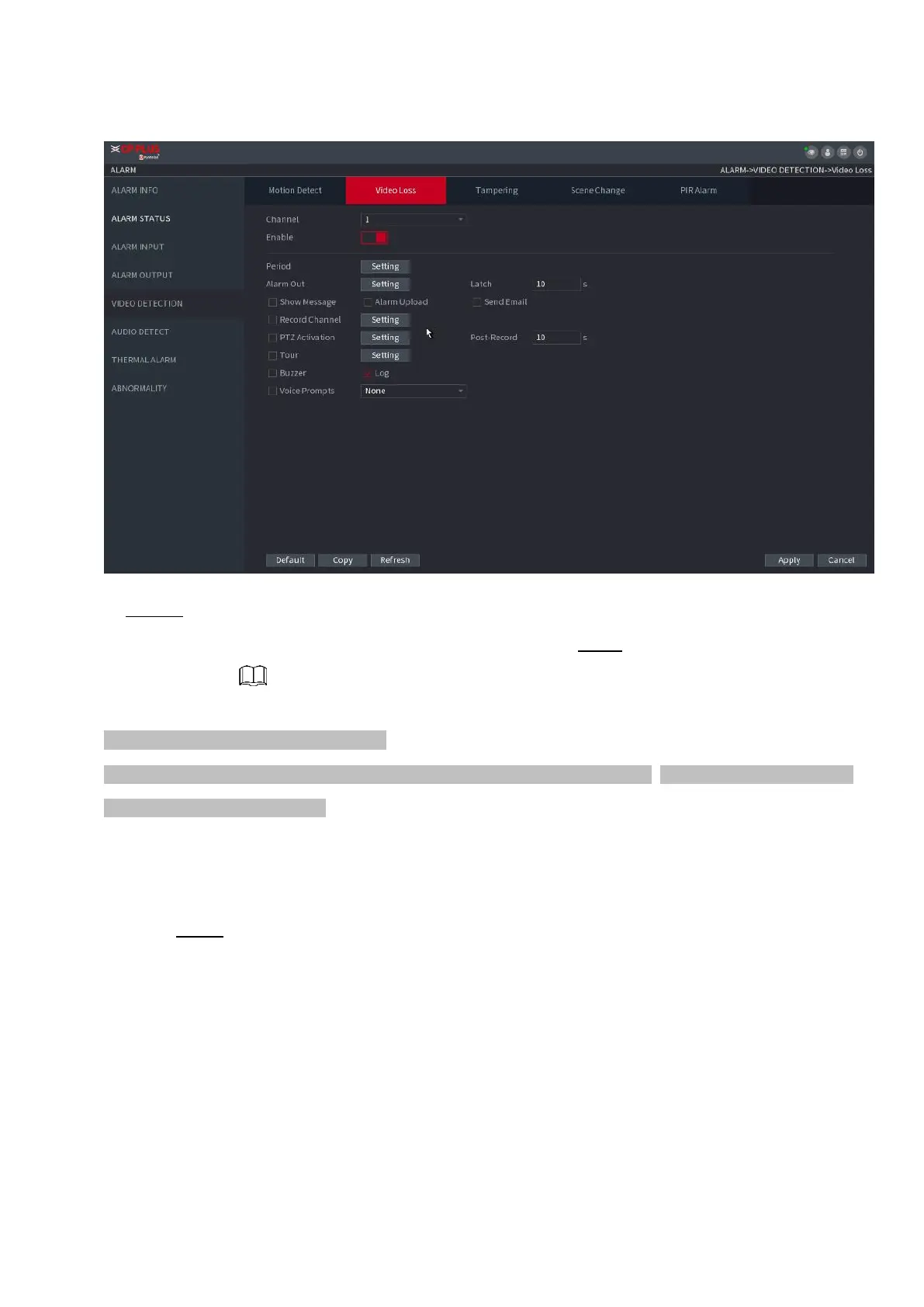
⚫ Figure 1-172
⚫ Step 2 To configure the settings for the video loss detection parameters, see "1.8.5.1 Motion Detect."
⚫ The video loss function does not have region and sensitivity items. Step 3 Click Apply to complete the
settings.
⚫ Click Default to restore the default setting.
⚫ Click Copy, in the Copy dialog box, select the additional channel(s) that you want to copy the motion detection
settings to, and then click Apply.
1.8.5.4 Scene Change
⚫ When the detected scene has changed, system can generate an alarm.
Step 1 Select Main Menu>ALARM >VIDEO DETECTION >SCENE CHANGE,
The Scene Change interface is displayed. See Figure 1-173.



 To Next Page