1.1.3.3 Reset Button
⚫ You can always use the reset button on the mainboard to reset the Device to the factory default settings.
⚫ Reset button is for some series products only.
⚫ Step 1 Disconnect the Device from power source, and then remove the cover panel. For details about
removing the cover panel.
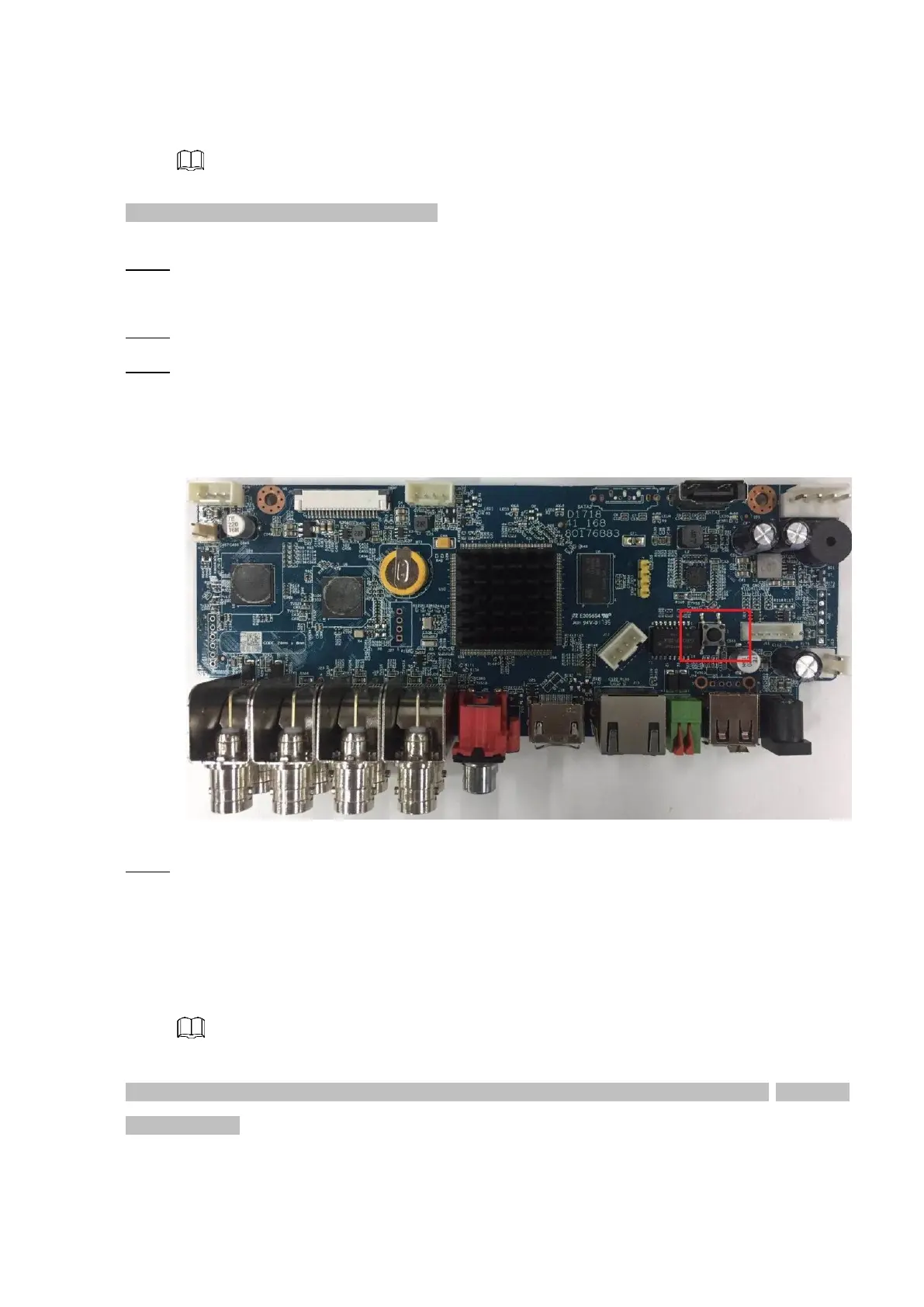
⚫ Step 2 Find the reset button on the mainboard, and then connect the Device to the power source again.
⚫ Step 3 Press and hold the reset button for 5 seconds to 10 seconds. See Figure 1-14 for the location of the
reset button.
⚫ Figure 1-14
⚫ Step 4 Reboot the Device.
⚫ After the Device is rebooted, the settings have been restored to the factory default. You can start resetting the
password.
1.1.4 Quick Settings
⚫ After you successfully initialized the device, it goes to startup wizard. Here you can quickly configure your
device. Click Next, device goes to General interface.
⚫ The startup wizard interface only displays after you first login the device and have set the admin password.
See Figure 1-15.
⚫



 To Next Page