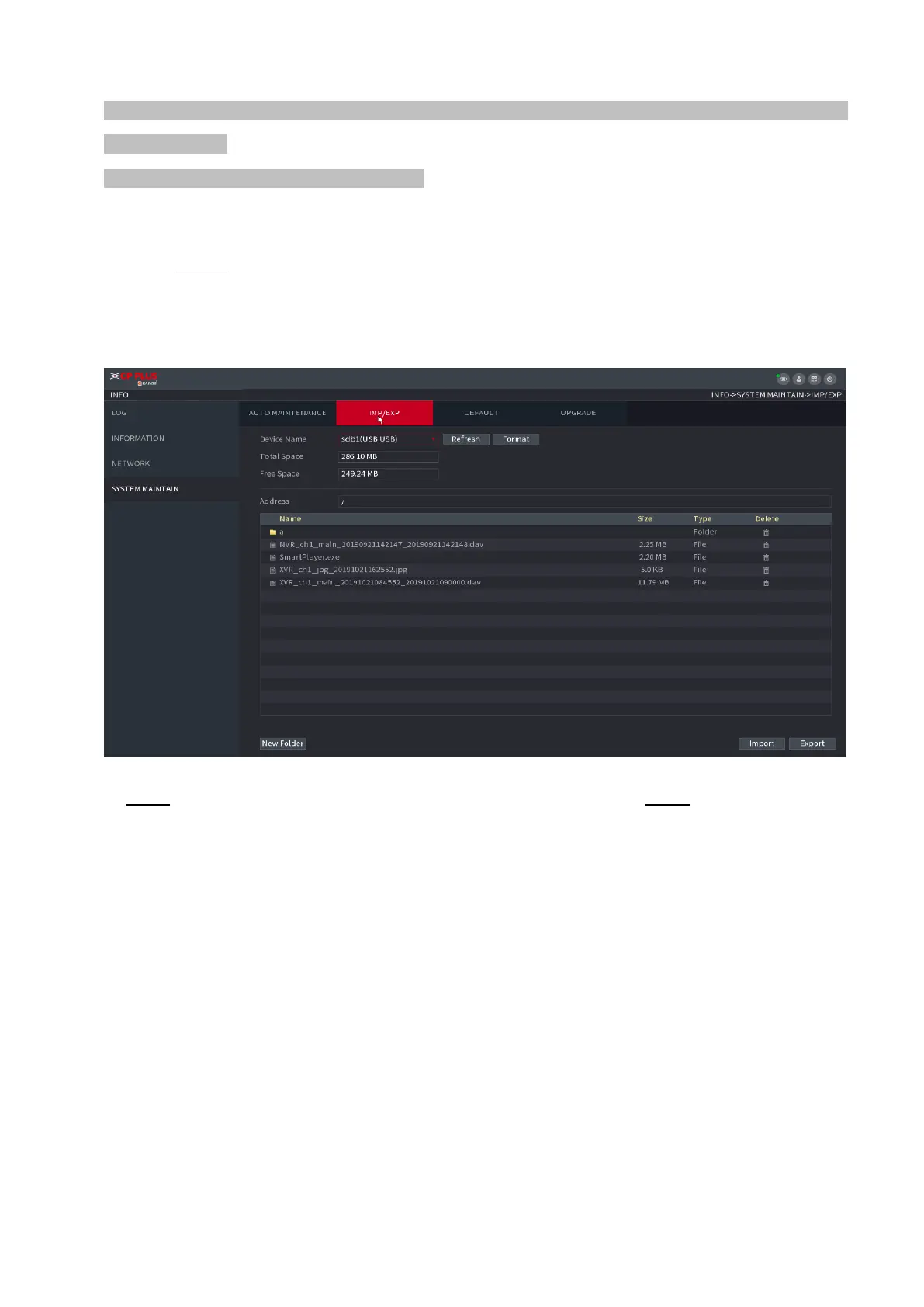
⚫ When you open the IMP/EXP interface, the system refreshes the devices and sets the current directory as the
first root directory.
⚫ Click Format to format the USB storage device.
Exporting System Settings
Step 1 Select Main Menu > OPERATION > SYSTEM MAITAIN > IMP/EXP. The
IMP/EXP interface is displayed. See Figure 1-195.
⚫ Figure 1-195
⚫ Step 2 Insert a USB storage device into one of the USB ports on the Device. Step 3 Click Refresh to refresh
the interface.
⚫ The connected USB storage device is displayed. See Figure 1-196.
⚫
⚫
⚫
⚫
⚫
⚫
⚫
⚫
⚫
⚫



 To Next Page