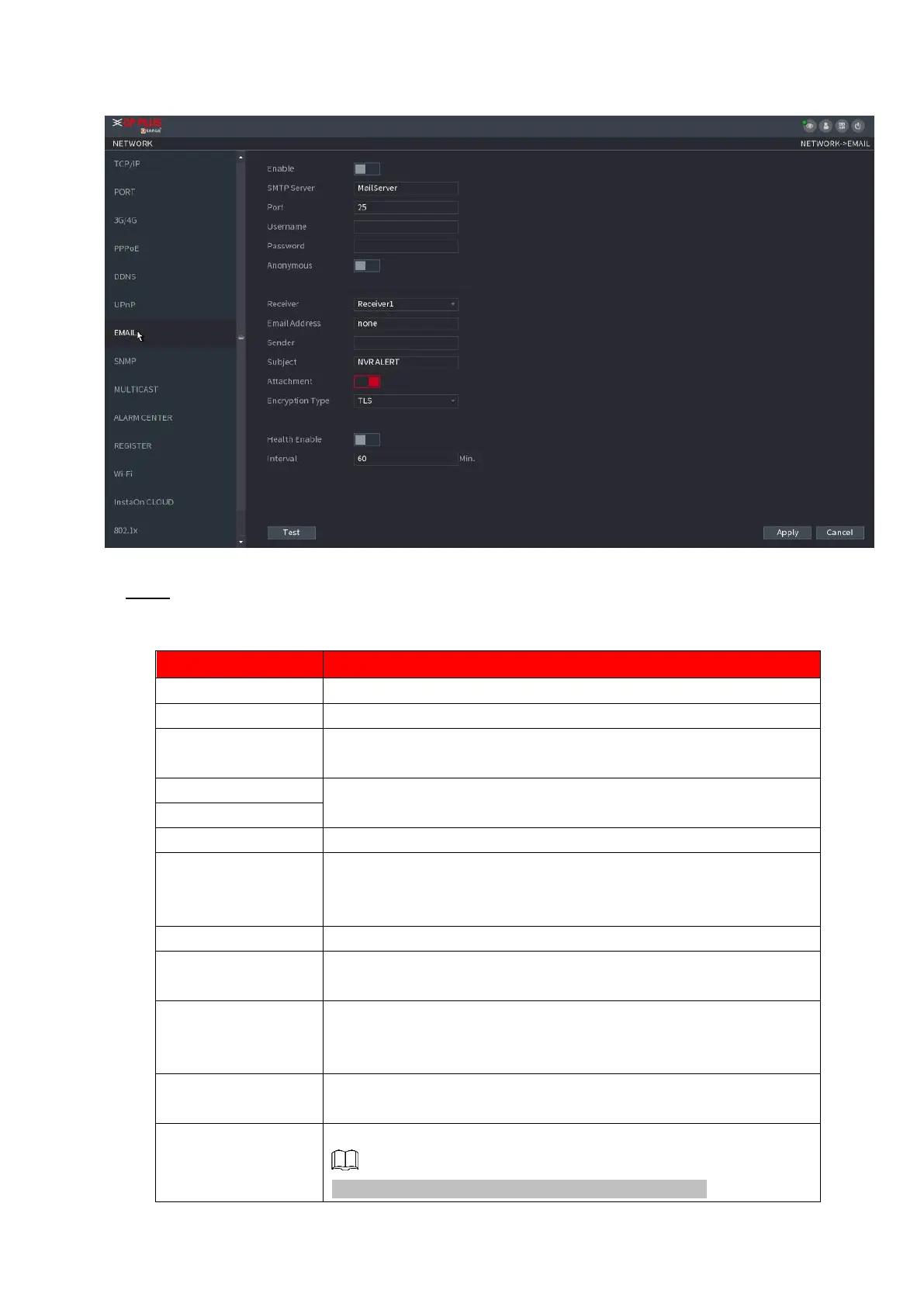
Figure 1-208
⚫ Step 2 Configure the settings for the email parameters. See Table 1-57.
⚫ Table 1-57
Enable the email function.
Enter the address of SMTP server of sender’s email account.
Enter the port value of SMTP server. The default value setting is
25. You can enter the value according to your actual situation.
Enter the user name and password of sender’s email account.
If enable the anonymity function, you can login as anonymity.
In the Mail Receiver list, select the number of receivers that
you want to receive the notification. The Device supports up to
three
mail receivers.
Enter the email address of mail receiver(s).
Enter the sender’s email address. It supports maximum three
senders separated by comma.
Enter the email subject.
Supports Chinese, English and Arabic numerals. It supports
maximum 64 characters.
Enable the attachment function. When there is an alarm event, the
system can attach snapshots as an attachment to the email.
Select the encryption type: NONE, SSL, or TLS.
For SMTP server, the default encryption type is TLS.



 To Next Page