⚫
1.12.7 SNMP
⚫ This function is for some series only.
⚫ You can connect the Device with some software such as MIB Builder and MG-SOFT MIB
⚫ Browser to manage and control the Device from the software.
Preparations
⚫ Install the software that can manage and control the SNMP, such as MIB Builder and MG-SOFT MIB Browser
⚫ Obtain the MIB files that correspond to the current version from the technical support.
Configuration Steps
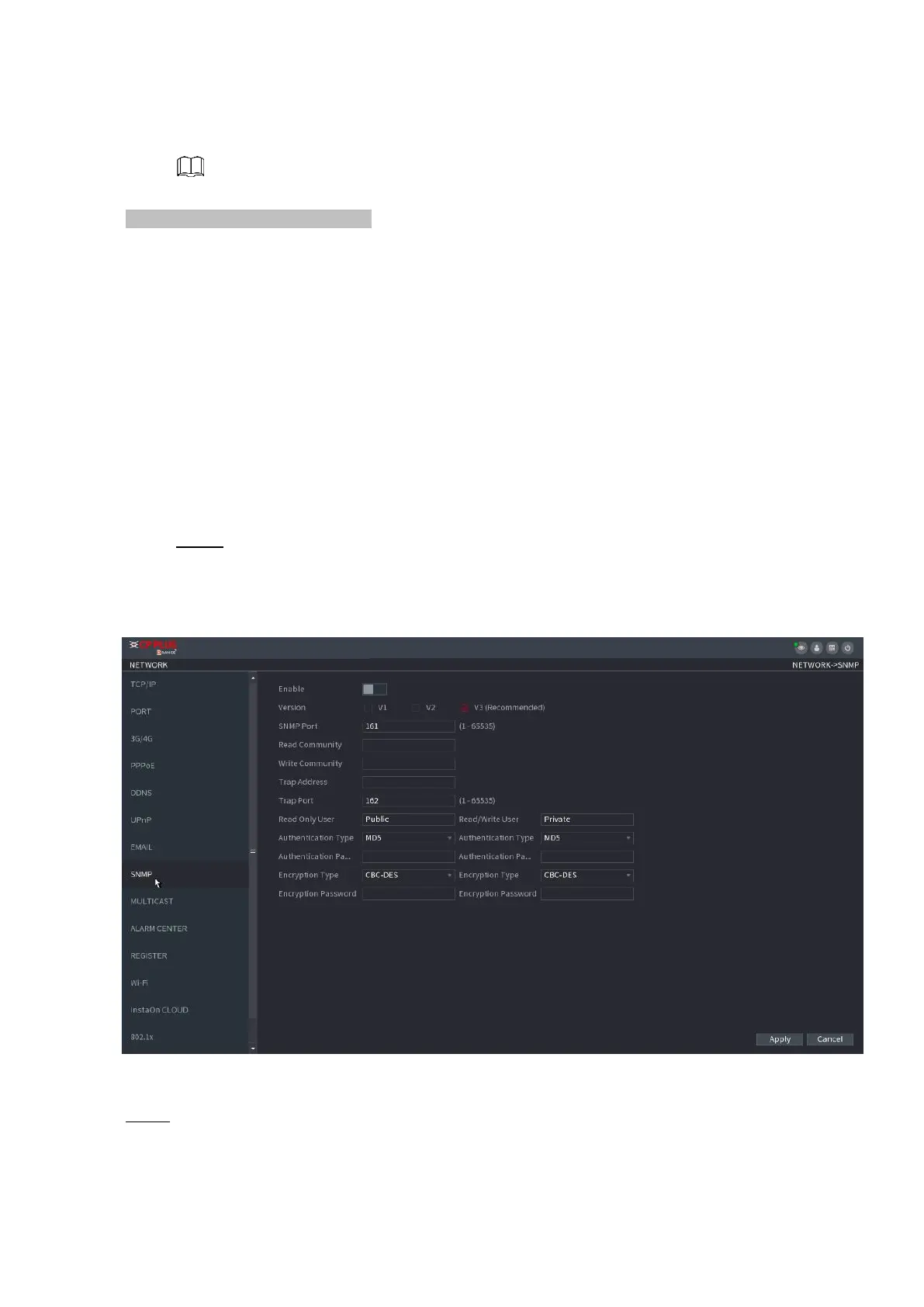
Step 1 Select Main Menu > NETWORK > SNMP.
⚫ The SNMP interface is displayed. See Figure 1-209.
⚫ Figure 1-209
⚫
⚫ Step 2 Configure the settings for the SNMP parameters. See Table 1-58.



 To Next Page