⚫ Step 2 Click and then click to select basic mode.
⚫ System adopts the basic window mode as the new window name. For example, if you select the 8-
display mode, the default name is Split8.
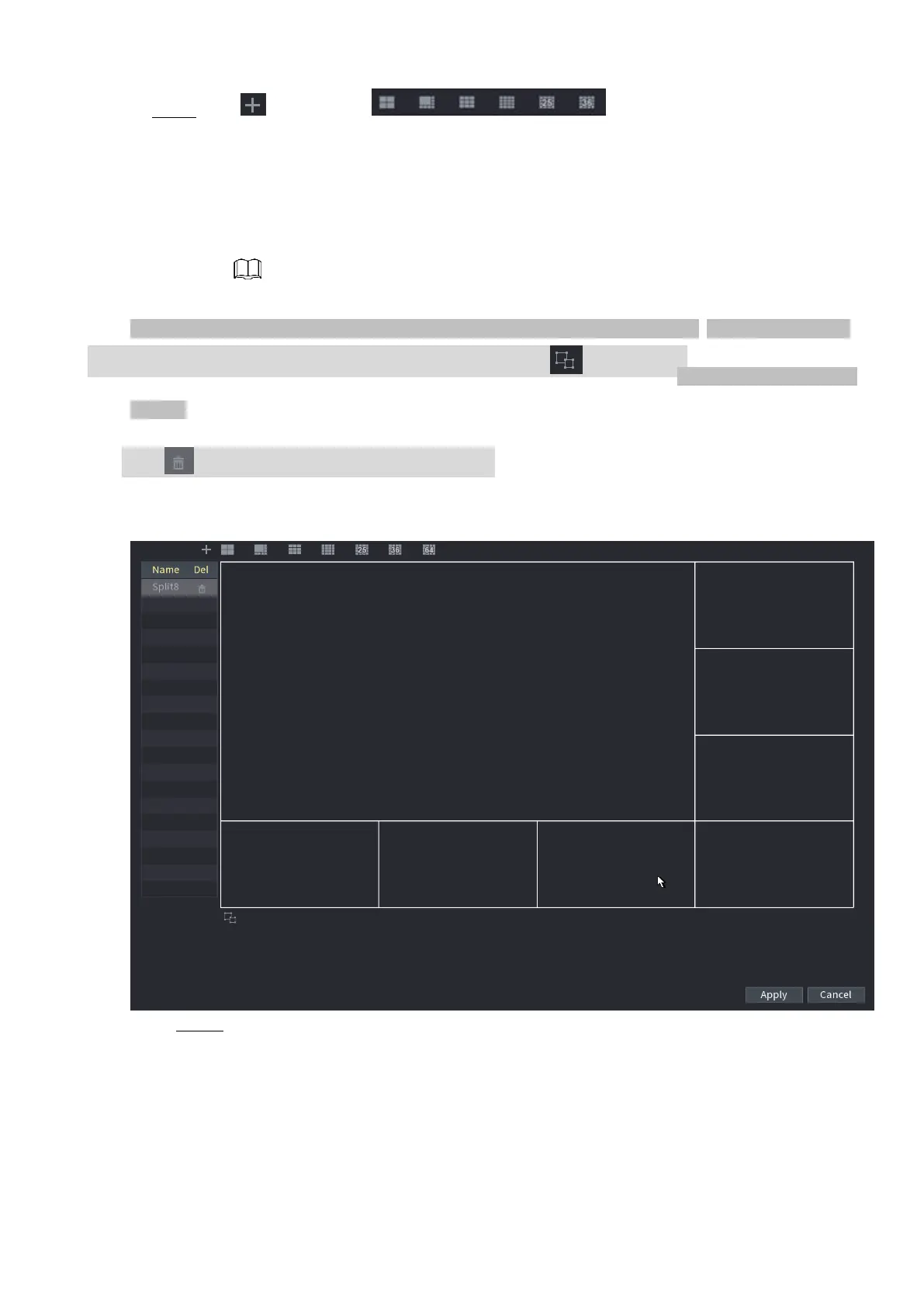
⚫ In regular mode, drag the mouse in the preview frame; you can merge several small windows to
one window so that you can get you desired split mode. See Figure 1-250.
⚫ After merge the window, system adopts the remaining window amount as the new name such as Split6.
⚫ Select the window you want to merge (red highlighted), click to cancel the merge to restore the basic
mode.
⚫ Click to delete the customized window mode.
⚫ Figure 1-250
Step 3 Click Apply to exit.
⚫ After the setup, you can go to the preview window, right click mouse and then select
Custom Split. See Figure 4-251.



 To Next Page