In the Channel list, select the channel that you want to connect the PTZ
camera to.
⚫ Local: Connect through RS-485 port.
⚫ Remote: Connect through network by adding IP address of PTZ
camera to the Device.
In the Protocol list, select the protocol for the PTZ camera such as
PELCOD.
In the Address box, enter the address for PTZ camera. The default is 1.
The entered address must be the same with the address configured on
the PTZ camera; otherwise the system cannot control PTZ camera.
In the Baud rate list, select the baud rate for the PTZ camera. The default
is 9600.
Step 3 Click Apply.
1.4.2 PTZ Control
⚫ PTZ control panel performs the operations such as directing camera in eight directions,
⚫ adjusting zoom, focus and iris settings, and quick positioning.
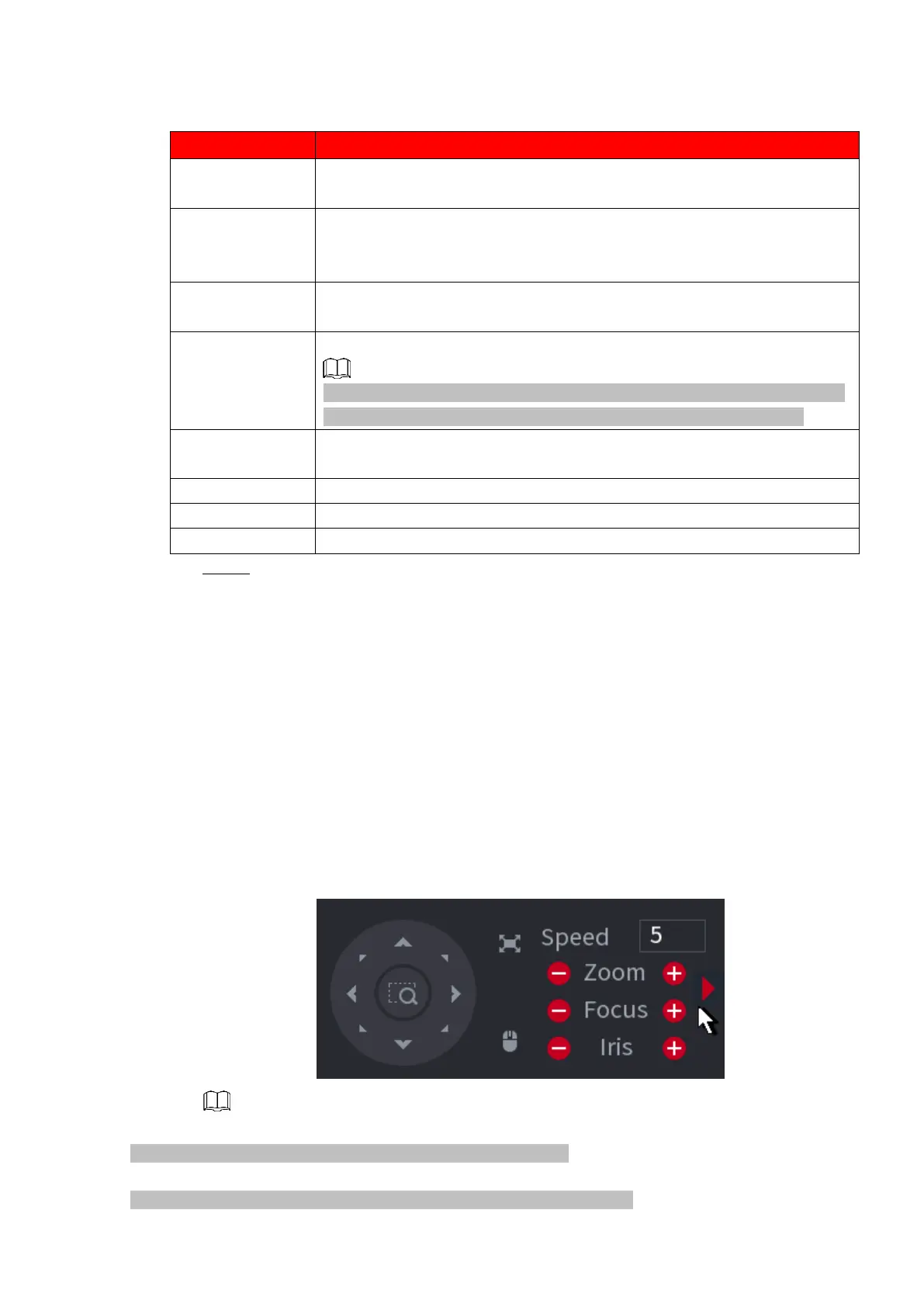
Basic PTZ Control Panel
⚫ Right-click on the live view screen and then select PTZ. The PTZ control panel is displayed. See
Figure 1-84.
⚫ Figure 1-84
⚫ The gray button means system does not support current function.
⚫ For some series products, the PTZ function is valid in one-window mode.



 To Next Page