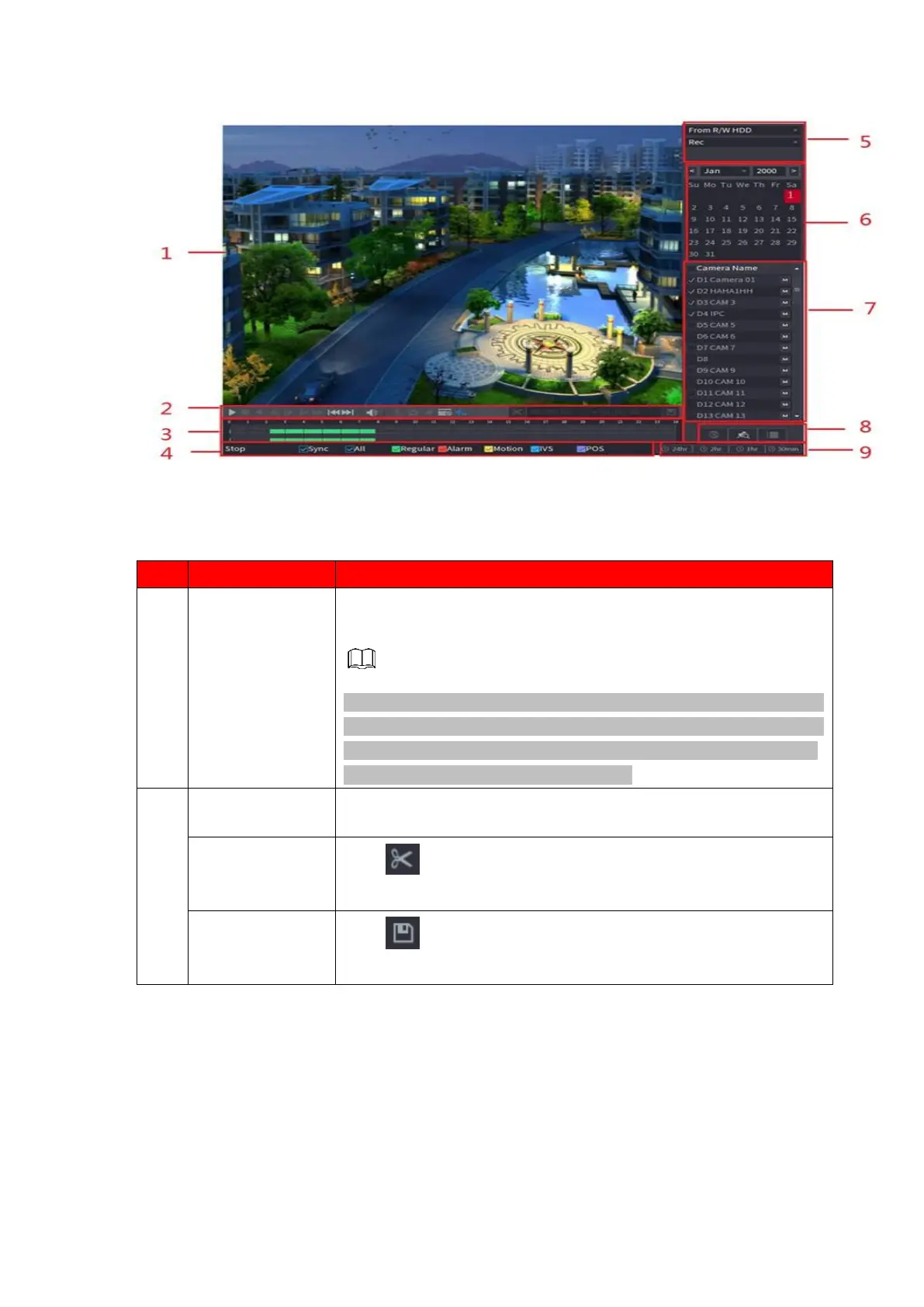
Display the searched recorded video or picture. It supports playing
in single-channel, 4-channel, 9-channel, and 16-channel
simultaneously.
When playing back in a single channel mode, hold down the left
mouse button to select the area that you want to enlarge. The area
is enlarged after the left mouse button is released. To exit the
enlarged status, right-click on the image.
Click to edit the record file and then save specified footages.
Refer to "1.6.2.3 Clip" for detailed information.



 To Next Page