88 • TST-902 Product Manual — Doc. 7750C
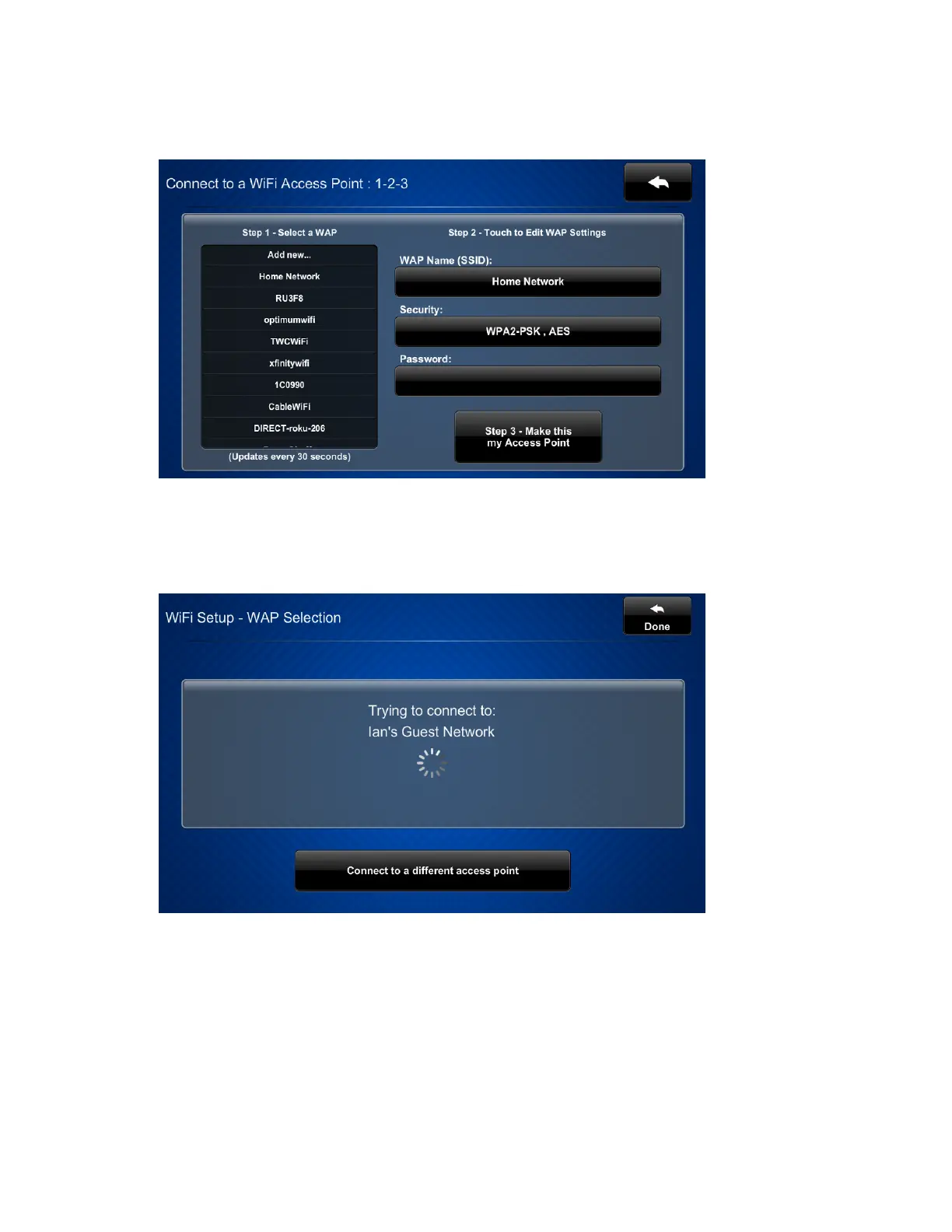
8. Select a wireless access point (WAP)from the Step 1 - Select a WAPlist. The name and
security type for the selected WAPare displayed in the settings on the right of the screen.
9. Tap the Password text field to display an on-screen keyboard for entering the password
for the WAP. After entering the password, tap Save.
10. Tap Step 3 - Make this my Access Point to confirm the selection. The touch screen
attempts to connect to the WAP using the provided credentials.
If the connection is successful, details for the Wi-Fi connection are shown in the Wi-Fi Setup
screen. If the connection fails, a failure message is displayed. Tap Connect to a different access
point to return to the Connect to a Wi-Fi Access Point:1-2-3 screen.











 To Next Page