© 2021 All rights reserved. Data subject to change without notice. 45
Rev. C | 2021.12 FCS - Installation Manual
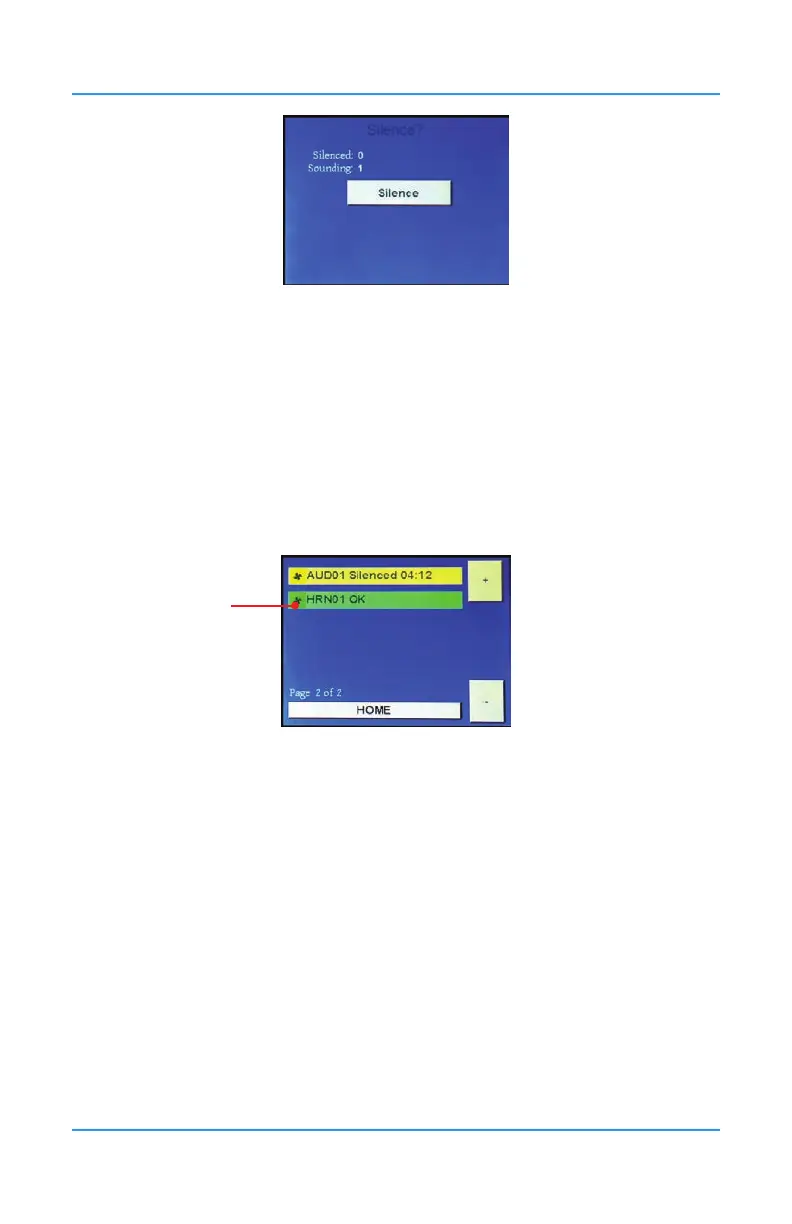
You can silence all or none of the alarms. When the Silence is pushed, all channels that are
causing the audible alarm will be silenced. If another channel starts to indicate high alarm,
the system works through the conguration and the audible alarm will come back on for that
channel. Pressing Silence will stop the alarm from sounding and restart the silence interval
for the previous channel(s) causing the alarm.
The alarms will stop for a precongured amount of time (the factory default is 5 minutes).
Refer to Section 10.2 Using Relay Timers to Set ON / OFF Delays to change the silence
interval (OFF Delay) for each device (Strobe, Horn, Audible).
When the Silence button is pressed, the associated horn/strobe/audible/buzzer detailed relay
infor-mation will show a yellow bar:
When the precongured silenced amount of time (OFF Delay) has passed, the strobe/horn
and buzzer will sound and the Silence? screen will appear again. The silence interval is
specic to each audible relay. The OFF Delay for that relay sets the silence duration.
To let the alarm(s) continue sounding, don’t press Silence All. Each alarm will continue
sounding until the cause of the alarm comes to an end.
NOTE: The Silencing functionality applies to ALL relays that have been congured as
silenceable. However, it is intended for AUDIBLE devices (horns, integral buzzer, etc.) directly
connected to the FCS or the relays (including the RLY-4 or RLY-8); but any relay can be
congured as silenceable.
7.6 Test Menu Functions
In the Test menu, you can test the audible alarm, strobe and relays and analog output to
ensure they are working correctly. For each test you can set the length of time for the test to
last.
Press Menu and enter passcode “1” to enter the Test Menu.
Press the icon
here on any of
the channel
bars


 To Next Page