Scanshell 800 The Program Interface
IdScan User Manual version 9.0
©
Card Scanning Solutions, all rights reserved 11
THE PROGRAM INTERFACE
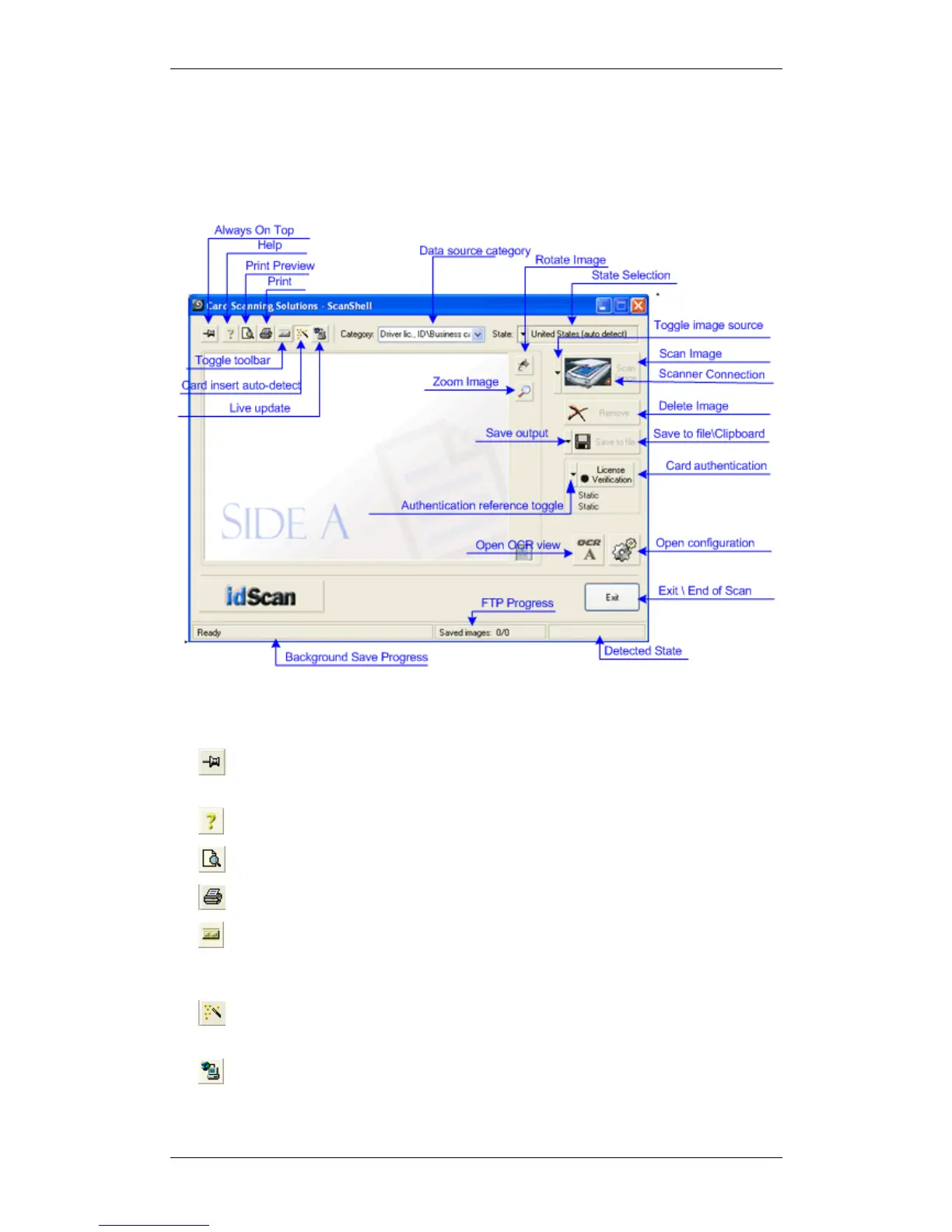
The following figure shows the application main screen:
Figure 1: Main Screen
THE MAIN SCREEN CONTROLS
• Always on Top: Toggles the application window between normal mode
and always-on-top mode.
• Help: Displays this document.
• Print Preview: Shows the scanned image and the data before printing.
• Print: Prints the scanned image and the data.
• Toggle Toolbar: Minimizes the application screen to display only a
toolbar with the application controls, and restores the full application screen
again.
• Card Insertion Auto-Detect: Set the automatic detection of card
insertion on and off.
• Live Update: Updates your software with the most recent version, using
the Internet.



 To Next Page