Scanshell 1000 Scanning Documents
IdScan User Manual version 9.0
©
Card Scanning Solutions, all rights reserved 27
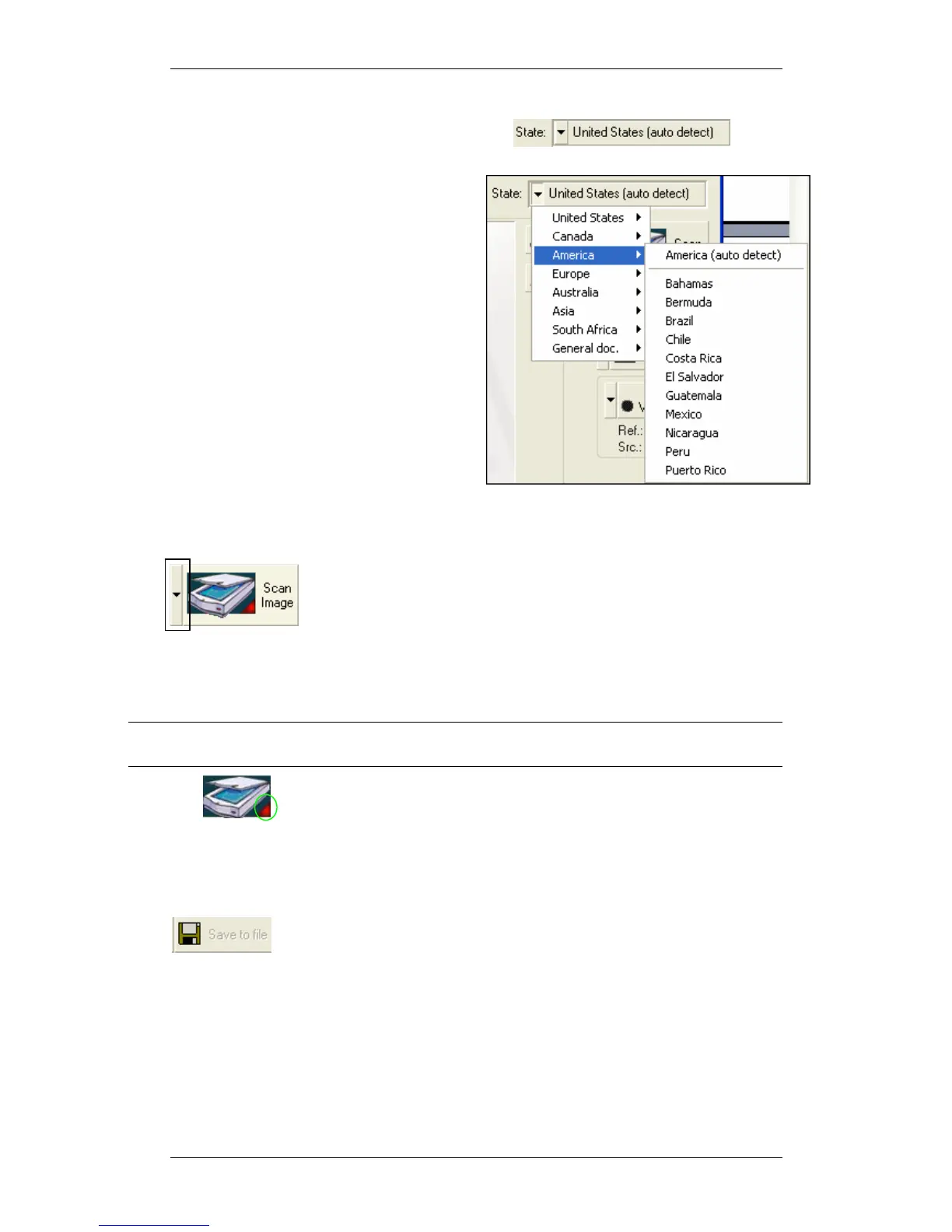
SELECTING COUNTRY AND STATE
If you scan a driver license or an ID card, you have to specify the Driver’s license or
ID card issuing country or state, to enable
the OCR recognition process.
Click on the field arrow, and navigate
through the popup lists to the desired
country/state.
Auto detect
In most cases, you can select Auto Detect
(top of the list), which will cause the
application to detect the issuing
country/state automatically. However, if
the data extractions results are not
accurate, you will need to specify the
issuing country or state manually.
SCAN IMAGE
1. Click on the arrow and select the image source: Scanner
or an image file on the hard disk. (The third option Mag.
Strip
is only available if a Magshell magnetic reader is
connected to the computer)
2. Start the scan if Auto-detect is not selected, by pressing the Scan Image
button. if Auto-detect is selected, click on one of the scanner buttons according
to your buttons configuration.
Note: Image file can be selected only if a scanner is physically connected to the PC, or if
the license key used is a temporary key.
3. Scanner Connection: A green light indicates that the scanner is
connected to the PC. A red light indicates that no scanner was found. If no
scanner is detected, input of new data is not possible.
OUTPUT OPTIONS
Select the data output option: Save to file or copy to the clipboard,
which allows immediate pasting into another application. Active only if manual save
is selected in the configuration panel, see Saving options, page 58. Selecting Save to
file
opens the Save As dialog after the scan is complete.



 To Next Page