Configuring the Program Magnetic reading tab
IdScan User Manual version 9.0
©
Card Scanning Solutions, all rights reserved 73
MAGNETIC READING TAB
(Only applicable if using a magnetic reader to swipe cards).
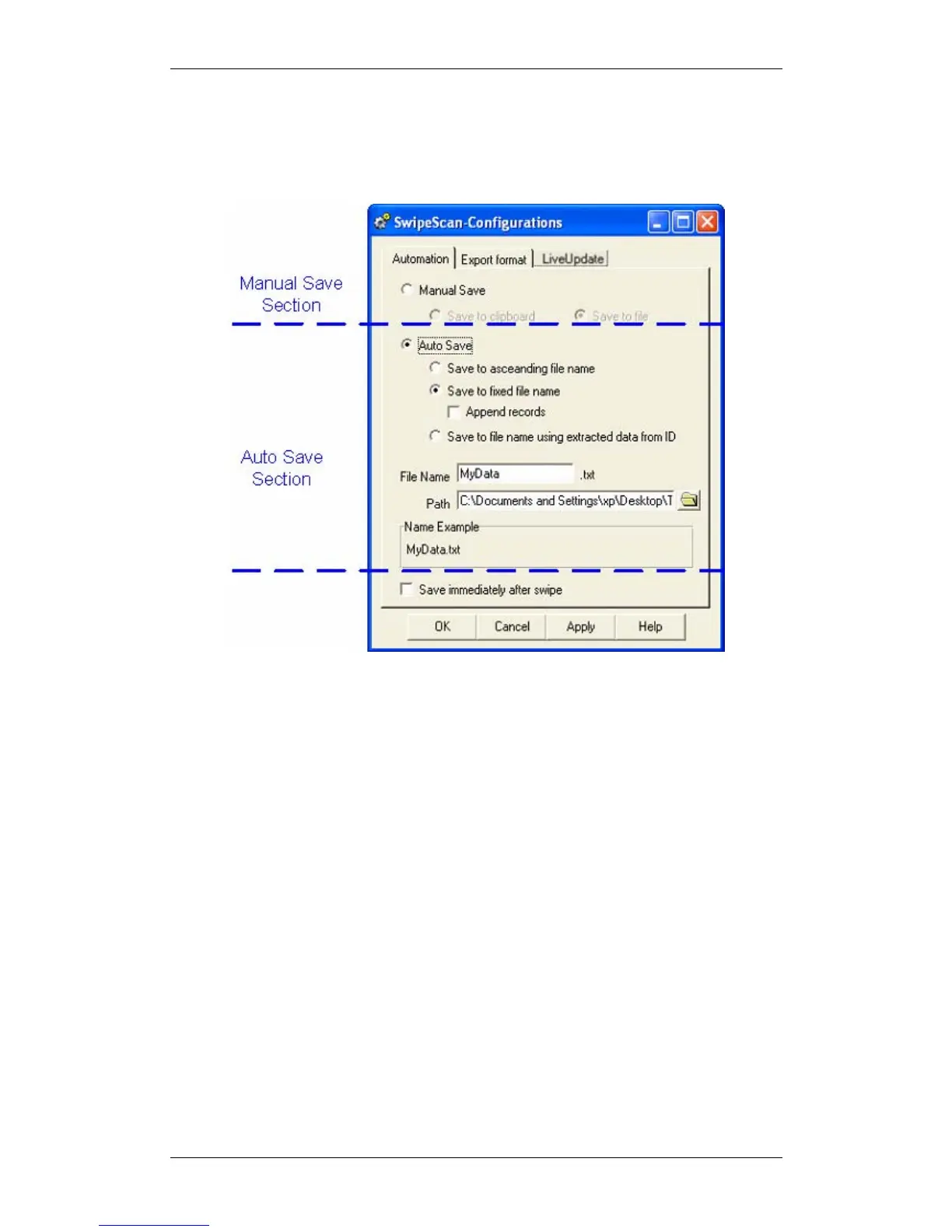
Figure 42: Automation Tab
The Magnetic Reading tab offers options for controlling the way the text file is saved
are as follows:
MANUAL SAVE
In this mode the user saves the text file manually. The data is formatted into a single
record and saved either to a text file or to the clipboard. In this mode the destination
(file or clipboard) can also be selected from the main screen.
AUTO SAVE
In this mode the text is saved automatically to a file after each scan. Once the card is
scanned, the data fields are formed into a single record and saved to a text file under
one of three names:
Save to ascending file name: A numerator is added to a basic file name (pre-
defined by the user), forming the file name.



 To Next Page