Configuring the Program ID Card VERIFICATION
IdScan User Manual version 9.0
©
Card Scanning Solutions, all rights reserved 55
7. CONFIGURING THE PROGRAM
Before you start scanning, it would be a good idea to configure the program’s
scanning and file saving options. Click on the ‘Open configuration screen’ button in
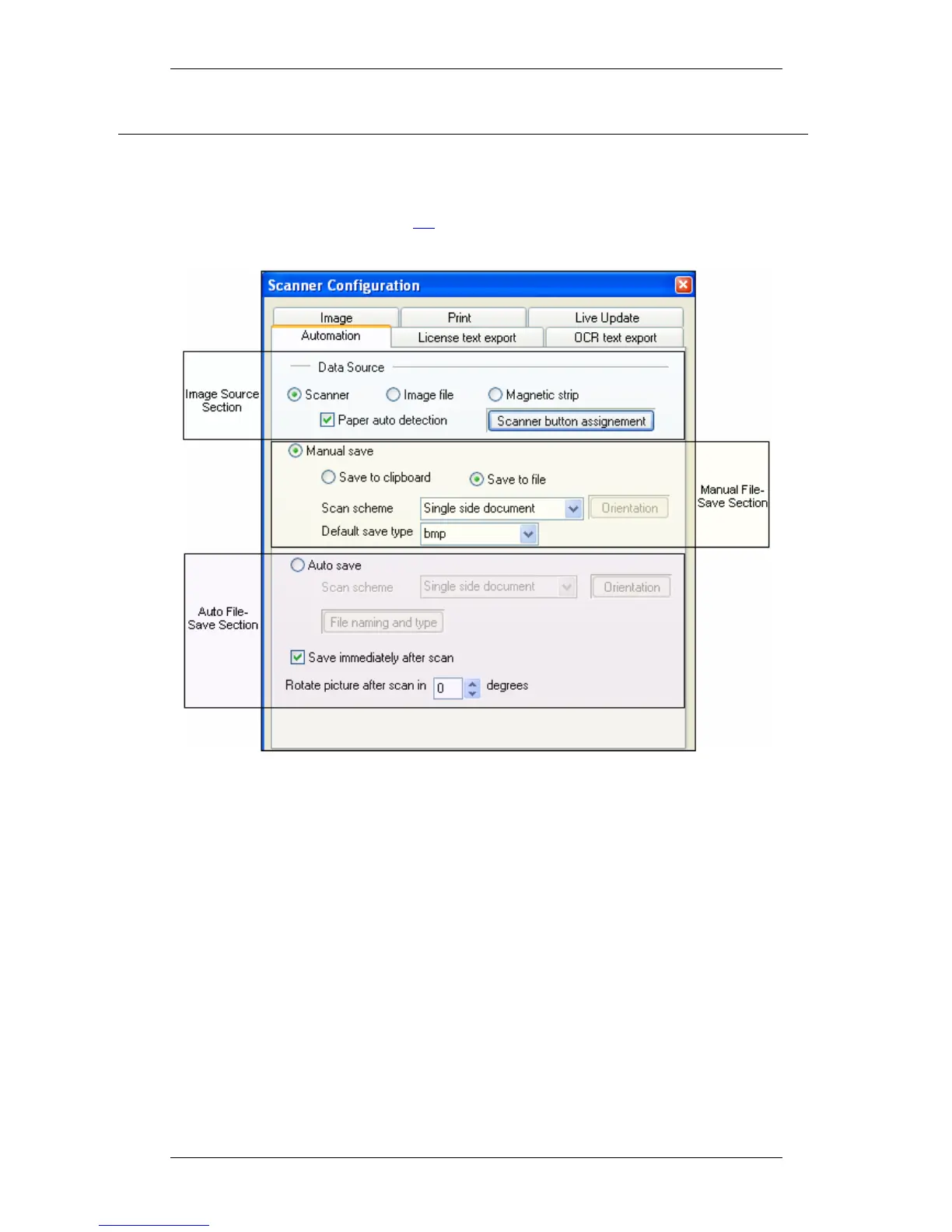
the main screen (see figure 1 page 11). The following configuration panel will be
displayed:
Figure 29: Scanner configuration panel
The configuration panel first tab is the Automation tab. Here you can set various
parameters of scanning and saving data and images. The Automation tab consists of
three main sections:
• Data source
• Manual file save
• Auto file save



 To Next Page