Appendix D – Minimized Interface & Program Line Switches
IdScan User Manual version 9.0
©
Card Scanning Solutions, all rights reserved 81
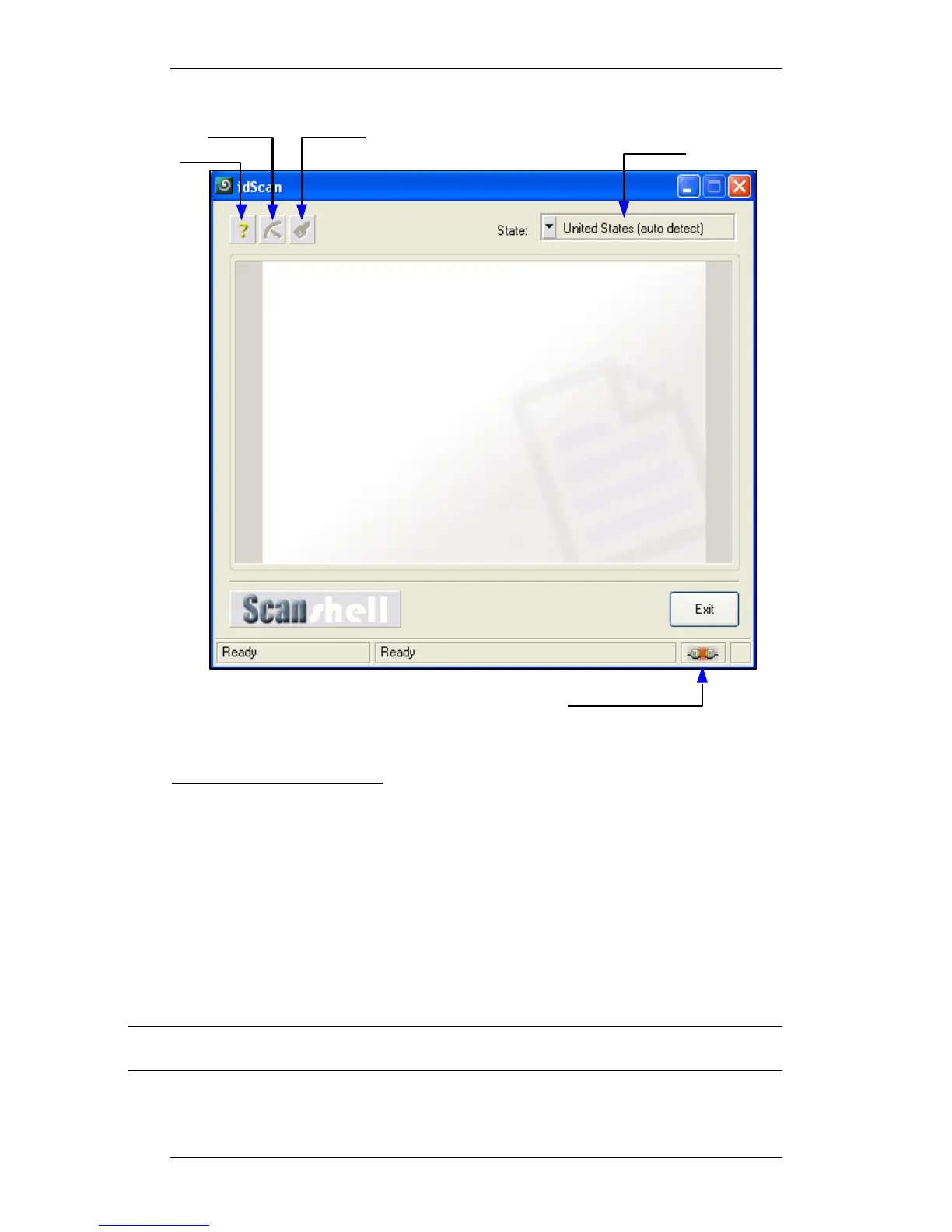
Figure 43: Main screen in minimized mode
Main screen function controls:
• Help: Opens this help document.
• Calibrate Scanner: Activates the scanner’s Calibration Wizard.
• Clean: Activates the scanner Cleaning Wizard.
• Country list: Selects the current country. If the current country contains
several states, the state list is loaded to the State List control.
• State List: Sets the current country and state detection algorithm.
• Exit: Closes the application.
• Scanner connection status: Indicates if the scanner is connected to the PC.
Note: All the settings described in previous sections of this documents apply when running
in Minimized Interface mode.
Scanner connection status
Help
Select country & State
Barcode
Clean
Scanner
Calibrate
Scanner



 To Next Page