Scanshell 1000 Scanning a new document
IdScan User Manual version 9.0
©
Card Scanning Solutions, all rights reserved 28
SCANNING A NEW DOCUMENT
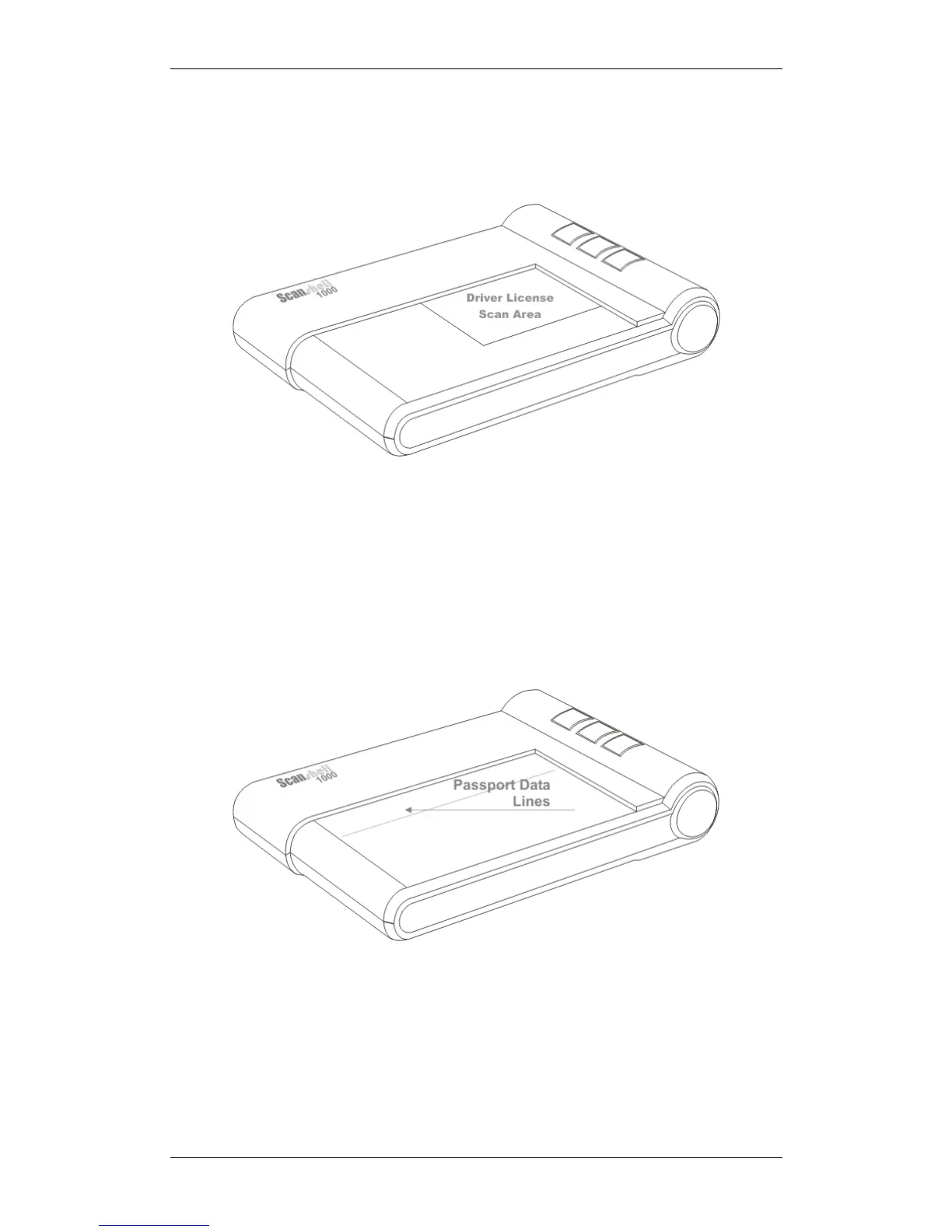
To scan a new document, place the document on the scanner, in the left corner nearest
to the scanner buttons.
Figure 12: ScanShell 1000, ID card placing
When scanning a passport, the entire glass surface (3" X 5") is being scanned
unless the idScan software is configured to scan only the data lines of the
passport.
The proper way to scan a passport is to put the information page (the page that
includes the person picture) facing down on the glass, and the data lines (the
lines at the bottom of the page) against the plastic frame closer to the
ScanShell 1000 logo as shown below.
Figure 13: The placing of a passport
Either click on the Scan Image button if the scanner is set to automatic scan
mode, or the press the scanner button you assigned to the specific document
type you are trying to scan. See Automation tab, page 56.



 To Next Page