Configuring the Program Image tab
IdScan User Manual version 9.0
©
Card Scanning Solutions, all rights reserved 68
idScan calculates the approximate file size for bitmap format based on the current
document size, color scheme and resolution. The result is displayed under ‘Image
dimensions and size’.
JPEG Quality: Sets the image quality when saving in JPEG format. This value range
can be between 11 and 100. 100 represents the best image quality, but would also
result in the biggest file size.
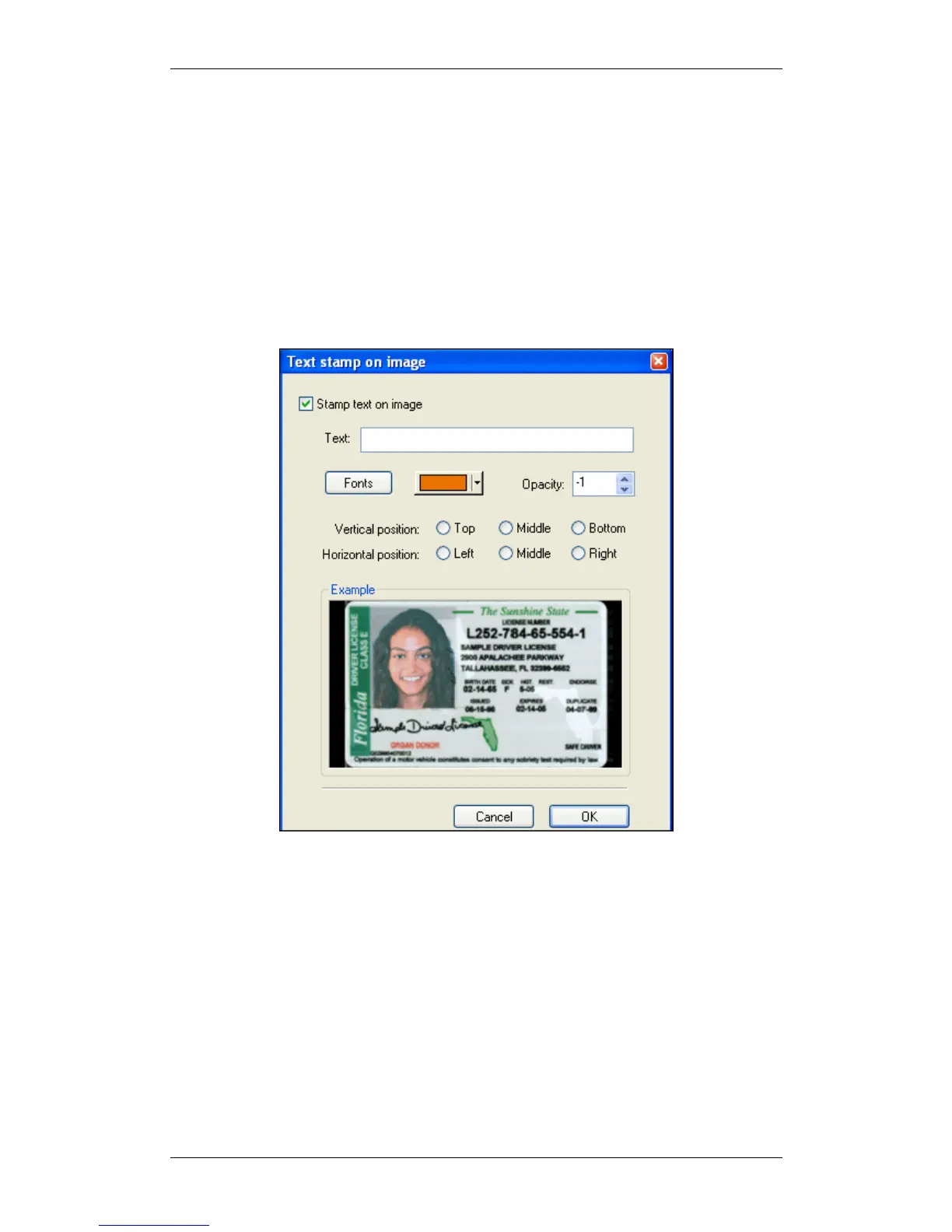
TEXT STAMP
The text stamp window allows you to add an automatic text stamp to the scanned
image. This window lets you insert a text string and control various text parameters.
Figure 37: Text stamp configuration window
SCANNER CALIBRATION
With time, the scanner colors detection tends to change to incorrect values. This
phenomenon affects the text detection accuracy as well as the resulted image quality.
For detailed instructions on how to calibrate the scanner, see Appendix C -
Maintaining the scanner, page 79.
CLEANING THE SCANNER
Cleaning the scanner from time to time to improves the scan quality. For detailed
instructions on how to clean the scanner, see Appendix C - Maintaining the scanner,
page 79.



 To Next Page