Configuring the Program Printing – Print tab
IdScan User Manual version 9.0
©
Card Scanning Solutions, all rights reserved 69
PRINTING – PRINT TAB
IMAGE PRINT SIZE
Surprisingly, the printed image size depends very much on the graphic program used.
In some low-end graphic applications (such as Microsoft Paint that comes with
Windows), the printed image size depends on the image resolution. The more dpi –
the larger the image size that will be printed. To get a properly printed image size, use
a more professional graphic package (such as Adobe Photoshop) that prints the image
in the correct dimensions regardless of the image dpi.
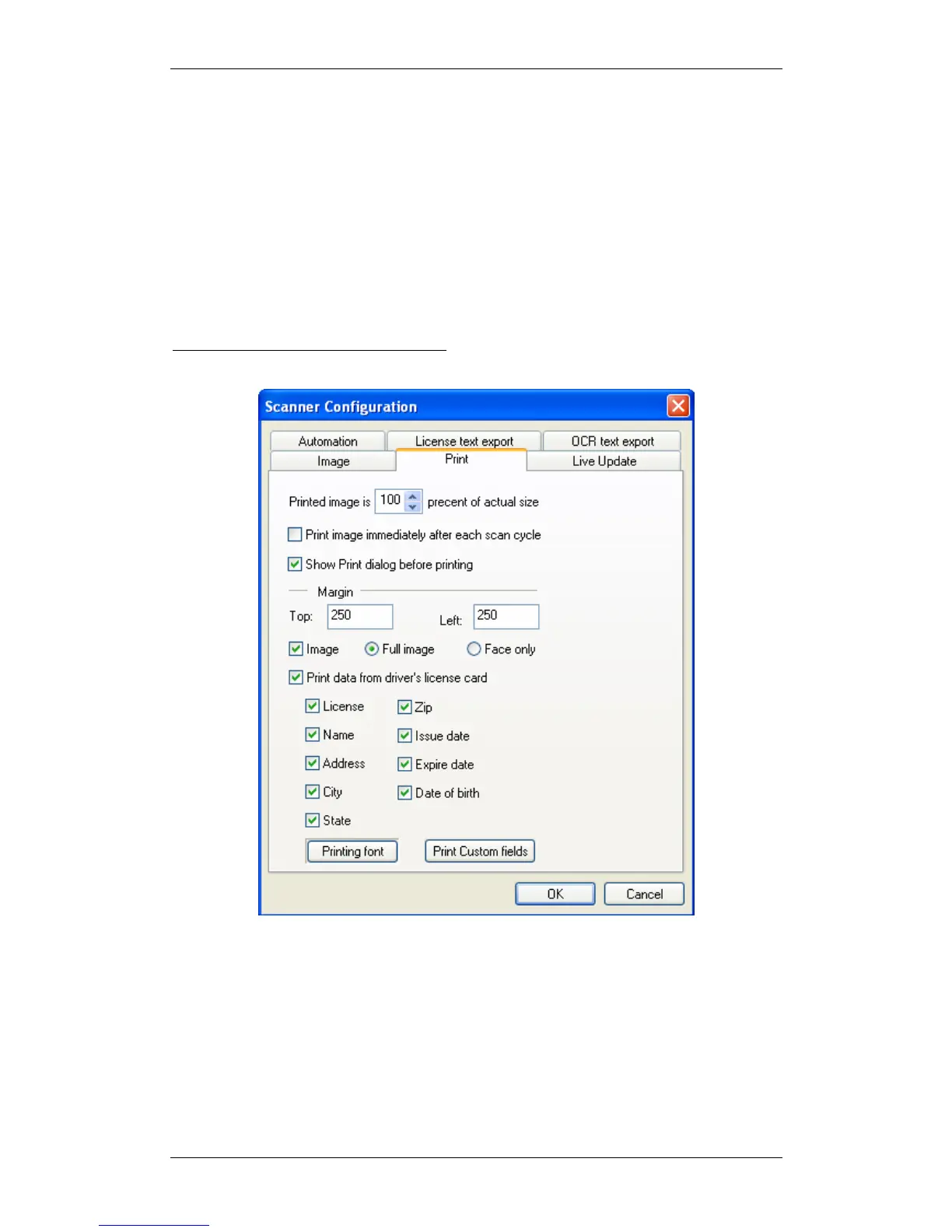
The Print tab has the following options:
Figure 38: Scanner configuration panel – Print tab
Image size as percent of actual size: Reduces / enlarges the image size from 50% to
200% of the actual document size. Selecting the default (100%) prints the image the
same size as the document.
Print data from driver’s license card: Places the data from the card under the card
image. The printed image and data fields can be selected using the appropriate check
boxes.
Printing Font: Select the desired printing font parameters.



 To Next Page