MagshellID Data
IdScan User Manual version 9.0
©
Card Scanning Solutions, all rights reserved 49
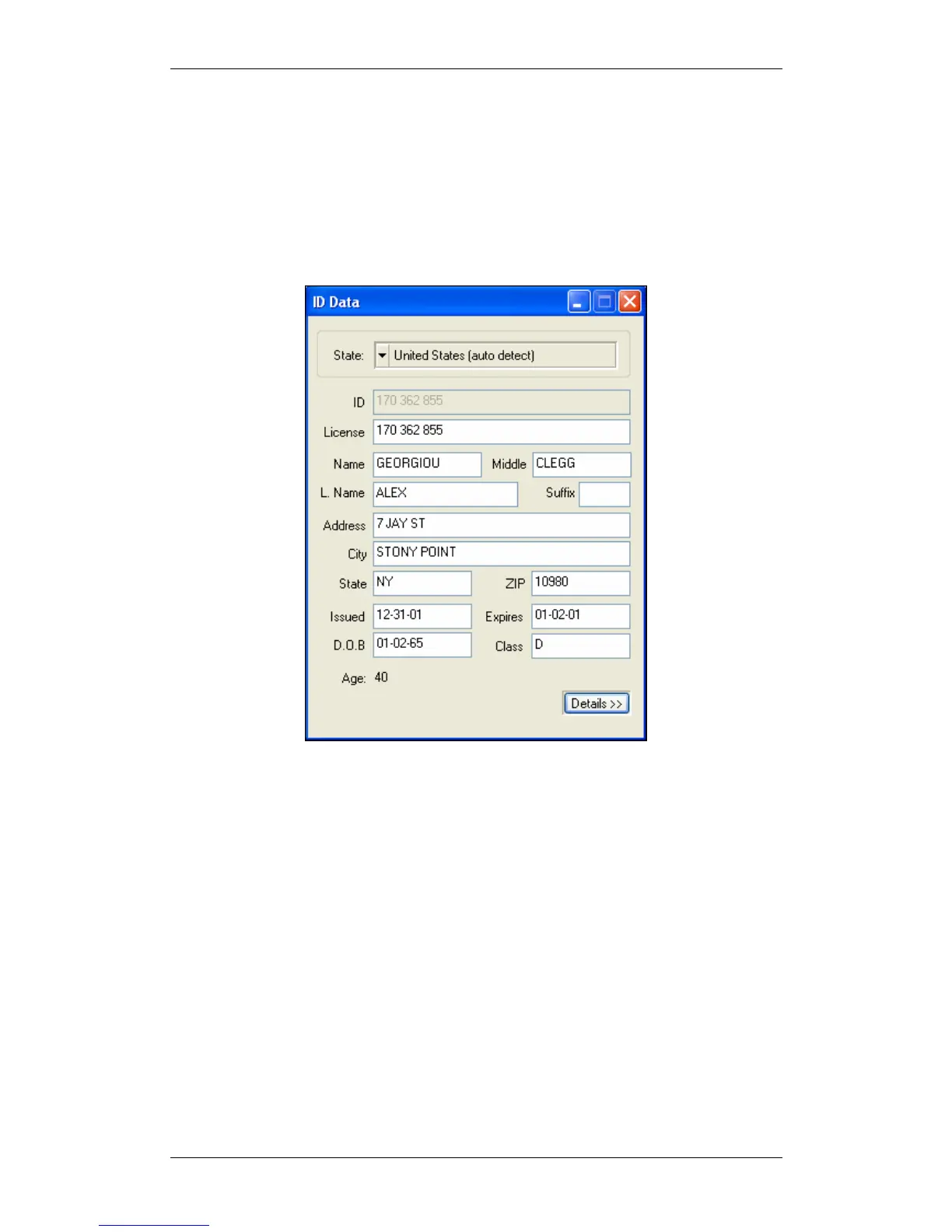
The ID Data window shows the data retrieved either from the card. Irrelevant fields
are disabled (depending on the state). The data displayed in the ID Data window can
be reviewed and edited. Once a new ID card is scanned, this data is transferred to a
text file (if this option is enabled).
To open the ID Data window, press the OCR button on the main screen.
To edit details: select the desired details and type.
Figure 25: ID Data - basic mode
The ID Data window can be viewed in two modes:
• Basic mode: Only the most important data is shown.
• Detailed mode: Shows all the data on the card.
You can toggle between the two modes using the
Basic / Detailed button at the bottom
of the ID Data window.
State: You can select the state manually from the dropdown list, or let the program
detect the state automatically, by selecting '
auto detect' at the top of the list (if
available).



 To Next Page