Scanshell 1000 The main screen controls
IdScan User Manual version 9.0
©
Card Scanning Solutions, all rights reserved 23
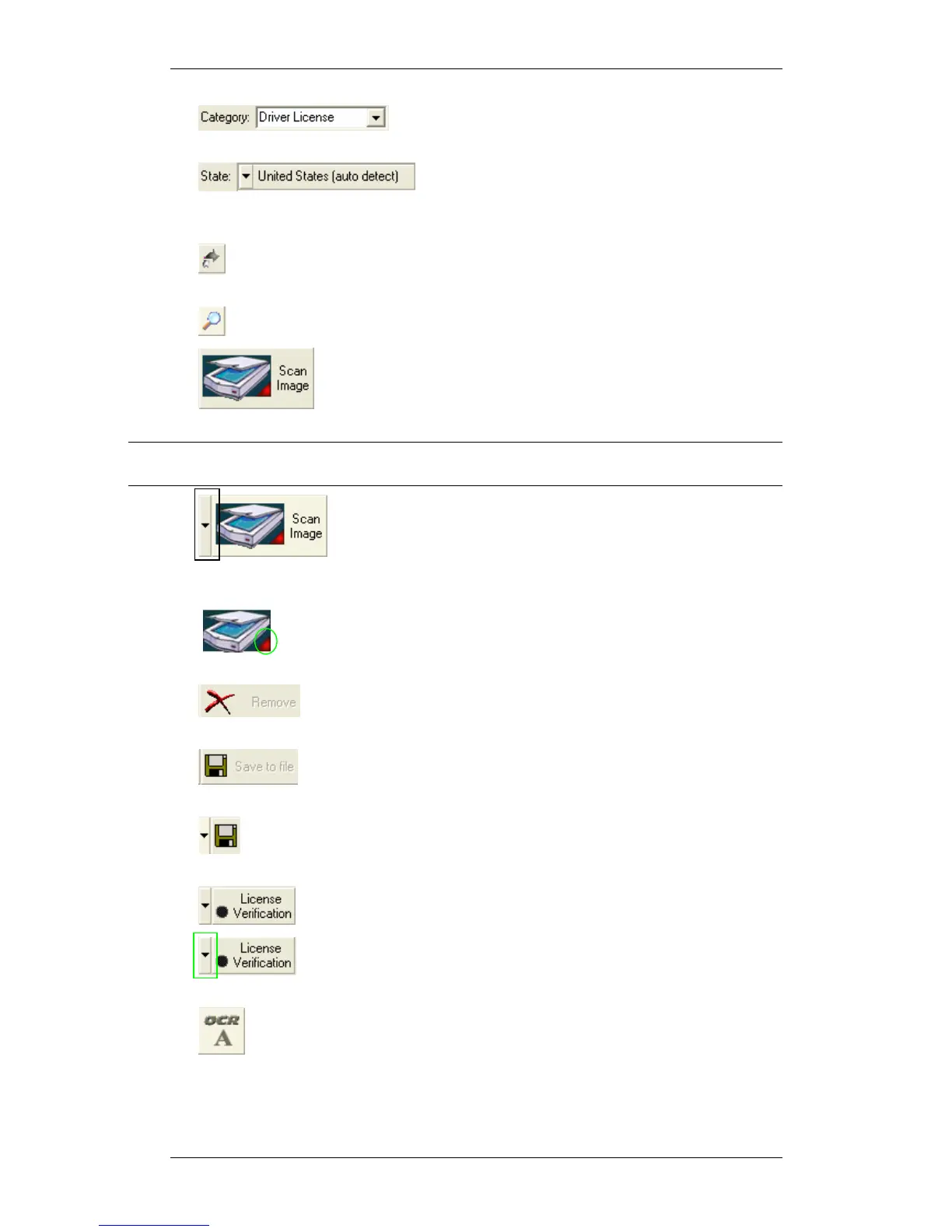
• Category: Toggles between the scanned document
types, and sets the source for data detection accordingly.
• Driver’s license country: Sets the country and
state to be used for the OCR recognition template. You can also set state
detection to ‘Auto Detect’ (top of the list),
• Rotate Image: Rotates the image 90 degrees clockwise. This allows you
to control the image orientation prior to saving.
• Zoom Image: Click to enlarge the image for better reading.
• Scan Image: Starts the image scan if using manual scan and
the image source is set to scanner. Otherwise, activates the File Open dialog.
Note: Opening an existing file is possible only if a scanner is physically connected to the
PC, or if the license key used is a temporary key.
• Toggle Image Source: Sets the input image source to
Scanner (ScanShell 800/800N/2000/1000), Magnetic strip reader, or an image
file on the hard disk.
• Scanner Connection: A green light indicates that the scanner is
connected to the PC. A red light indicates that no scanner was found.
• Delete Image: Deletes the scanned image. This gives you a
way to control the image prior to saving.
• Save to File: Active only in manual save mode: Opens the
SAVE AS dialog if file saving is enabled, or saves the file to the clipboard.
•
Toggle Image Output: Active only in manual save mode: Sets the
output destination to file or clipboard.
•
Card Verification: Activates the verification function.
• Toggle reference: Sets the reference source for card
verification purposes.
• Open OCR View: Opens extracted text view.



 To Next Page