© 2013 Cummins-Allison Corp.
How to Use Sort Mode
Counterfeit detection is available in SORT mode.
To set strap limits, see Strap Counts and Strap Limits.
Select i100-series models process checks, deposit slips and other financial institution
MICR documents that meet U.S. standard specifications.
This section provides instructions for using the SORT mode. Notes, checks and tickets can be processed
in SORT mode, as described below:
• Note processing: Scans all denominations and is best used when notes are presorted by
denomination and then stacked together. When the machine encounters a change in
denomination, it is called a denomination change. A grand total is provided.
• Check processing: Scans checks and stops on non-check documents with a prompt to enter a
MICR number. Remove the non-check document from the pocket and press CONT. Check order
integrity settings determine feed error behavior. (See Check Setup Menu 2 for more information.)
A grand total piece count is provided.
• Ticket processing: Scans tickets and stops when the machine encounters a non-ticket document.
A grand total piece count is provided.
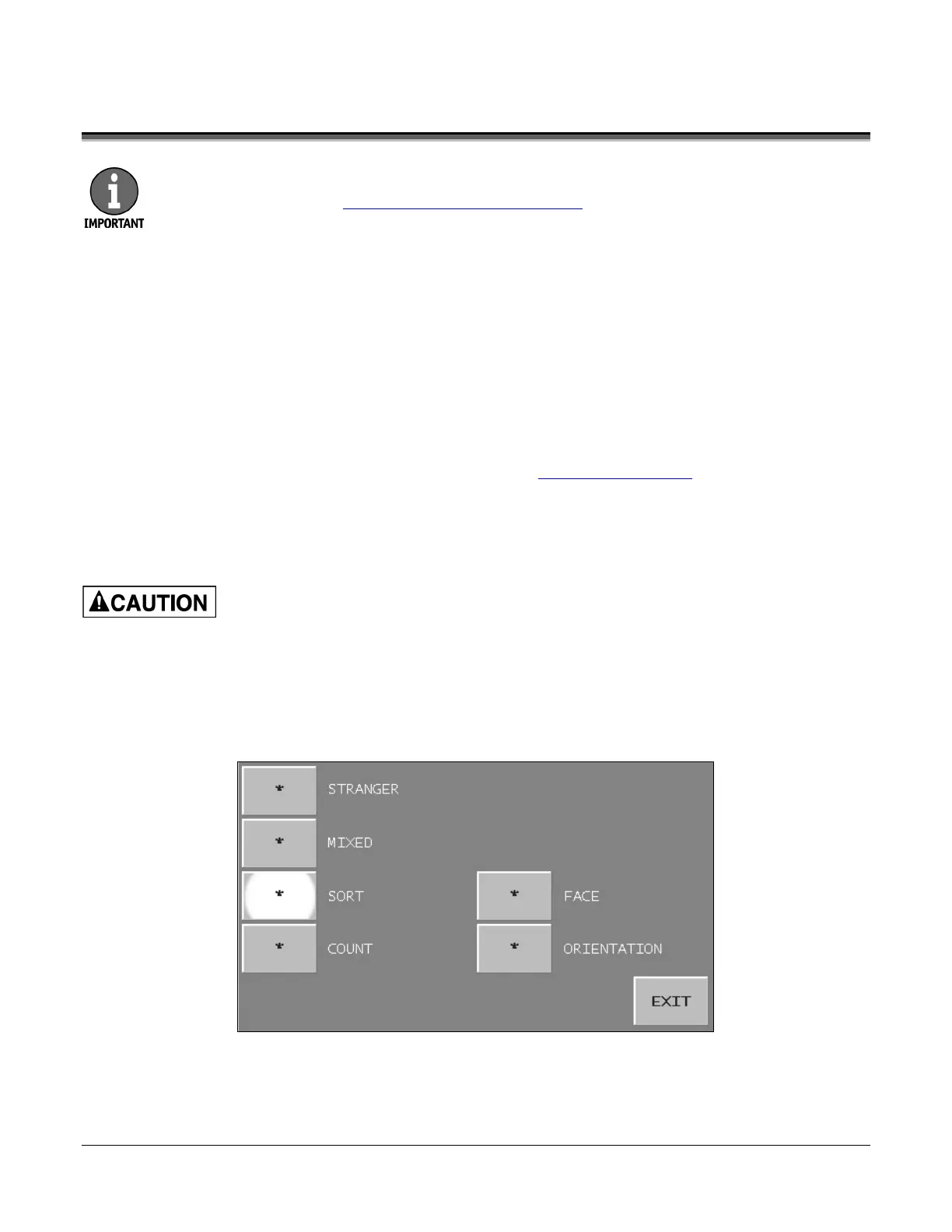
1. Press MODE on the main screen. The MODE-SELECTION screen appears.
2. Press SORT.
3. Press EXIT to return to the main screen.
4. When processing notes, press CF on the main screen to enable counterfeit detection if desired.
Machine is auto-start capable. Feed rollers in hopper rotate inward.
Entanglement and drawing-in hazard.
Do not operate with exposed long hair, neckties, jewelry or loose clothing.


 To Next Page
 Loading...

