4.4 Entering a PIN
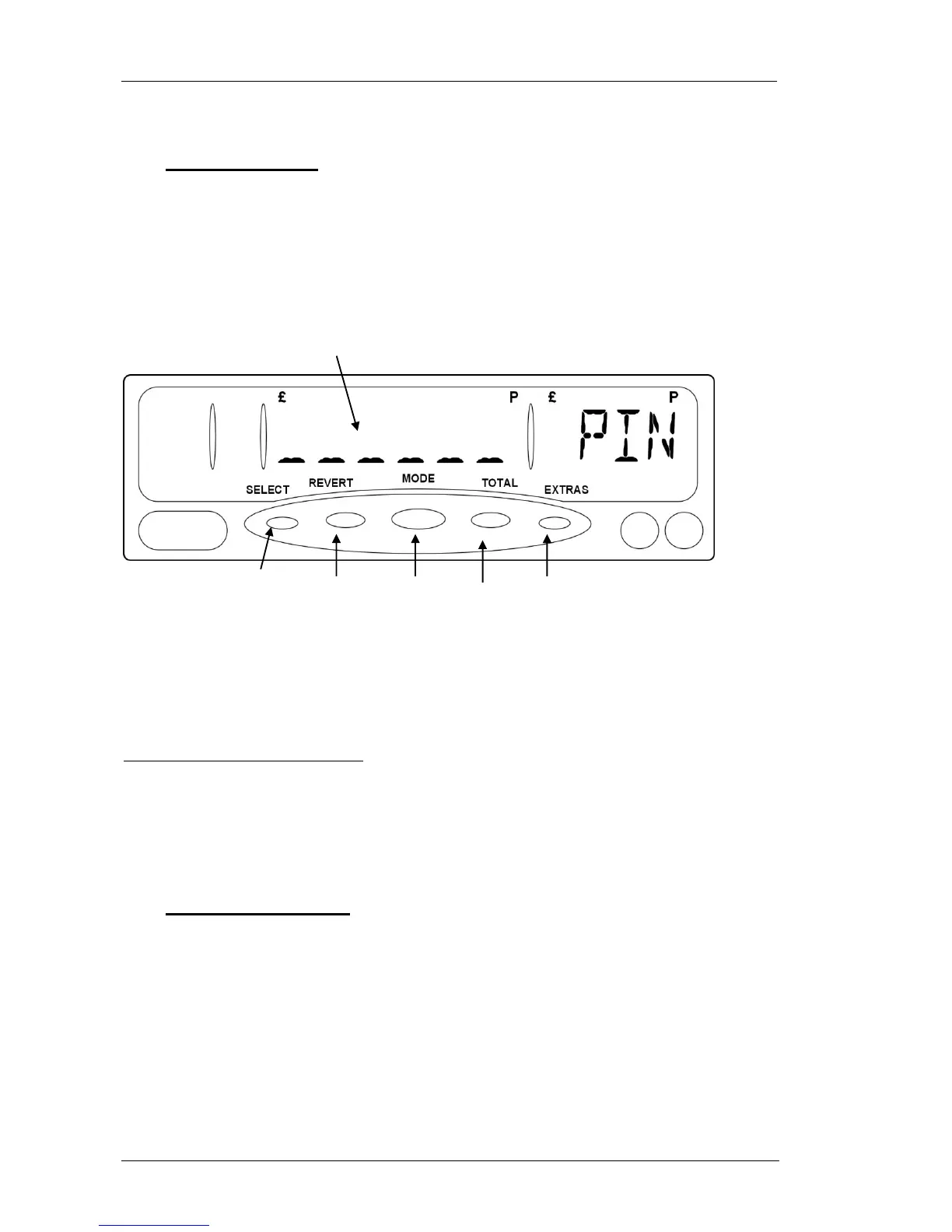
At various points, your MR400 will need you to enter a PIN Number. This is
how it is done:
Figure 9: Entering a PIN Number
If you do not press a button for 20 seconds, the MR400 times out and goes
back to its previous state.
4.5 Setting a New PIN
Whenever you need to set a new PIN Number, the MR400 always gets you to
enter it twice to make sure that you have not made any typing errors.
If you enter a different number the second time, you will have to start the
whole operation again.
The dashes change
to stars as you enter
the PIN number.
Use the buttons as if
they were numbered 1
to 5 from left to right.


 To Next Page