EZ-USB Development Kit User Guide, Doc. # 001-66390 Rev. *D 37
EZ-USB Firmware Frameworks
5.2 Building FrameWorks
The framework is written using the Keil uVision2 Compiler. It is tested only with these tools. Because
the source uses several Keil C extensions, compatibility with other compilers is not guaranteed.
For your custom device firmware, you can either start with one of the firmware examples or start with
the "clean" frameworks code. This code is located in the <Installed_directory>\<ver-
sion>\Target\fw directory. The sub-directory is chip dependent. For FX2LP and FX1, the firm-
ware is located in the "LP" sub-directory. Before editing the firmware, create a new directory for your
project and copy the various frameworks source files into it.
After starting the Windows Command Prompt, run setenv.bat (located in the Bin directory) to set up
the build environment. This batch file assumes that you have installed the DVK and Keil tools in the
default directories.
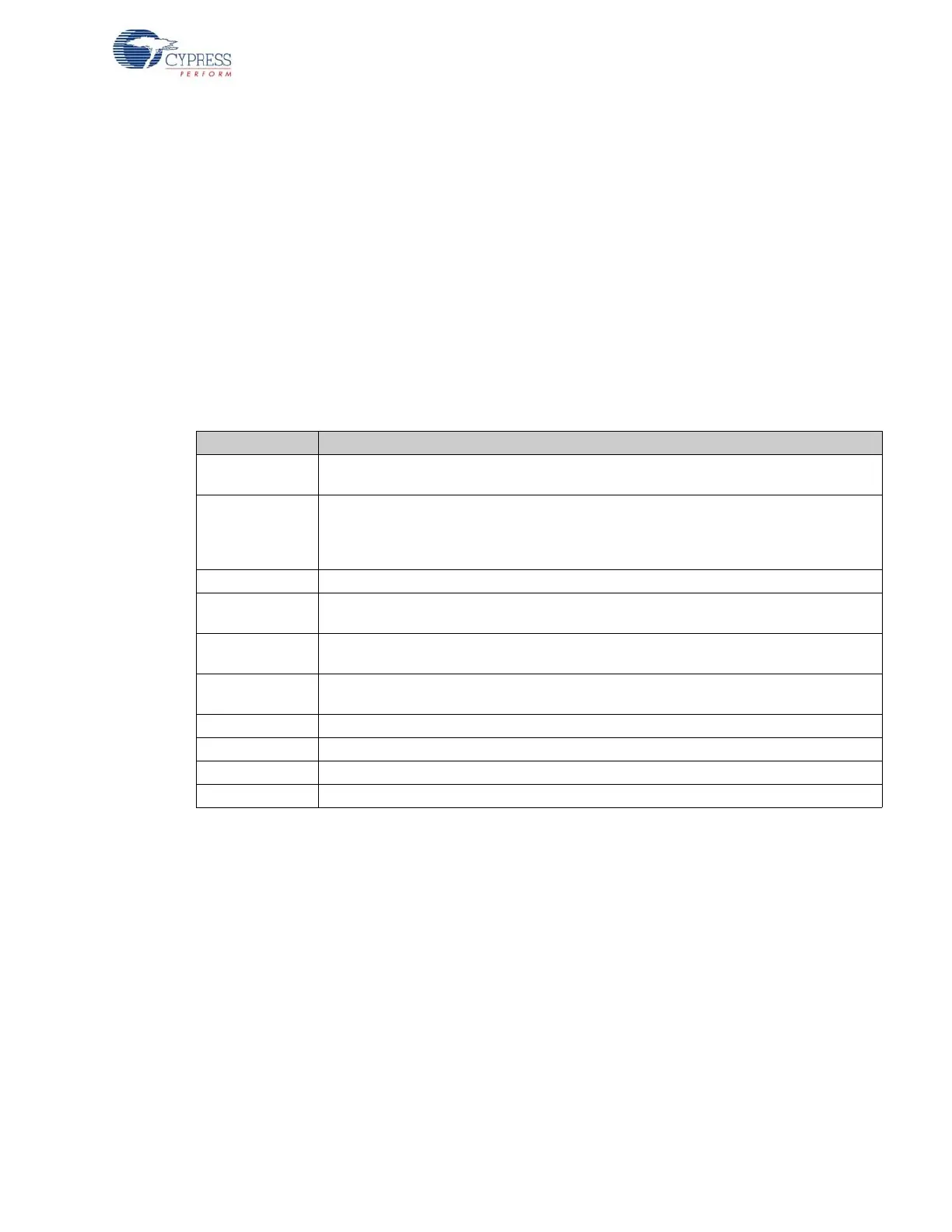
The following table lists and describes the main files in the frameworks:
Table 5-1. Files in Firmware Frameworks
File Name Description
FW.C
This is the main frameworks source file. It contains main(), the task dispatcher, and the
SETUP command handler. For most firmware projects, there is no need to modify this file
PERIPH.C
This source file contains initialization and task dispatch functions that are called from fw.c.
This is where you customize the frameworks for your specific device. This file also con-
tains stub interrupt service routine (ISRs) functions for all of the USB (INT2) and GPIF
(INT4) interrupts
DSCR.A51 Assembly file that contains your device's custom descriptors
FX2.H/LP.H
Head file containing common EZ-USB constants, macros, data types, and library function
prototypes
FX2REGS.H/
LPREGS.H
EZ-USB register declarations and bit mask constants
SYNCDLY.H/
FX2SDLY.H
Contains the synchronization delay macro.
EZUSB.LIB EZ-USB Library object code. See EZ-USB Library on page 41 for more details
USBJMPTB.OBJ Object code that contains the ISR jump table for USB and GPIF interrupts
BUILD.BAT Batch file for compiling/linking the firmware using the Keil command line tools
FW.UV2 Keil uVision2 project file for compiling/linking the firmware



 To Next Page